 Installation guide
 Owner’s manual


How to find model number on a Frigidaire washer?
On the Frigidaire FAFS4073NW0 washer, we find the model number on the manufacturer label located in the door opening area. Open the washer door and look around the door frame; the label lists both the model and serial number.
- Open the washer door and inspect the door opening (door frame) label
- Check the inside edge of the door itself
- Look along the front panel just inside the opening (near the hinge or latch side)
- Wipe the area with a damp cloth if the label is dusty or covered with detergent residue
The same label typically includes:
- Model number (used to match parts and diagrams)
- Serial number (used to identify production details)
- Electrical ratings (voltage/amps)
| You need this | Why we ask for it | Example format |
|---|---|---|
| Model number | Ensures parts fit your exact washer | FAFS4073NW0 |
| Serial number | Helps confirm version changes within a model | Letters and numbers |
Using the exact model number prevents ordering the wrong Frigidaire washer parts (like a door lock assembly, drain pump, or control board) when there are small design changes across similar-looking machines. For model-specific identification details and service info, use the FAFS4073NW0 owner's manual.
Last updated: February 2026
Who makes Frigidaire front load washers?
Frigidaire front load washers, including model FAFS4073NW0, are made under the Frigidaire brand, which is part of Electrolux. In other words, Electrolux is the parent company behind Frigidaire-branded washers sold in the U.S.
Here’s the simplest way to think about it:
| What you see on the washer | Who the parent company is | What that means for parts and support |
|---|---|---|
| Frigidaire | Electrolux | Parts are sourced and engineered to Frigidaire specifications |
Knowing the brand and model helps us match the correct replacement parts and documentation for your exact washer.
- Use the full model number FAFS4073NW0 when searching parts diagrams
- Confirm the part by description and ID (not just a similar-looking photo)
- Check installation notes and electrical requirements before servicing
- Keep shipping hardware information handy if you ever move the washer
- Use model-specific instructions for leveling and clearances
For model-specific identification details, installation requirements, and setup steps, use the documentation for FAFS4073NW0:
- See the FAFS4073NW0 installation guide for electrical requirements, leveling, and minimum clearances
- Use the FAFS4073NW0 owner’s manual for operating guidance and care recommendations
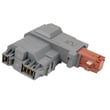
If your question is coming from a symptom like a door that will not lock, a cycle that will not start, or an error code, the manufacturer relationship matters less than matching the correct component for your model. A common related part on this washer is the washer door lock assembly 131763256.
Frigidaire front load washers rely on model-specific electronics and safety interlocks (like the door lock). Using the correct model number and documentation prevents wrong-part returns and repeat repairs.
Last updated: February 2026
How to put a Frigidaire Affinity washer in diagnostic mode?
To put your Frigidaire FAFS4073NW0 (Affinity) washer into diagnostic mode, we use the control-panel key sequence for this platform and then watch the console lights/display for stored fault codes. For the exact button names and what each light pattern means on your unit, follow the steps in the FAFS4073NW0 owner’s manual.
- Make sure the washer is in Standby (plugged in, but not running a cycle).
- Close the door fully; the door lock must be able to engage.
- Press and hold the diagnostic key combo for your control panel (varies by console style).
- Confirm entry: indicator lights typically illuminate and then begin a blink pattern, or the display shows a code.
- Use the same keys (or cycle selector) to step through saved codes and component tests (if equipped).
| What happens | What it usually indicates | What we check next |
|---|---|---|
| All/most console lights illuminate, then blink | Diagnostic mode accepted | Record codes, then clear and recheck |
| Door locks and you hear a click | Door lock circuit is working | Run a spin or drain test |
| No response to the key combo | Not in Standby, door not closed, or control issue | Power reset, then retry |
These checks solve most “won’t enter diagnostics” complaints on FAFS4073NW0:
- Unplug the washer for 2 minutes, plug back in, then retry.
- Verify the door closes firmly; check the strike area for obstruction.
- If the door will not lock during attempts, inspect the washer door lock assembly 131763256.
- If the washer is newly installed or recently moved, confirm it is stable and level; excessive vibration and movement can cause intermittent control and lock issues (see the installation guide).
Diagnostic mode helps us separate a simple setup issue (door not fully closed, unstable leveling) from a true failure (door lock circuit, motor control, or main control), so you replace only the part that fixes the problem.
Last updated: February 2026
Why is my Frigidaire washer leaking from the bottom?
A bottom leak on your Frigidaire FAFS4073NW0 washer is usually caused by a drain system issue (pump, hoses, or pump filter), a door boot leak that runs down the cabinet, or an overfill condition. Start by checking the drain pump filter area and all hose connections.
- Unplug the washer before inspecting underneath or removing panels.
- Pull the washer forward and look for the first wet spot (front-left is often the drain pump area).
- Check the drain hose at the standpipe and at the washer for looseness or cracks.
- Look for water tracks from the door opening down the front panel (often points to the door boot).
- If the leak happens only during fill, suspect inlet hoses or an overfill issue.
| Where you see water | Most likely cause | What to inspect next |
|---|---|---|
| Front bottom area | Drain pump or pump filter leaking/clogged | Pump housing, filter cap seal, debris in filter |
| Under the door area | Door boot (bellows) torn or clamp loose | Boot lip, inner/outer clamp seating |
| Back bottom area | Fill hoses or drain hose connection | Hose washers, clamps, cracks |
| Any time it fills too high | Water-level pressure switch or air hose issue | Air dome hose for kinks/holes, switch operation |
If you confirm the leak source, these model-matched parts are common solutions:
- Washer drain pump filter 134640200 (clogs, damaged cap seal, or a filter that will not seat)
- Washer drain pump 137240800 (cracked housing or leaking pump body)
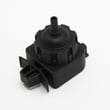
- Washer water-level pressure switch 134762010 (overfilling that can force water out low points)
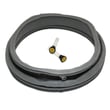
- Bellows 134515300 (door boot leaks that run down and drip from the base)
A small leak can quickly lead to repeated drain errors, poor spinning, odor, and floor damage. Finding the exact leak location first prevents replacing the wrong part and helps you fix the root cause.
For panel access, safety notes, and installation-related leak checks (leveling, hose routing, and electrical safety), follow the FAFS4073NW0 installation guide. For operating tips and care steps that reduce leaks and odor, use the FAFS4073NW0 owner's manual.
Last updated: February 2026


