 Installation guide
 Owner’s manual



What is the life expectancy of a GE microwave?
Most GE microwaves typically last 7 to 10 years with normal household use. For a built-in over-the-range model like GE JVM3160DF4BB, lifespan depends most on daily run time, keeping airflow and the vent system clear, and avoiding door slams and overheating; see the JVM3160DF4BB owner’s manual for care and safety basics.
- Heat and ventilation: heavy cooktop heat can make the vent fan run automatically; that heat load shortens component life over time.
- Door use: slamming the door stresses the latch and interlock system.
- Cleanliness: grease buildup restricts airflow and traps heat.
- Power quality: frequent surges can stress the noise filter and control circuits.
- How it’s used: running empty, repeated overheating, or arcing events accelerate wear.
| Symptom | Common area involved | Typical next step |
|---|---|---|
| Runs but does not heat | High-voltage system | Service diagnosis recommended |
| Dead display, no response | Fuse or power input | Check/replace fuse if qualified |
| Stops when door moves | Door switches/latch | Inspect interlock system parts |
| Loud hum or burning smell | High-voltage components | Stop using; schedule service |
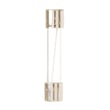
If the unit goes completely dead, a blown fuse is a common cause; qualified DIYers often start with the microwave fuse WB27X11138 and then check door switch alignment.
- Wipe the cavity and door seals regularly; don’t let grease bake on.
- Keep the vent grille and filters clean so heat can escape.
- Use microwave-safe cookware; avoid metal and foil contact.
- Close the door gently so the interlock switches stay aligned.
- If heating performance changes, stop “pushing through it” and troubleshoot early.
A microwave/hood combo like the JVM3160DF4BB lives above the cooktop, so heat, steam, and grease are constant. Managing airflow and keeping the door/interlock system healthy prevents nuisance shutdowns and extends the life of key electrical parts.
Last updated: February 2026
Is the JVM3160DF4BB easy to use?
Yes. The GE JVM3160DF4BB microwave/hood combo is designed for straightforward daily use with a simple keypad layout and common one-touch functions (like Add 30 Sec., Express Cook, and Popcorn). For the quickest learning curve, follow the feature and control explanations in the JVM3160DF4BB owner's manual.
Most owners consider this style of GE over-the-range microwave easy because the controls focus on everyday tasks:
- One-touch cooking shortcuts (Express Cook, Popcorn, Potato, Beverage)
- Quick-start heating (Add 30 Sec.)
- Basic time cook and power level control
- Defrost by weight/time
- Built-in kitchen timer and clock
- Vent fan and surface light controls on the front panel
Use these as your baseline for day-to-day operation:
| Task | What you use | What to expect |
|---|---|---|
| Reheat leftovers | Reheat or Cook Time | Simple, repeatable results once you learn your preferred time/power |
| Fast warm-up | Add 30 Sec. | Starts immediately and adds time in increments |
| Venting while cooking | Vent | Helps clear steam and odors from the cooktop below |
A few habits make any microwave/hood combo feel more intuitive and improve results:
- Use lower power levels for dense foods to heat more evenly.
- Stir or rotate food halfway through longer cook times.
- Keep the turntable and roller area clean so it rotates smoothly.
- Use microwave-safe containers sized to allow steam to escape.
- If the keypad seems less responsive, press with the pad of your finger (not a fingernail).
When the controls are simple and consistent, you get more predictable heating and fewer boil-overs. That also reduces mess inside the cavity and helps the turntable system and door switches operate normally over time.
Last updated: February 2026
How do I do a hard reset on my GE microwave?
To hard reset your GE JVM3160DF4BB microwave/hood combo, disconnect power for 1 to 2 minutes (unplug it or switch the breaker off), then restore power and set the clock. This clears many control glitches after a power surge or when the oven will not start.
- Press CANCEL/OFF to stop any active cooking cycle.
- Unplug the microwave; if it is hardwired, turn OFF the circuit breaker.
- Wait 1 to 2 minutes.
- Restore power.
- Set the clock and test a simple cook cycle (for example, Add 30 Sec.).
The manual’s “Oven will not start” troubleshooting points to a few common causes that look like a “needs reset” problem.
- Make sure the 3-prong plug is fully inserted.
- Confirm the door is closed securely; open and close it firmly.
- After choosing a cook setting, press START/PAUSE.
- If another selection is active, press CANCEL/OFF to clear it.
- Check your home fuse/breaker and reset if tripped.
If the display lights up but the microwave will not run, the door interlock system is a common suspect. A failed switch can prevent starting even when the door seems closed.
| Symptom | Common area to check | Example model-matched part |
|---|---|---|
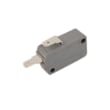
| Won’t start, door must be slammed | Door interlock switch/lever | Microwave door interlock switch WB24X10146 |
| Blows fuse or goes dead when starting | Door switches or fuse | Microwave fuse WB27X11138 |
A hard reset restores normal operation after a power surge and helps confirm whether you have a simple control lock-up versus a real problem such as a door switch or fuse issue. For model-specific operating details, use the JVM3160DF4BB owner’s manual.
Last updated: February 2026
What are common problems with GE profile microwaves?
Common problems we see with GE Profile microwaves (including over-the-range microwave/hood combos like GE model JVM3160DF4BB) are no power, the oven will not start even though the display is on, not heating, unusual noises, and vent fan behavior that seems unexpected (but is often normal). Use the troubleshooting section in the JVM3160DF4BB owner's manual to match symptoms to quick checks.
- Oven will not start: loose plug, tripped breaker, power surge reset needed, or door not fully closed.
- Control panel is lit but it will not run: door not securely closed, START/PAUSE not pressed, or a prior selection needs to be canceled.
- No power at all: house fuse/breaker issue, or an internal fuse such as the microwave fuse WB27X11138.
- Not heating: high-voltage circuit issues (commonly the diode, capacitor, transformer, or magnetron).
- Turntable not spinning: turntable motor or drive issue.
- Confirm the outlet has power; reset the breaker if needed.
- Unplug the microwave for 60 seconds after a power surge, then plug it back in.
- Open and close the door firmly; then press START/PAUSE after selecting a cook time.
- Cancel any previous selection by pressing CANCEL/OFF, then re-enter your settings.
- If the vent fan turns on by itself during cooking on the range, treat it as normal heat protection behavior.
| What you notice | Often normal | Often needs service/parts |
|---|---|---|
| Steam/vapor around the door, moisture on door/walls | Yes | If it persists long after cooking |
| Dimming light or blower sound changes at lower power | Yes | If it happens with burning smell or no heat |
| TV/radio interference | Sometimes | If severe after trying a different circuit |
| Display works but won’t run | Sometimes (door/settings) | Door switch/latch issue |
Door-related failures can prevent safe operation. Common items include:
- Microwave door interlock switch WB24X10146
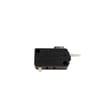
- Microwave door monitor switch WB24X10205
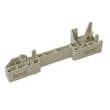
- Microwave door latch WB10X32782
Microwaves use door interlocks and protective circuits to prevent operation when the door is not fully latched or when an unsafe condition is detected. When the oven will not start, the “problem” is often a safety lockout, not a cooking failure.
Last updated: February 2026





