 Owner’s manual



How do I know what model my garage door opener is?
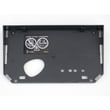
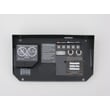
For the Craftsman garage door opener model 13953660SRT1, the model number label is located under the light lens on the front end panel of the opener. Once you find that label, match the printed model number exactly when looking up parts or troubleshooting steps in the owner's manual.
Where to look on the opener
Check these common label locations in this order:
- Under the light lens on the front end panel (most common on this Craftsman style)
- On the side or back panel near the hanging bracket or antenna
- Under the main cover (some variants place the label inside the housing)
- On the motor unit end panel near the wiring terminals
What to write down (and why)
Record the key identifiers from the label so you can get the right parts and instructions:
- Model number (example: 13953660SRT1)
- Product type (garage door opener)
- Part number and part description (when ordering a replacement)
- Any additional numbers on the label (often used to identify compatible remotes or accessories)
Quick check: model number vs. part number
| Item | What it identifies | Example | Used for |
|---|---|---|---|
| Model number | The opener you own | 13953660SRT1 | Correct manual, parts list, compatibility |
| Part number | A specific replacement part | Varies by part | Ordering the exact replacement |
| Part description | Name of the part | e.g., logic board, safety sensor | Confirming you picked the right item |
Why it matters
Garage door opener parts and accessories (like remotes, wall controls, and safety reversing sensors) are model-specific. Using the exact model number helps us match the correct diagrams, troubleshooting steps, and compatible components for your Craftsman opener.
Last updated: February 2026
Where can I buy Craftsman garage door opener parts?
You can buy replacement parts for your Craftsman garage door opener model 13953660SRT1 through Sears PartsDirect by using the model-specific parts list and diagrams for this opener. For correct ordering, match the part description and part number to your exact model.
Best way to find the right part for 13953660SRT1
We recommend using your model number and the parts list in the documentation to avoid ordering the wrong item.
- Confirm the model number on the opener label (it’s typically under the light lens on the front end panel)
- Use the Repair parts section to identify the exact part name and part number
- Compare your existing part to the diagram (shape, wire connectors, mounting points)
- Order by part number when possible, not just by description
- Keep your opener’s product type, model number, part number, and part description together when ordering
Common Craftsman garage door opener parts people replace
These are frequently replaced items shown in the parts list for this Craftsman opener family:
| Part type | What it affects | Common symptom |
|---|---|---|
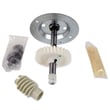
| Gear and sprocket assembly | Drive system | Motor runs but door does not move |
| Drive/worm gear kit | Drive engagement | Grinding noise, intermittent movement |
| Capacitor (by motor size) | Motor start/run | Hums, struggles to start |
| Light lens/socket | Lighting | Light not working or lens damaged |
If you are troubleshooting before you buy
Buying the right part starts with identifying the failure correctly.
- If the opener lights blink or the unit behaves erratically, check Craftsman error codes
- If the door will not close, inspect the safety sensors and alignment
- If the motor runs but the chain/belt does not move, suspect drive gears
Why it matters
Garage door opener parts are model-specific; ordering by the exact Craftsman 13953660SRT1 identification prevents fit issues and repeat repairs. Using the owner's manual helps you confirm the correct part number and where it installs.
Last updated: February 2026
Can you get a universal remote for an old garage door opener?
Yes. For the Craftsman 13953660SRT1 garage door opener, you can add additional compatible remotes by programming them to the opener’s “SRT” (learn) button; the manual also lists accessory remote models that work with this opener. A universal remote can also work if it supports your opener’s radio system.
What works best for the 13953660SRT1
We recommend starting with a compatible Craftsman-style remote listed for the SRT series, then programming it to the opener.
- The 13953660SRT1 can learn up to four “SRT” portable remotes.
- It can also learn one multi-function keyless entry keypad.
- If you want a smaller remote, a compact 3-function remote is also listed as an accessory.
- If you choose a universal remote, make sure it supports your opener’s learn-button programming method.
For the exact programming steps and accessory list, use the owner's manual.
How to program an added remote (SRT learn button method)
Use this process when you buy an additional remote for your Craftsman 13953660SRT1.
- Press and hold the button on the remote you want to use.
- Press and release the “SRT” (learn) button on the opener’s back panel.
- Watch for the opener light to flash once.
- Release the remote button after the light flash.
- Test the remote from inside the garage.
If you need to start over
If you changed which button you want to use, erase learned codes and reprogram each remote.
| Task | What you do | What to expect |
|---|---|---|
| Erase all remote codes | Hold the “SRT” button until the indicator light turns off (about 6 seconds) | All learned remotes are cleared |
| Reprogram remotes | Repeat the add-remote steps for each remote | Each remote works again |
Why it matters
Using a compatible remote and the correct learn-button steps prevents “no response” problems and avoids repeated reprogramming. It also helps keep operation safe; we recommend keeping remotes and wall controls away from children.
Related help: Craftsman error codes.
Last updated: February 2026
Is it cheaper to repair or replace a garage door opener?
Repairing a Craftsman garage door opener like model 13953660SRT1 is cheaper when the problem is limited to adjustments, wiring, sensors, or controls; replacement makes more sense when the motor or drive system is failing repeatedly or the door hardware is unsafe. We use repair cost versus age and reliability to decide.
A practical repair vs replace checklist
Repair is usually the better value when:
- The opener has power issues you can trace (outlet, breaker, wall switch)
- The remote works but the wall control does not (often wiring or wall control)
- The door reverses and the opener lights blink (commonly sensor alignment or obstruction)
- The opener trips an overload protector after repeated cycles (cool-down and re-test)
- The door travel needs limit or force adjustment (normal with weather changes)
Replace is usually the better value when:
- The motor hums briefly and will not run after basic checks
- You need maximum force to move the door (door is out of balance or springs are failing)
- Repairs are frequent and the total cost is approaching half the price of a new opener
Cost and decision guide
| Situation | Typical best choice | Why |
|---|---|---|
| Sensor or control issue | Repair | Lower parts and labor; fast fix |
| Limit/force settings off | Repair | Adjustment restores safe operation |
| Motor/gear failure pattern | Replace | Higher repair cost; reliability risk |
| Door is heavy or unbalanced | Service door first | Opener force increases are unsafe |
What we recommend checking first (safe, high-impact)
- Disconnect power before removing covers or touching wiring.
- Confirm the outlet has power (test with a lamp).
- Inspect and align the safety reversing sensors; clear any obstruction.
- If the remote works but the wall control does not, check for a staple-pierced or broken control wire.
- If travel is off, follow the limit and force adjustment steps and repeat the safety reverse test.
Why it matters
A garage door opener is designed to move a properly balanced door. If the door is binding or the springs are weak or broken, increasing force settings can create a serious safety hazard. The manual also calls out that spring and cable repairs must be handled by a professional garage door servicer.
For model-specific adjustment locations, troubleshooting steps, and safety reverse testing, follow the owner's manual. For diagnostic patterns and blink codes, use Craftsman error codes.
Last updated: February 2026
How do I know which garage door opener is compatible?
For a Craftsman 13953660SRT1 garage door opener, compatibility is determined by the opener’s radio system and programming method. This model uses an “SRT” (learn) button system, so you’ll choose remotes and keypads designed to program through that SRT learn button, then follow the steps in the owner's manual.
What to check first (fast compatibility checklist)
- Confirm the opener is Craftsman 13953660SRT1 (label on the motor unit).
- Look for the “SRT” (learn) button on the back panel; this identifies the programming system.
- Decide what you’re adding: remote, keyless entry keypad, or wall control.
- Count how many devices you need; this SRT series can learn multiple remotes and a keyless entry.
- If you are replacing an older remote, plan to erase and reprogram if you want to change which button operates the door.
How compatibility works on this model
Your 13953660SRT1 is part of the 53000SRT series. Devices are compatible when they can be programmed using the opener’s SRT learn button.
Typical device types and what “compatible” means
| Device you’re adding | What must match | What you’ll do |
|---|---|---|
| Remote control | SRT learn-button programming | Program the remote to the opener |
| Keyless entry keypad | SRT learn-button programming | Set a 4-digit PIN and program it |
| Additional button on a 3-function remote | Same remote, different button | Erase learned codes, then reprogram all remotes |
Programming basics (what you’ll actually do)
- Add a remote: hold the chosen remote button, press and release the SRT (learn) button, then release the remote button when the opener light flashes.
- Add a keyless entry: choose a 4-digit PIN, enter it on the keypad, then press and hold Enter while pressing the SRT (learn) button.
- Erase all codes (when needed): press and hold the SRT button until the indicator light turns off (about 6 seconds), then reprogram every remote/keypad you use.
Why it matters
Using the correct SRT-compatible remote or keypad prevents “won’t program” problems and avoids accidental lockouts when you erase learned codes. It also helps keep operation safe, especially with children and a moving door.
For troubleshooting symptoms that look like “compatibility” issues (no response, blinking lights, intermittent operation), use the Craftsman error codes guide alongside the manual steps.
Last updated: February 2026





