 Installation guide
 Owner’s manual
 Error Codes




What is the life expectancy of a KitchenAid wall oven?
A KitchenAid electric wall oven like model KEBC101KBL0 typically lasts 10 to 15 years with normal household use. Keeping the oven cavity clean, protecting the door seal, and fixing heating or temperature issues early helps you reach the upper end of that range.
Typical lifespan and what affects it
Most electric wall ovens fall into a predictable lifespan range, but a few factors make a big difference:
- How often you bake or broil (daily use shortens lifespan)
- Heat exposure from frequent self-clean cycles
- Power quality and tight electrical connections at the terminal block
- Door seal condition (heat leaks make components work harder)
- Whether temperature is accurate (overheating stresses elements and controls)
| Usage pattern | Typical life expectancy | What usually wears first |
|---|---|---|
| Light (1 to 3 times/week) | 12 to 15 years | Door parts, light, sensor drift |
| Moderate (4 to 7 times/week) | 10 to 13 years | Bake/broil elements, sensor, hinges |
| Heavy (multiple cycles/day) | 8 to 11 years | Elements, controls, wiring connections |
Maintenance that extends oven life
We recommend these practical steps for KEBC101KBL0 owners:
- Wipe spills after the oven cools; baked-on soil holds heat and odors.
- Use self-clean sparingly; high heat can shorten the life of wiring, sensors, and door components.
- If baking temps seem off, test with an oven thermometer and consider replacing the temperature sensor if it is drifting.
- Keep the door closing firmly; worn hinges can cause heat loss and uneven cooking.
- Replace damaged gaskets, bumpers, or glass promptly to prevent heat escaping.
Helpful model-specific references: KEBC101KBL0 owner's manual.
Parts that commonly impact performance as the oven ages
If the oven is heating unevenly, overheating, or taking too long to preheat, these parts are common suspects:
- Wall oven temperature sensor WPW10131825 (temperature accuracy)
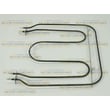
- Bake element (bottom heat)
- Broiler element (top heat and browning)
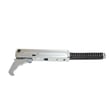
- Door hinge (door alignment and sealing)
- Oven high-limit thermostat (overheat protection)
Why it matters
Once an oven starts running hot or cold, other components work harder to compensate. Correcting temperature and sealing issues early helps protect expensive parts like elements, wiring, and electronic controls.
Last updated: January 2026
How to reset a KitchenAid wall oven?
To reset your KitchenAid wall oven model KEBC101KBL0, turn the oven off and reboot the control by cycling power: switch the circuit breaker OFF for 1 minute, then back ON. The display may go blank briefly, then return to normal.
Quick reset options (start here)
- Cancel/Off reset: Press CANCEL/OFF to stop a cooking cycle and clear most active functions.
- Breaker reset (best for glitches): Turn the oven breaker OFF for 60 seconds, then ON.
- Control Lock check: If most keys do not respond, Control Lock may be enabled; unlock it using the steps in the KEBC101KBL0 owner's manual.
- Wait for inactive mode: If you do not press START after programming, the control can return to an inactive (blank) display after several minutes and cancel the function.
What you should see after a successful reset
| What happens | What it usually means | What to do next |
|---|---|---|
| Display goes blank, then comes back | Control rebooted normally | Set the clock if needed and test Bake/Broil |
| “START?” appears | A function was selected but not started | Press START to begin cooking |
| Keys mostly do not work | Control Lock may be on | Unlock Control Lock, then retry |
| Oven still will not heat | Likely a heating or sensing issue | Run the checks below |
If the oven still will not heat after resetting
These checks help narrow down whether you have a control issue or a failed component:
- Confirm the oven has proper power at the breaker (a wall oven typically needs 240V).
- Try Bake and Broil separately to see if one element works.
- If temperatures seem inaccurate or the oven shuts off early, test/inspect the wall oven temperature sensor WPW10131825.
- If the oven overheats or trips out, inspect the oven high-limit thermostat WP9759242.
- If you are comfortable testing circuits, use a meter and follow safe electrical testing practices from how to use a multimeter to test electrical parts video.
Why it matters
A reset clears many temporary control faults (stuck key behavior, display glitches, canceled programming). If the problem returns quickly, the issue is usually power supply, wiring, a sensor, a thermostat, or a heating element rather than the control needing “reprogramming.”
Last updated: January 2026
What is the disadvantage of a wall oven?
A key disadvantage of a wall oven like KitchenAid KEBC101KBL0 is service access: because it is built into cabinetry, many repairs require pulling the oven out of the cutout, which adds time, labor, and installation steps compared to a freestanding range. See the KEBC101KBL0 installation guide.
Common disadvantages (what we see most often)
- Harder to service: built-in placement can require removing trim, loosening mounting screws, and sliding the oven out.
- More installation requirements: the cabinet cutout and support surface must be solid, level, and flush.
- Electrical access constraints: the junction box location matters; poor placement can complicate installation and future service.
- Heavier handling: wall ovens are awkward to move safely without help.
- Heat and ventilation sensitivity: tight cabinetry clearances can make overheating issues show up sooner if airflow is restricted.
What “harder to repair” usually means
When a component fails (for example, a sensor or heating element), the repair itself may be straightforward, but access is the challenge.
| Repair situation | Typical extra step on a wall oven | Why it adds difficulty |
|---|---|---|
| Replacing an internal part | Pull oven partially or fully from cabinet | Limited rear and side access in a cutout |
| Electrical troubleshooting | Access junction box and wiring | Junction box may be behind or adjacent to oven |
| Door-related issues | Support door weight and alignment | Built-in height makes handling trickier |
Parts that commonly come up during troubleshooting
If the oven is overheating, underheating, or cycling oddly, these model-compatible parts are often involved:
Why it matters
Wall ovens deliver a clean built-in look and ergonomic height, but the tradeoff is that cabinetry, mounting, and electrical placement become part of the “system.” That is why correct installation details (support surface, junction box location, and grounding) directly affect repair time and cost.
Last updated: January 2026
Why is my KitchenAid electric oven not working?
If your KitchenAid electric wall oven model KEBC101KBL0 is not working, the most common causes are a power supply problem (tripped breaker), a failed heating component (bake or broil element), or an overheat safety device opening the circuit. Use the KEBC101KBL0 owner's manual to confirm the correct checks for your exact symptoms.
Quick checks we recommend first
- Verify the oven has 240 volts at the terminal block (a partially tripped breaker can leave you with lights but no heat).
- Confirm the control is not in Sabbath, Demo, or a delayed start mode (if equipped).
- If the display is blank, check the house breaker and wiring connections.
- If the display works but there is no heat, inspect the bake and broil circuits.
- If the oven overheated recently, an open safety device can stop heating.
Most likely failed parts (and what they affect)
When the oven powers on but will not heat, these parts are common suspects:
| Symptom | Most likely area | Part to consider for KEBC101KBL0 |
|---|---|---|
| Oven will not heat or heats erratically | Temperature sensing | Wall oven temperature sensor WPW10131825 |
| Oven shuts down after overheating | Safety limit | Oven high-limit thermostat WP9759242 |
| No broil heat | Broil circuit | Broiler element WPW10207400 |
| No bake heat | Bake circuit | Bake element 4451175 |
How we troubleshoot “has power but won’t heat”
- Reset the breaker fully: switch OFF, then ON.
- Check element condition: look for blisters, cracks, or burned spots on the bake and broil elements.
- Test with a multimeter (power off): check element continuity and inspect wiring terminals for heat damage.
- Check the sensor circuit: a drifting sensor can cause underheating, overheat errors, or no heat commands.
- Inspect the high-limit thermostat: if it opens, the oven may stop heating to protect the unit.
Why it matters
An electric wall oven can appear “on” while still missing the full 240V supply needed to heat. Confirming power first prevents unnecessary parts replacement and helps you pinpoint whether the issue is in the heating circuit, sensor feedback, or an overheat safety device.
Last updated: January 2026







