 Installation guide
 Owner’s manual
 Error Codes






How to reset a KitchenAid Superba oven?
To reset a KitchenAid Superba-style wall oven like model KEBC208KSS02, clear the control by pressing CANCEL/OFF (or UPPER OVEN CANCEL/OFF and LOWER OVEN CANCEL/OFF on double ovens). If the display shows PF, clear it with CANCEL/OFF and reset the clock.
- Press CANCEL/OFF to stop any cooking cycle.
- If you have a double oven, press UPPER OVEN CANCEL/OFF and/or LOWER OVEN CANCEL/OFF for the oven you want to stop.
- If PF appears, press the appropriate CANCEL/OFF pad to clear the message.
- Reset the clock if needed.
- If the keypad is locked, unlock the controls (Control Lock can stay enabled through a power failure).
| Display message | What it means | What to do |
|---|---|---|
| PF | Power failure occurred | Press CANCEL/OFF, then reset the clock |
| Err | An invalid pad was pressed | Press CANCEL/OFF, then re-enter the setting |
| Blank display (not cooking) | Normal when ovens are off | No action needed |
If the oven still will not start, heats incorrectly, or keeps showing error behavior after you clear the display, focus on common wall-oven causes:
- Check for a tripped breaker (built-in electric ovens typically use a 240V circuit).
- Confirm the oven is not in Self-Clean or a locked state.
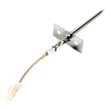
- If temperatures are off, test the sensor circuit; the wall oven temperature sensor WPW10131825 is a common fix when baking temperatures drift.
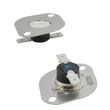
- If the oven overheats or shuts down, inspect the oven high-limit thermostat WP9759242.
- If you are doing electrical testing, use proper meter technique and safe power-off checks.
Clearing PF, Err, or a stuck cooking mode restores normal keypad operation and prevents the oven from staying in an interrupted state that can block baking, broiling, or timed cooking. For model-specific control behavior, use the KEBC208KSS02 owner’s manual.
Last updated: February 2026
What does F1 mean on a KitchenAid oven?
On the KitchenAid KEBC208KSS02 electric built-in oven, an F1 error typically points to a problem in the electronic control system or the oven temperature sensing circuit. A power reset sometimes clears a temporary glitch, but recurring F1 errors usually mean a failed sensor, wiring issue, or control problem.
- Turn the oven off at the breaker for 1 minute, then restore power and retest.
- If F1 returns, note when it happens (preheat, bake, broil, self-clean, idle).
- Check that the oven is not in Self-Clean or stuck in a door lock cycle.
- If the display beeps continuously, cancel the cycle and reset power again.
- If the oven overheats or smells hot, stop using it and keep power off.
| Likely cause | What you may notice | What usually fixes it |
|---|---|---|
| Temperature sensor circuit issue | F1 during preheat, uneven temps | Test/replace sensor, repair wiring |
| Control (ERC) fault | Random F1, beeping at idle | Control repair/replacement |
| Overheat condition | F1 after long bake or self-clean | Check cooling airflow, thermostat, sensor |
These are the most common components we see involved when an oven flags a sensor or overheat-related fault:
An F1 code can shut the oven down or cause inaccurate temperature control. Fixing the root cause protects baking performance and helps prevent overheating that can damage wiring, elements, or the control.
Use the KEBC208KSS02 owner’s manual for operating steps, error behavior, and any model-specific guidance. For wiring and mounting details, the KEBC208KSS02 installation guide is also helpful.
Last updated: February 2026
How to know if the KitchenAid wall oven thermostat is bad?
If your KitchenAid KEBC208KSS02 wall oven overheats, underheats, or cycles heat erratically even after you confirm basic settings and calibration, the temperature control system is the likely issue. On this model, we focus first on the temperature sensor and overheat protection before replacing the high-limit thermostat.
- Oven temperature is consistently too hot or too cool versus the set temperature.
- Food browns too fast on the outside or takes much longer than normal to finish.
- Oven seems to shut off early, then comes back on unpredictably.
- You see overheating symptoms after you have verified the oven vent is not blocked.
- The oven will not heat during a basic BROIL test.
Use the functional check steps in the KEBC208KSS02 installation guide. A simple BROIL test helps confirm whether the broil circuit is working at all.
Your Use and Care information notes the oven vent should not be blocked; poor airflow can cause temperature problems and poor cooking results. Review vent location and usage notes in the KEBC208KSS02 owner's manual.
A drifting sensor can mimic a “bad thermostat” because the control gets the wrong temperature feedback.
| Symptom | More likely cause | Common next step |
|---|---|---|
| Consistently off by 25°F to 50°F | Calibration or sensor drift | Check calibration, then test sensor |
| Overheats and seems to run away | Sensor issue or control issue | Test sensor, inspect wiring |
| Shuts down after getting very hot | Overheat protection opening | Check high-limit thermostat |
- Wall oven temperature sensor WPW10131825: primary feedback device for oven temperature.
- Oven high-limit thermostat WP9759242: safety device that can open if the oven overheats.
Accurate temperature control protects baking performance and prevents repeated overheating that can stress wiring, elements, and the door latch system.
Last updated: February 2026
Why is my KitchenAid Superba oven not heating up?
If your KitchenAid built-in oven (model KEBC208KSS02) is not heating, the most common causes are a failed heating element, an open high-limit thermostat, a bad temperature sensor, or a wiring/connection problem. We recommend confirming the oven is actually calling for heat using the quick heat-check steps in the KEBC208KSS02 installation guide.
- Make sure the oven is not in Demo mode (if equipped) and that Bake or Broil was started normally.
- Start Broil and confirm the door is fully closed and the ON indicator shows.
- After about 2 minutes, carefully crack the door and feel for heat (the install guide uses this as a basic operation check).
- If an “F” code appears, note it and follow the service guidance in the KEBC208KSS02 owner’s manual.
- Reset power: turn the breaker OFF for 1 minute, then back ON, and retry Bake.
When the display works but the oven stays cold, these parts are the usual suspects:
- Bake element (for Bake heat): bake element 4451175
- Broil element (for Broil heat): broiler element WPW10207400
- Oven temperature sensor (tells the control how hot the oven is): wall oven temperature sensor WPW10131825
- Oven high-limit thermostat (opens if overheating is detected): oven high-limit thermostat WP9759242
- Loose, burned, or broken wiring at the element terminals or sensor connector
For accurate diagnosis, we use a multimeter and a visual inspection.
| Symptom | Most likely cause | What we check first |
|---|---|---|
| Broil works, Bake does not | Bake element or its wiring | Element for cracks/blisters, terminal connections |
| Bake works, Broil does not | Broil element or its wiring | Element condition and connectors |
| Neither Bake nor Broil heats | High-limit thermostat, power supply, control/wiring | Breaker, terminal block connections, thermostat continuity |
| Temps are far off, then stops heating | Temperature sensor | Sensor connection and resistance test |
A no-heat condition is usually an electrical open (element, thermostat, sensor circuit, or wiring). Finding the exact open prevents replacing the wrong part and helps restore safe, consistent heating performance.
Last updated: February 2026







