




What is the life expectancy of a GE dehumidifier?
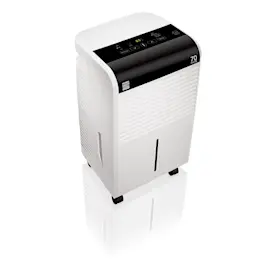
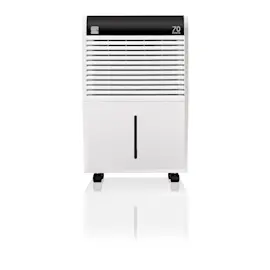
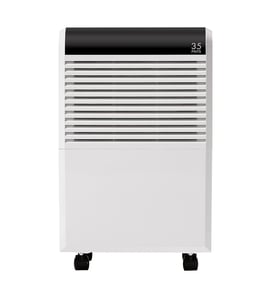
A GE dehumidifier like model ADHB35LZW1 typically lasts about 8 years with normal residential use. Regular cleaning, good airflow, and keeping the drain path clear help the compressor, fan motor, and humidity sensor run longer and more efficiently.
Typical lifespan and what affects it
Most dehumidifiers fail early due to restricted airflow, dirty coils, or water-handling issues (bucket and drain system). These factors have the biggest impact:
- Run time: units running 24/7 wear faster than seasonal use
- Maintenance: a dirty air filter and dusty coils raise operating temperature
- Environment: basements with heavy moisture and dust load the system harder
- Drain setup: frequent bucket overflows or poor drainage can cause shutdowns and corrosion
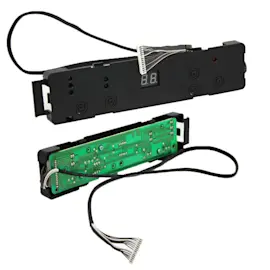
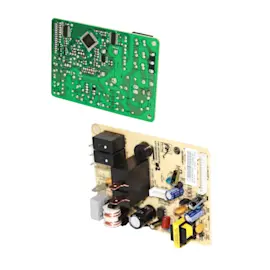
- Power quality: repeated power interruptions can stress the control board
Maintenance that extends life (high impact)
Use this checklist to keep ADHB35LZW1 running reliably:
- Clean or replace the air filter regularly; use the correct filter WK85X22282
- Empty and rinse the bucket; confirm the bucket seats fully and the float moves freely
- Keep the unit level and allow clearance around the air intake and exhaust
- Vacuum dust from the grille and coil area (with power unplugged)
- If using a hose drain, keep the hose sloped downward with no kinks
Quick guide: when to maintain vs. when to repair
| Symptom | Most common cause | Best next step |
|---|---|---|
| Runs but collects little water | Dirty filter, cold room, iced coil | Clean filter; check room temp; defrost if needed |
| Shuts off and “bucket full” stays on | Bucket not seated, float stuck | Reseat bucket; clean bucket and float |
| Water on floor | Bucket crack, drain issue, tilt | Inspect bucket; verify drain routing |
| Loud rattling | Loose panel, fan contact, caster issue | Check panels; inspect wheels and base |
Why it matters
A dehumidifier that is maintained pulls moisture faster, runs cooler, and cycles normally. That reduces strain on the sealed system (compressor and refrigerant loop), which is the most expensive part of the appliance.
For symptom-based help, use how to clean a dehumidifier and dehumidifier doesn't remove moisture.
Last updated: January 2026
How much does it cost to run a dehumidifier 24 hours a day?
For a GE dehumidifier like model ADHB35LZW1, the 24-hour cost depends on the unit’s wattage and your electric rate. Most home dehumidifiers use about 300 to 700 watts while running, which typically works out to roughly $1 to $3 per day at $0.15 per kWh.
Quick cost calculator (use your numbers)
Use this formula:
- Daily kWh = (Watts ÷ 1000) × hours per day
- Daily cost = Daily kWh × your $/kWh rate
Example ranges for 24 hours:
- 300W: 7.2 kWh/day
- 500W: 12.0 kWh/day
- 700W: 16.8 kWh/day
Typical daily cost examples
Assuming $0.15 per kWh:
| Running watts | kWh per day (24h) | Cost per day | Cost per 30 days |
|---|---|---|---|
| 300W | 7.2 | $1.08 | $32.40 |
| 500W | 12.0 | $1.80 | $54.00 |
| 700W | 16.8 | $2.52 | $75.60 |
What changes the real-world cost
A dehumidifier does not always run at full load; it cycles based on humidity and temperature. These factors usually move the cost the most:
- Humidity setpoint (lower RH setting usually means more run time)
- Room temperature (cool rooms can reduce efficiency and increase run time)
- Airflow and filter condition (a clogged filter restricts airflow)
- Drain setup (bucket use can cause frequent shutoffs and restarts)
- Room size and moisture sources (basements, laundry areas, leaks)
If airflow is weak or the unit runs constantly, check and clean or replace the filter WK85X22282.
Why it matters
Estimating daily kWh helps you compare operating cost versus performance. If the unit runs 24/7 and still feels ineffective, the issue is often airflow, frost on the coil, or a sensor/control problem rather than “normal” energy use; our dehumidifier doesn't remove moisture guide walks through the most common causes.
Last updated: January 2026
What is the downside of a dehumidifier?
A dehumidifier like the GE ADHB35LZW1 can make a space more comfortable, but the main downside is over-drying the air if it runs too long or the humidity setting is too low. That can lead to dry skin, irritated sinuses, and can stress wood floors or furniture.
Common downsides (and what to do about them)
- Air gets too dry: Aim for about 40% to 50% relative humidity for most homes.
- Heat output: Dehumidifiers release warm air; this can make a small room feel warmer.
- Noise: Fan and compressor noise is normal; vibration gets worse if the unit is unlevel.
- Maintenance: A dirty filter reduces airflow and performance; clean or replace it on schedule.
- Water handling: Buckets can overflow or leak if not seated correctly.
Quick settings checklist for ADHB35LZW1
| Goal | Suggested approach | What you should notice |
|---|---|---|
| Prevent over-drying | Set humidity to 45% to 50% and use auto mode if available | Unit cycles on and off, not constant run |
| Reduce musty odor | Keep doors closed, run continuously for 24 to 48 hours, then reset to 45% to 50% | Odor fades as humidity drops |
| Improve performance | Keep intake and exhaust clear; clean the filter | Stronger airflow, more water collected |
Parts that affect comfort and performance
If your unit runs but seems ineffective or gets noisier, these model-matched parts are common maintenance items:
- Filter WK85X22282 (restricted airflow can cause poor moisture removal and icing)
- Water bucket asm WK01X28014 (cracks, poor seating, or a bad float can cause leaks or shutoffs)
Why it matters
Running a dehumidifier harder than necessary wastes energy and can create comfort problems that feel like “dry heat” or sinus irritation. Keeping humidity in a normal range also helps the dehumidifier cycle properly and reduces wear on the compressor.
For deeper troubleshooting by symptom, use dehumidifier common questions and how to clean a dehumidifier.
Last updated: January 2026