



Are vacuum cleaner attachments universal?
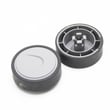
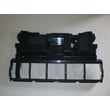
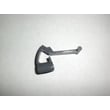
No. Vacuum cleaner attachments are not truly universal because hose and wand connections vary by brand and model. For the Kenmore C50XDHF0U003 powermate vacuum attachment, you need tools that match the connection style and inside diameter of your hose or wand, or a kit that includes the right adapter.
What “universal” usually means
Most “universal” vacuum tool kits fit a range of common sizes, not every vacuum. They typically rely on friction-fit adapters or stepped cuffs.
Common connection sizes you’ll see:
| Connection type | Typical size | Where it’s used |
|---|---|---|
| Standard household friction-fit | 1-1/4 in (about 32 mm) | Many canister and upright tool sets |
| Larger shop-style fittings | 2-1/2 in (about 64 mm) | Many wet/dry vacuums |
| Proprietary quick-connect | Varies | Many modern cordless and some branded systems |
How to check fit on model C50XDHF0U003
Use these steps before buying any replacement brush, crevice tool, or adapter:
- Measure the outside diameter of the wand end and the inside diameter of the hose/tool end (a ruler works; calipers are best).
- Check whether your connection is push-on friction fit, button-lock, twist-lock, or clip/quick-release.
- Confirm whether the attachment needs electrical contacts (some powered heads do) or is purely mechanical.
- Look for cracks, ovaling, or wear on the cuff; a worn cuff can make “universal” tools feel incompatible.
- If you’re between sizes, choose a kit with multiple stepped adapters rather than a single “universal” cuff.
Why it matters
A mismatched attachment can leak air, reduce suction, and put extra strain on the vacuum airflow path. Getting the correct fit helps your Kenmore system clean better and prevents tools from popping off during use.
Helpful related DIY reading
- Use how to find your appliance model number (and what it means for parts) to confirm you’re shopping for tools that match C50XDHF0U003.
Last updated: February 2026
What model is my Kenmore vacuum?
Your Kenmore vacuum’s model number is printed on the model and serial number plate (often on the back of the canister, the bottom of the power nozzle, or near the handle). For the Kenmore C50XDHF0U003 powermate vacuum attachment, matching the exact model number is the key step to getting the right tools and attachment parts.
Where to look for the model number
- Check the underside of the power nozzle (flip it over and look near the wheels or brush housing)
- Look on the back or bottom of the vacuum canister
- Check near the handle, wand connection, or hose inlet
- Look for a sticker or metal plate labeled Model and Serial
- If the label is worn, use a flashlight and take a close-up photo to read it
What the model number usually looks like
Most Kenmore floor care model numbers are a mix of letters and numbers. Here is a quick way to confirm you have the right identifier:
| What you see | What it means | Use it for |
|---|---|---|
| Model number (example: C50XDHF0U003) | Identifies the exact vacuum or attachment version | Finding compatible parts and diagrams |
| Serial number | Production identifier | Service history and manufacturing details |
| Type or code | Internal classification | Not reliable for ordering parts |
Why it matters
Kenmore vacuums and powermate attachments can look similar across multiple versions, but small changes (wand fit, nozzle neck shape, electrical connections, brush housing) can make a tool or attachment incompatible. Using the exact model number prevents ordering the wrong vacuum attachment parts.
If you are trying to buy parts
Once you have the model number, use it to search and confirm you are on the correct parts list. If you are shopping beyond the tools and attachment section, search by model on Sears PartsDirect.
Last updated: February 2026
Why is my Kenmore vacuum brush not spinning?
On the Kenmore C50XDHF0U003 powermate vacuum attachment, a brush that won’t spin is usually caused by a jam (hair/thread), a worn or broken belt, a seized brush roll, or a failed brush motor. Start with a quick clog and belt check before assuming the motor is bad.
Quick checks (most common fixes)
- Unplug the vacuum before servicing the powerhead.
- Remove hair, string, and carpet fibers from the brush roll and end caps.
- Check the belt for cracks, glazing, stretching, or a burnt rubber smell.
- Spin the brush roll by hand; it should turn smoothly with light resistance.
- Inspect the nozzle air path for a blockage that can overload the brush.
- Confirm any brush on/off switch is set to ON (if your handle has one).
What each symptom usually means
| What you notice | Most likely cause | What to do next |
|---|---|---|
| Brush is totally still, no sound | No power to powerhead, bad connection, failed motor | Reseat connections; inspect wiring; test motor circuit |
| Motor sounds like it’s running but brush doesn’t move | Belt broken, stretched, or off the pulley | Replace or reinstall belt; check brush roll turns freely |
| Brush turns briefly then stops | Brush roll jammed or bearings seized | Clean thoroughly; replace brush roll if it binds |
| Burning smell or belt dust | Belt slipping from drag or jam | Clear jam; verify brush roll spins freely; replace belt |
How we recommend troubleshooting safely
- Disconnect power and flip the powerhead over.
- Clear debris from the brush roll and both ends (end caps often hide wrapped hair).
- Check belt condition and alignment on the motor shaft and brush roll.
- If the belt is intact, confirm the brush roll is not seized.
- If the brush roll spins freely and the belt is good, focus on electrical issues (switch, wiring, motor).
Why it matters
A non-spinning brush reduces carpet cleaning and can overheat the belt or brush motor. Fixing a simple jam early prevents repeated belt failures and protects the powerhead.
For help confirming you have the correct model number before ordering parts, use how to find your appliance model number (and what it means for parts).
Last updated: February 2026
What is the list of vacuum cleaner parts?
For the Kenmore C50XDHF0U003 powermate vacuum attachment, the “parts list” is the complete breakdown of the attachment’s serviceable components and accessories that help it clean carpets and floors, plus any hardware that connects it to the vacuum wand and hose.
Common vacuum and attachment parts you’ll see on a parts list
Even though this page is focused on a powermate-style attachment (not the whole vacuum), most vacuum cleaner parts lists include items like these:
- Motor or turbine (drives the brush in powered nozzles)
- Brushroll (beater bar) and end caps
- Belt (transfers power to the brushroll)
- Base plate or nozzle cover
- Wheels and axles
- Wand connection neck, swivel, or quick-release latch
- Electrical contacts, wiring, or a switch (on powered attachments)
How to use a parts list to identify what you need
A parts list is most useful when you match the symptom to the part group, then confirm fit by model number.
- If the brush is not spinning: check belt, brushroll, and end caps first
- If it is loud or vibrating: inspect brushroll bearings/end caps and debris in the nozzle
- If suction is weak at the nozzle: check for clogs in the neck and wand connection
- If it will not power on (powered nozzle): check the switch, wiring, and electrical contacts
Quick symptom-to-part checklist
| Symptom | Most likely part area | What to inspect first |
|---|---|---|
| Brushroll not turning | Belt/brushroll drive | Belt condition and brushroll jam |
| Burning smell | Belt/brushroll | Belt slipping, brushroll seized |
| Poor pickup | Air path/nozzle | Clog at neck, base plate blockage |
| Intermittent power | Electrical connection | Plug contacts, wiring at swivel |
Why it matters
Using the correct parts list for Kenmore C50XDHF0U003 prevents ordering the wrong belt, brushroll, or connection hardware, and it speeds up troubleshooting by narrowing the problem to the right assembly.
For help confirming you have the exact model number before selecting parts, use how to find your appliance model number (and what it means for parts).
Last updated: February 2026
What are the different types of vacuum attachments?
Vacuum attachments are add-on tools that connect to your Kenmore C50XDHF0U003 vacuum wand or hose to improve cleaning on specific surfaces and in tight spaces. Common attachments include crevice tools, dusting brushes, upholstery tools, floor nozzles, and the hoses or cuffs that keep everything sealed for strong suction.
Common vacuum attachment types (and what they do)
- Crevice tool: Cleans tight gaps like baseboards, couch seams, and corners.
- Dusting brush: Gently removes dust from blinds, shelves, vents, and lampshades.
- Upholstery tool: Lifts lint, hair, and debris from furniture, stairs, and car interiors.
- Floor tool for carpet: Improves pickup on rugs and carpeted rooms.
- Floor tool for hard surfaces: Helps prevent debris from scattering on tile, vinyl, and hardwood.
- Multi-surface floor tool: Switches between carpet and hard floors using a lever or pedal.
- Vacuum pickup hose, wands, and hose cuffs: Add reach and maintain an airtight connection to preserve suction.
Quick guide: which attachment should I use?
| Cleaning job | Best attachment | Best practice |
|---|---|---|
| Edges, corners, narrow gaps | Crevice tool | Keep the opening clear to prevent clogs |
| Blinds, vents, shelves | Dusting brush | Use light pressure to avoid scuffs |
| Furniture, stairs, pet hair | Upholstery tool | Clean the tool face often for airflow |
| Wall-to-wall carpet | Carpet floor tool | Remove hair wrap and thread regularly |
| Hardwood, tile, vinyl | Hard-floor tool | Use a soft base to protect floors |
Why it matters
Using the right vacuum tool improves pickup, reduces clogs, and helps your hose and connections stay sealed so your Kenmore vacuum keeps strong airflow and suction.
Tips for choosing attachments for C50XDHF0U003
- Match the tool to the surface (hard-floor tool for hard floors, carpet tool for rugs).
- If suction drops, check the hose, wand, and cuffs for cracks, loose fits, or blockages.
- If an attachment keeps popping off, the cuff may be worn or the connection may be dirty.
- When ordering, confirm fit by matching the full model number using how to find your appliance model number (and what it means for parts).
Last updated: February 2026