 Installation guide
 Owner’s manual




Is GE Profile considered high end?
Yes. GE Profile is generally considered GE’s higher-end mainstream line, positioned above standard GE models with more premium features, finishes, and design. For your GE JVM1540SM5SS microwave/hood combo, the exact “Profile” branding depends on the model label and documentation.
How to tell if your microwave is GE Profile
Check the product badge on the door frame or control panel, then confirm in the JVM1540SM5SS owner’s manual. Common indicators include:
- The word “Profile” printed on the front badge or inside the door area
- A model tag that matches JVM1540SM5SS exactly
- More advanced venting, lighting, or sensor-style cooking features (varies by model)
- A premium stainless finish and matching trim kit styling (if applicable)
- Higher replacement-part costs for cosmetic pieces like grilles and handles
What “high end” usually means for GE Profile
GE Profile typically sits in the “premium mainstream” tier. It is a step up in features and styling, but it is not the same category as luxury brands.
| Tier (typical) | What you usually get | Example expectation |
|---|---|---|
| Standard GE | Core features, basic styling | Simple controls, basic vent/light |
| GE Profile | More features and upgraded design | More cooking options, upgraded look |
| Luxury brands | Pro-style build and specialty features | Heavier-duty components, niche features |
Why it matters
Knowing whether your unit is GE Profile helps set expectations for features, replacement-part pricing, and cosmetic match with other kitchen appliances. It also helps ensure you order the correct parts for JVM1540SM5SS.
Parts that often differ by “tier”
Even within the same brand family, these parts commonly vary by model and trim level:
- Vent grille (appearance and fit)
- Door handle and door assemblies
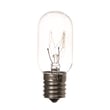
- Lighting components such as the microwave light bulb WB36X10328
- Filters (grease and charcoal)
- Mounting hardware and brackets
Last updated: January 2026
What's the average lifespan of a GE microwave?
A GE microwave typically lasts about 9 to 10 years with normal household use. For your GE JVM1540SM5SS microwave/hood combo, keeping the venting clean, using the correct cookware, and avoiding overheating are the biggest factors that help it reach that lifespan.
Typical lifespan and what affects it
Most over-the-range microwave/hood combos wear out from heat stress, grease buildup, and door-switch wear more than from “hours of cooking.”
Common factors that shorten lifespan:
- Running the microwave empty or with very small loads
- Blocked airflow or heavy grease buildup in the vent area
- Slamming the door (stresses door latches and interlocks)
- Frequent overheating from long cook times without pauses
- Power surges or repeated breaker trips
Common factors that extend lifespan:
- Cleaning filters regularly and keeping airflow open
- Using lower power levels for longer heating (more even, less stress)
- Letting the unit cool between back-to-back long runs
- Replacing small wear items promptly (filters, bulbs)
Maintenance checklist for a microwave/hood combo
Use this as a simple routine for the JVM1540SM5SS:
- Wash the grease filter regularly; replace if damaged or clogged
- Replace the charcoal filter on recirculating setups when odors linger
- Keep the vent grille area clean so the fan can move air
- Wipe the door seals and closing surfaces so the door closes fully
- Use the correct bulb type and wattage when replacing the cooktop light
Helpful parts for upkeep (when needed):
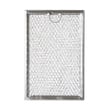
- Microwave grease filter WB06X10359
- Microwave charcoal filter WB02X33061
- Microwave light bulb WB36X10328
Quick “repair vs. replace” guide
| What you notice | Most common cause | What we recommend |
|---|---|---|
| Runs but does not heat | High-voltage component issue | Service is usually the best path |
| Dead, no display | Fuse, door switch, or power issue | Start with basic electrical checks |
| Loud buzzing/humming | Magnetron or high-voltage issue | Service is usually the best path |
| Weak venting | Grease buildup or filter restriction | Clean or replace filters |
For symptom-based troubleshooting, use JVM1540SM5SS owner’s manual.
Why it matters
A microwave that is overheating or not venting well can fail years earlier than normal. Simple airflow and filter maintenance often makes the difference between replacing a unit at 5 to 7 years versus getting the full 9 to 10 years.
Last updated: January 2026
What are common problems with GE Profile microwaves?
Common issues we see with GE Profile over-the-range microwaves like model JVM1540SM5SS include “runs but doesn’t heat,” turntable problems, vent fan behavior that seems unusual, and moisture or steam around the door. Many symptoms are normal operating conditions; our JVM1540SM5SS owner’s manual helps you tell the difference.
Most common symptoms (and what they usually mean)
- Microwave runs but food stays cold: often points to a high-voltage heating circuit problem (magnetron, capacitor, diode) and typically needs service.
- Turntable not turning or noisy: check that the tray and support are seated correctly and not damaged.
- Moisture on the door or between door panels: can happen during cooking; it typically dissipates after cooking.
- Vent fan turns on by itself or won’t shut off: some venting is designed to run while the microwave is operating.
- Dull thumping sound: can be normal during operation.
Quick checks you can do safely
- Confirm the turntable setup: the oven should not be operated without the turntable and support in place.
- Inspect for physical damage: a dropped tray or support can crack and bind.
- Avoid common misuse that causes trouble:
- Do not run the microwave empty for more than a minute or two.
- Do not use metal items (twist ties, gold-rimmed dishes, etc.).
- Pierce foods with skins (potatoes, hot dogs, egg yolks) to vent steam.
- If the unit is completely dead: a blown fuse is a common cause; use a technician for diagnosis.
Parts that commonly get replaced on this model
| Symptom | Commonly involved part | Example part for JVM1540SM5SS |
|---|---|---|
| Turntable won’t rotate or tray wobbles | Tray/support components | Glass tray WB49X10129, microwave turntable tray support WB06X10705 |
| Unit dead or stops mid-cycle | Line fuse | Microwave fuse WB27X11099 |
| Poor venting or flap noise | Damper or grille | Microwave vent damper WB06X10686 |
Why it matters
Microwave heating problems can involve high-voltage components; correct diagnosis prevents repeat failures and helps keep the microwave/hood combo operating safely and efficiently.
Last updated: January 2026


