Owner’s manual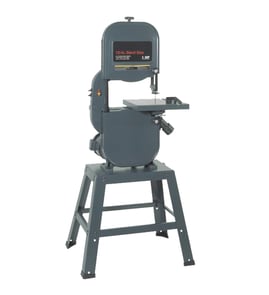

What is the 3-tooth rule for bandsaws?
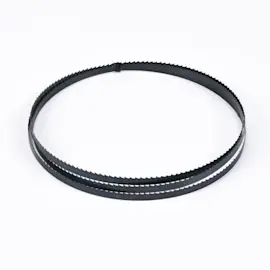
On a Craftsman 315214500 band saw, the 3-tooth rule means you choose a blade pitch (TPI) so at least three teeth are in the workpiece during the cut. This prevents tooth snagging and stripping, improves chip clearance, and helps the blade track straighter for smoother cuts.
How to apply the 3-tooth rule (quick method)
Use the thickness of the material you are cutting to pick a blade with the right teeth-per-inch (TPI).
- Measure the material thickness at the cut (including tubing wall thickness if applicable).
- Pick a TPI that keeps 3 or more teeth engaged at all times.
- For thin stock, go higher TPI (more teeth).
- For thick stock, go lower TPI (fewer teeth) to clear sawdust or chips.
- If the saw slows down or burns, reduce feed pressure and confirm the blade is sharp.
Simple TPI selection table
These are practical starting points that follow the 3-tooth rule for most band saw work.
| Material thickness at cut | Typical blade choice | What you will notice |
|---|---|---|
| 1/8 in. (3 mm) and thinner | 14 to 24 TPI | Cleaner cut, less tooth snagging |
| 1/8 to 1/2 in. | 10 to 14 TPI | Good balance of speed and finish |
| 1/2 to 2 in. | 6 to 10 TPI | Faster cutting, better chip clearing |
| Over 2 in. | 3 to 6 TPI | Aggressive cut; needs steady feed |
Why it matters on the 315214500
This model’s manual emphasizes using the correct blade for the material and keeping multiple teeth engaged in the cut. When too few teeth contact the work, the blade can grab and kink; when too many teeth contact the work, the gullets pack up and the saw cuts slowly.
Related setup tips that support better cutting
These adjustments work with the 3-tooth rule to improve accuracy and blade life:
- Set blade guides close to the blade without touching the teeth (about the thickness of a dollar bill, roughly 0.004 in.).
- Keep the blade guard secured before operating.
- Use a narrow blade for tight radius cuts and a wider blade for straighter cuts.
- If the saw slows down in a curve, stop feeding and back up slightly until speed returns.
For model-specific blade selection notes and adjustment procedures, use the owner's manual. For additional troubleshooting and repair help, see band saw common questions. If you need to look up replacement parts by model number, start with the parts list for this model or search on Sears PartsDirect.
Last updated: February 2026
How to replace belt on Craftsman band saw?
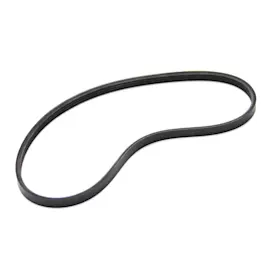
To replace the drive belt on a Craftsman band saw model 315214500, we unplug the saw, loosen the motor mounting nuts to relieve belt tension, remove the old belt from the motor pulley and lower right wheel, then install the new belt with the grooves aligned and re-tension it. See the 315214500 owner's manual for the exact steps and diagrams.
Steps to replace the drive belt
- Turn the saw off, lock the switch in the OFF position (if equipped), and unplug the power cord.
- Open the cover to access the belt area.
- Loosen the three motor nuts.
- Rotate the motor clockwise to reduce tension on the old belt.
- Slide the belt off the lower right wheel, then off the motor pulley.
- Install the new belt on the motor pulley first, then onto the wheel, matching the grooves.
- Rotate the motor counterclockwise to re-tension the belt, then tighten the motor nuts.
Quick checks before you power back on
- Confirm the belt is fully seated in the pulley and wheel grooves.
- Spin the wheel by hand to verify the belt tracks smoothly and does not rub.
- Make sure the cover is closed and all fasteners are secure.
- If you moved the blade during access, re-check blade tension and tracking.
Belt tension and alignment guide
| What you see | Most likely cause | What we do next |
|---|---|---|
| Belt squeals or slips | Belt too loose or not seated in grooves | Re-seat belt; increase tension by rotating motor counterclockwise |
| Vibration after belt change | Belt misaligned or uneven tension | Re-check pulley alignment; confirm motor nuts are tight |
| Blade slows under light load | Belt slipping or worn drive components | Verify tension; inspect pulleys and wheel condition |
Why it matters
A properly tensioned drive belt transfers motor power to the lower wheel efficiently. If the belt is loose or misaligned, the saw can cut slowly, slip under load, and wear the pulleys and belt faster.
Parts and diagrams
We list replacement parts and diagrams for Craftsman 315214500 on this model page; you can also search by model number on Sears PartsDirect if you are sourcing additional maintenance items.
Last updated: February 2026
What are the parts of a bandsaw?
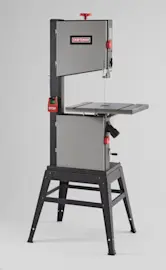
On the Craftsman 315214500 band saw, the main parts include the saw table and throat plate, blade and blade guides, tracking and tension adjustments, wheels and drive system, and the on/off speed control. These parts work together to keep the blade aligned, supported, and cutting accurately.
Main parts you will see on this model
- Band saw table: 11-1/2 in. square aluminum table with rack-and-pinion tilt control, plus a miter slot
- Throat plate: red snap-in insert around the blade slot in the table
- Blade and blade guides: upper and lower guides that support the blade near the cut
- Thrust bearing: supports the back of the blade during cutting pressure
- Tracking adjustment: tracking adjustment screw and lock lever to keep the blade running centered on the wheels
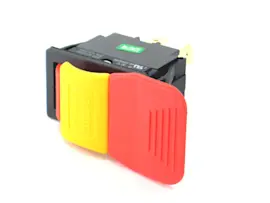
- On/off and variable speed control: pull knob out to turn ON, push in to turn OFF; speed adjusts up to about 3000 FPM
- Dust exhaust port: standard 2-1/4 in. port for vacuum hookup
Quick “what it does” reference
| Part | What it does | Common symptom when out of adjustment |
|---|---|---|
| Blade guides | Keep blade from wandering side-to-side | Not cutting straight, rough cuts |
| Tracking adjustment | Centers blade on the wheels | Blade slips off wheel |
| Table tilt and lock | Sets bevel angle and holds it | Inaccurate bevel cuts |
| Variable speed control | Matches blade speed to material | Cutting slowly, burning |
Key adjustments that matter most
- Set upper and lower blade guides close to the blade (about the thickness of a dollar bill, roughly 0.004 in.)
- Keep guide spacing even on both sides so the blade does not twist
- Verify tracking before cutting so the blade stays centered
- Confirm the table lock is tight after setting bevel angle
Why it matters
Most cutting problems on a band saw come from blade support and alignment. When the guides, tracking, and table settings are correct, the Craftsman 315214500 cuts straighter, faster, and with less blade wear.
Helpful DIY resources
- Use the 315214500 owner's manual for diagrams, adjustment points, and operating details.
- If you are troubleshooting cut quality, see band saw not cutting straight and band saw cutting slowly.
If you need replacement parts, start with the model-based parts list for Craftsman 315214500, or search by model on Sears PartsDirect.
Last updated: February 2026
Why does my Craftsman bandsaw blade keep falling off?
On your Craftsman 315214500 band saw, a blade that keeps falling off is caused by incorrect blade tracking, incorrect blade tension, or misadjusted blade guides and thrust bearings. Set tracking so the blade runs near the center of the upper wheel, then set the guides.
Safety first
- Turn the saw off and unplug it before adjusting anything
- Keep the blade guard closed during testing
- Rotate wheels by hand before any powered test
What to check first (high-impact)
- Blade installation: blade fully seated on both wheels before tensioning
- Blade tension: too loose lets the blade wander; too tight can damage the blade and bearings
- Tracking: blade should run in the approximate center of the upper wheel (per the troubleshooting section in the owner's manual)
- Blade guides: guides should support the blade without pinching it
- Thrust bearing: set just behind the blade so it contacts only under cutting load
- Wheel tires: hardened, glazed, or uneven tires can push the blade off
Quick setup sequence (works for most tracking problems)
- Install blade and apply tension gradually.
- Adjust tracking while turning the upper wheel by hand until the blade stays centered.
- Set side guides close to the blade (no rubbing), then set the thrust bearing just behind it.
- Hand-spin several revolutions; confirm the blade does not walk forward or backward.
- Brief power test; stop and re-check tracking if the blade moves.
Symptom-to-fix guide
| What you see | Most likely cause | Best next step |
|---|---|---|
| Blade walks off front/back of wheel | Tracking off | Re-adjust tracking while hand-rotating |
| Blade pops off when cutting starts | Guides or thrust bearing set wrong | Reset guide and thrust clearances |
| Blade won’t stay on after tracking | Tire wear or wheel wobble | Inspect tires, check wheel play |
Why it matters
A blade that won’t track can scar thrust bearings, damage tires, and make the saw cut crooked or bind.
For a focused walkthrough on this symptom, use band saw blade slips off the wheel. For parts by model number, search Craftsman 315214500 on Sears PartsDirect.
Last updated: February 2026