Owner’s manual
 Error Codes





Can I install a new gas oven myself?
Yes, you can install a Samsung gas slide-in range like model NX58H9500WS yourself if you have the right tools, can safely move a heavy appliance with a helper, and can follow all gas and electrical safety steps exactly. For any gas conversion or uncertain gas hookup, use a qualified installer.
What we recommend before you start
- Read the safety and installation sections in the NX58H9500WS owner's manual.
- Measure your cutout and clearances; confirm the range will fit before disconnecting the old unit.
- Plan for two people to move the range (grates and griddles are heavy too).
- Use a new flexible gas connector; do not reuse an old connector.
- Confirm the anti-tip device is installed and engaged after positioning the range.
Steps (high level)
- Shut off gas at the supply valve and unplug the range (or switch off the breaker).
- Remove packing materials and accessories.
- Connect the new flexible gas connector and check all joints for leaks using a non-corrosive leak-detection solution.
- Slide the range into place carefully; engage the anti-tip bracket.
- Restore power and gas; test surface burners and oven ignition.
When DIY is not the right choice
Gas ranges are straightforward mechanically, but a few tasks must be handled by a qualified technician:
| Task | DIY? | Why |
|---|---|---|
| Basic replacement of an existing range with same gas type | Often OK | Standard connector, leveling, anti-tip engagement |
| LP conversion (orifice changes and regulator adjustment) | No | Requires correct orifices and precise adjustment |
| Adjusting oven burner air shutters for large yellow flames | No | Combustion and safety tuning |
Why it matters
A correct install prevents gas leaks, tipping hazards, and ignition problems. It also ensures the oven and surface burners light properly and burn with a stable blue flame.
Last updated: February 2026
How to reset Samsung gas oven?
To reset the Samsung NX58H9500WS gas oven, press OFF/CLEAR to stop the current function; if the control is still acting up or showing an error code, turn the range’s power off at the breaker for at least 30 seconds, then restore power and set the clock. See the NX58H9500WS owner’s manual.
Reset options (what to try first)
- Stop and clear a setting: Press OFF/CLEAR.
- Power reset (best for error codes or frozen controls): Switch the range OFF at the circuit breaker for 30 seconds, then turn it back on.
- Door-related burner shutoff: If you left the oven door open for about 30 seconds in modes like convection bake/roast, bake, or broil, close the door to restart heating.
- Control lock is on: If you see a lock indicator, hold START/SET for 3 seconds to turn the lock off.
- Reprogram the cook cycle: Re-select the cooking mode, set temperature, then press START/SET.
Quick “reset” guide by symptom
| What you see | What it usually means | What to do |
|---|---|---|
| Error code and beeping | A function error occurred | Press OFF/CLEAR, then do a 30-second breaker reset |
| Oven will not heat after door was open | Safety shutoff in certain modes | Close the door; restart the mode |
| Lock icon | Controls are locked | Hold START/SET for 3 seconds |
| Oven temperature seems off | Calibration/thermostat adjustment may be needed | Follow the calibration steps in the manual |
Why it matters
A proper reset clears stuck key inputs and temporary control faults, and it also restores normal operation after safety shutoffs (like leaving the oven door open). If an error returns right after a breaker reset, the issue is usually a component such as the oven sensor or an igniter.
Parts that commonly relate to “won’t heat” after a reset
If the oven still will not bake or preheat after resetting, these model-compatible parts are common suspects:
- Samsung range oven temperature sensor DG32-00002B (temperature feedback to the control)
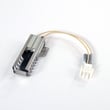
- Samsung range bake igniter DG94-01012A (ignites the bake burner)
- Samsung range oven burner igniter DG94-00520A (ignition for oven burner operation)
Last updated: February 2026
What are common problems with the NX58H9500WS?
Common problems we see with the Samsung NX58H9500WS gas slide-in range include burners that will not light, uneven baking or temperature complaints, and control or keypad error codes. Many issues trace back to power supply, burner ignition components, or the oven temperature sensor; start with the checks in the NX58H9500WS owner's manual.
Most common symptoms and what to check first
- Surface burners do not light: confirm the range is plugged into a live, grounded outlet; check the house fuse or circuit breaker.
- Weak ignition or delayed lighting: inspect burner caps and heads for spills and misalignment; clean and dry thoroughly.
- Oven not heating properly (bake): verify the correct cooking mode is selected and racks are positioned correctly.
- Inaccurate oven temperature: a failing sensor can cause temperature swings; consider the Samsung range oven temperature sensor DG32-00002B.
- Ignition problems in the oven burner: a weak igniter can glow but not pull enough current to open the gas valve reliably; consider the Samsung range bake igniter DG94-01012A.
- Error codes (keypad or sensor related): try OFF/CLEAR and a power reset (disconnect power for at least 30 seconds, then restore).
Quick triage: surface vs. oven issues
| Symptom | Most likely area | Best first step |
|---|---|---|
| No surface burner ignition | Power supply or ignition circuit | Check outlet power, then breaker/fuse |
| One burner acts up | Burner head/cap or igniter | Clean, dry, and reseat parts |
| Oven bakes unevenly | Mode, rack position, cookware | Confirm settings and rack placement |
| Oven temp seems off | Temperature sensing | Compare with an oven thermometer; inspect sensor |
Why it matters
Gas ignition and temperature control problems can waste fuel, overcook food, or prevent safe, consistent lighting. Starting with power, setup, and basic cleaning often resolves the most common NX58H9500WS complaints without unnecessary part replacement.
Last updated: February 2026
Where is the air shutter on a Samsung gas stove?
On the Samsung NX58H9500WS gas slide-in range, the air shutter is on the burner tube where gas and air mix before the flame. You typically access it at the oven burner (bake or broil) area, not at the surface burner caps; use the NX58H9500WS owner's manual for the exact access steps and safety notes.
Where to look (most common locations)
- Oven bake burner: At the front of the bake burner tube, near the burner’s venturi (mixing tube) and mounting bracket.
- Oven broil burner: Near the broil burner’s venturi, usually at the top of the oven cavity behind a shield.
- Not usually on surface burners: Surface burners more often use fixed air openings; flame issues there are commonly burner head alignment, debris, or ignition problems.
How to identify the air shutter
The air shutter is a small adjustable collar or plate on the burner tube.
| What you see | What it means |
|---|---|
| Sliding/rotating collar with a screw | That screw locks the air shutter position |
| Open slots/holes in the tube | Air intake openings controlled by the shutter |
| Yellow, lazy flame | Usually too little air (shutter too closed) |
| Lifting, noisy flame | Usually too much air (shutter too open) |
Basic adjustment guidance (safe, practical)
- Turn the range off and let it cool completely.
- Remove the necessary panels to access the oven burner area.
- Loosen the shutter’s locking screw just enough to move the shutter.
- Open the shutter to add oxygen; close it to reduce oxygen.
- Tighten the screw and recheck the flame.
Why it matters
The air shutter sets the gas-to-air mix. On this Samsung range, the manual notes that very large yellow oven flames point to an air shutter adjustment issue; correcting the mix helps the oven heat properly and reduces soot and odor.
Last updated: February 2026
Why is my Samsung oven broiler not working?
On the Samsung NX58H9500WS gas slide-in range, a broiler that will not heat is usually caused by a broil setting or door issue, a power/control reset condition, or a failed ignition or temperature-sensing component. We use the troubleshooting steps in the NX58H9500WS owner's manual to narrow it down safely.
Quick checks we recommend first
- Confirm you selected Broil (not Bake or Convection) and started the cycle.
- Make sure the oven door is closed during broiling (a common cause of weak or no broil performance).
- If the display shows an information code, press OFF/CLEAR and restart.
- Reset power: unplug the range or switch off the breaker for 30 seconds, then restore power.
- If the control is locked, unlock it (the display shows a lock icon; follow the manual’s lock instructions).
Most common part-related causes
If the settings and reset do not help, these are the most likely hardware issues on a gas range broiler:
| Symptom | What it usually points to | What to check next |
|---|---|---|
| No heat and no ignition | Igniter not lighting the gas | Inspect igniter glow and wiring; replace if weak or dead |
| Heats sometimes, then stops | Sensor or control reacting to bad readings | Check sensor connection; consider sensor replacement |
| Broil flame never appears | Gas valve or ignition circuit issue | Verify other gas functions; service recommended |
Parts that commonly fix broil heat problems
- Samsung range oven temperature sensor DG32-00002B (bad readings can disrupt heating)
- Samsung range bake igniter DG94-01012A (igniters can fail or weaken; some models use similar ignition style for broil)
- Wall oven gas valve DG94-00449A (if gas is not being released when commanded)
Why it matters
Broiling depends on correct control signals, safe door operation, and reliable ignition. When any of those fail, the oven may prevent the broil burner from lighting to avoid unsafe operation or poor cooking results.
Last updated: February 2026
Why is my Samsung stove working but not the oven?
If the cooktop burners work but the oven on your Samsung NX58H9500WS gas slide-in range will not heat, the most common cause is an oven ignition problem (a weak igniter or a gas safety valve issue). Start by checking for a strong, steady igniter glow and confirming the oven is not in a locked or special mode.
Quick checks we recommend first
- Confirm the oven controls are active: If the control lock is on, the display typically shows a lock icon; unlock per the steps in the NX58H9500WS owner's manual.
- Make sure Sabbath mode is off: Sabbath mode can disable normal signals and controls; turn it off using the key combination listed in the manual.
- Try both Bake and Broil: If neither heats, suspect power, wiring, or gas valve/ignition. If one works, suspect the non-working igniter/burner circuit.
- Look for a glowing igniter (through the oven bottom openings when safe to observe): A dim glow or long preheat with no ignition points to a weak igniter.
- Check for obvious wiring damage: Heat-damaged connectors or loose plugs can stop the igniter or valve from operating.
Likely causes and what they look like
| Symptom | Most likely cause | What you typically observe |
|---|---|---|
| No heat; no ignition; igniter does not glow | Power/wiring issue, control issue, failed igniter | No glow, no gas ignition sound |
| Igniter glows but oven never lights (or takes a very long time) | Weak igniter | Glow looks dull; burner does not light reliably |
| Oven lights but temperature is inaccurate | Temperature sensor issue | Overheats or underheats; uneven baking |
| Oven shuts off unexpectedly or behaves inconsistently | Door switch or cooling/airflow issue | Heating stops when door state is misread |
Parts that commonly fix “cooktop works, oven won’t heat”
For the NX58H9500WS, these are common repair parts when the oven will not ignite or heat:
- Range bake igniter DG94-01012A (bake ignition)
- Samsung range oven burner igniter DG94-00520A (oven burner ignition)
- Samsung range oven temperature sensor DG32-00002B (temperature feedback)
- Wall oven gas valve DG94-00449A (gas flow to the oven burner)
Why it matters
A gas oven can fail to heat even when surface burners work because the oven uses a separate ignition and safety system. A weak igniter may glow but still not draw enough current to open the gas valve fully, so the burner never lights or heats properly.
Last updated: February 2026