Owner’s manual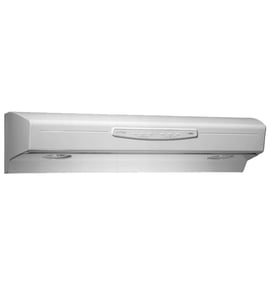


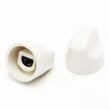
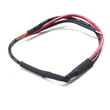
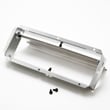
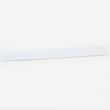
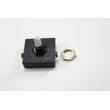
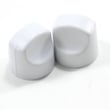
What are the parts of a range hood called?
A Kenmore range hood like model 23352059002 is typically made up of the hood body (canopy), a fan and motor assembly, controls (switches and knobs), lighting components, and filters and baffles that capture grease before air is exhausted or recirculated. See the 23352059002 owner's manual for your exact configuration.
Common range hood parts (and what they do)
- Canopy/hood body: the main housing that mounts under the cabinet or on the wall
- Blower system: motor plus fan blade that moves air (exhausts or recirculates)
- Controls: fan speed switch and light switch, plus knobs
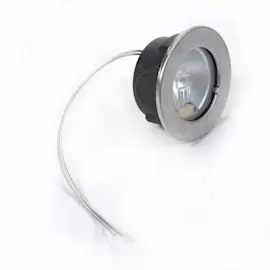
- Lighting: lamp area, reflector, and socket (varies by model)
- Filters: grease filter (and a non-ducted filter if installed for recirculating setups)
- Baffles/plates: direct airflow and help manage grease and noise
Parts you can replace on Kenmore 23352059002
These are common service parts we see replaced when the hood is noisy, won’t vent well, or the controls feel worn:
| Part name | What you’ll notice when it’s failing | Example part for this model |
|---|---|---|
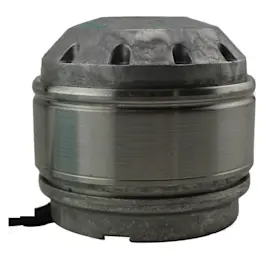
| Fan motor | Fan hums, runs weak, or won’t start | Motor (gray) 99080667 |
| Fan blade | Rattling, wobble, scraping, reduced airflow | Fan blade SR531076 |
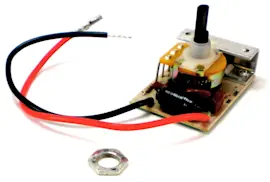
| Fan switch | Fan won’t change speeds or won’t turn on | Range hood fan switch SR99030319 |
| Grease filter | Grease buildup, poor airflow, odors linger | Range hood grease filter S99010316 |
Why it matters
Knowing the correct part names helps you match symptoms to the right repair. For example, poor airflow often points to a clogged grease filter or blocked ducting, while a fan that won’t change speeds usually points to the fan switch or control knob.
Quick tip for identifying what you have
- Check whether your hood is ducted (vents outside) or non-ducted (recirculates through a filter)
- Note whether the issue is fan, light, or both
- Compare what you see to the exploded views and parts list in the 23352059002 owner's manual
Last updated: February 2026
How to clean Kenmore kitchen hood vent?
For the Kenmore range hood model 23352059002, we clean the hood vent by shutting off power, removing and washing the grease filter, then wiping the hood surfaces with mild soap and warm water. Keep water out of the motor and reinstall only when everything is fully dry (see the 23352059002 owner's manual).
Safe cleaning steps (recommended)
- Turn off the hood and switch off power at the breaker (or unplug if applicable).
- Remove the grease filter; wash it in warm, soapy water or run it through the dishwasher.
- Wipe painted surfaces with mild soap or detergent and warm water.
- Clean stainless steel with mild soap and warm water; wipe with the grain, rinse, and dry immediately.
- If needed, wipe the fan blade with a damp cloth and mild detergent; do not bend or misalign it.
- Let all parts dry completely before reinstalling the filter and restoring power.
What to avoid (prevents damage)
- Do not let water enter the motor housing.
- Do not use harsh or “new and improved” cleaners on a warm hood; heat can make chemicals loosen paint.
- Do not oil or disassemble the motor; it is permanently lubricated.
Quick cleaning schedule
| Task | Typical frequency | Why |
|---|---|---|
| Wash grease filter | Every 2 to 4 weeks | Keeps airflow strong and reduces grease buildup |
| Wipe hood surfaces | Weekly | Prevents sticky residue and staining |
| Clean fan blade area | Every 3 to 6 months | Helps reduce noise and vibration |
Why it matters
Grease buildup can restrict airflow and allow grease to accumulate on the fan and filter. Regular cleaning helps the vent capture cooking smoke better and keeps the blower running smoother.
Last updated: February 2026
Can you remove a range hood?
Yes. We can remove a Kenmore range hood model 23352059002 by shutting off power, disconnecting the wiring, separating the hood from the cabinet or wall fasteners, and lowering it safely. The key is controlling the hood’s weight and keeping wiring and ductwork supported as you detach it.
Before you start (safety and setup)
- Turn power OFF at the service panel before servicing; lock out the breaker if possible.
- Confirm the hood is grounded and plan to reconnect the ground the same way.
- If the hood is ducted, plan for a metal duct connection and support the duct as you separate it.
- Protect the cooktop with cardboard or a blanket; range hoods can drop suddenly.
- Have a helper ready; most under-cabinet hoods are awkward to hold one-handed.
Reference the wiring and mounting details in the 23352059002 owner’s manual.
Basic removal steps (typical under-cabinet hood)
- Shut off power at the breaker.
- Remove the filters and light lens/reflector to access internal screws and wiring.
- Open the wiring compartment; note wire colors and connections, then remove wire nuts and disconnect the ground.
- If ducted, loosen the duct clamp or tape and separate the duct from the hood’s damper/duct collar.
- Support the hood from below.
- Remove the mounting screws (usually through the cabinet bottom or rear wall bracket).
- Lower the hood and pull it away from the cabinet or wall.
What you may need to remove or replace afterward
| Situation | What it usually means | Common next step |
|---|---|---|
| Light area is damaged or brittle | Heat and age | Replace the reflector (white) 97018564 |
| Fan wiring looks overheated | Loose connection or failing switch | Inspect fan switch and wiring connections |
| Hood is noisy after reinstall | Fan blade rubbing or imbalance | Check blade seating and mounting |
Why it matters
Removing a range hood the right way prevents electrical shock, protects hidden wiring in the wall or cabinet, and avoids damaging the duct connection. It also makes reinstallation smoother so the fan captures smoke and grease effectively.
Last updated: February 2026
Why is the fan not working on my Kenmore range hood?
If the fan isn’t working on your Kenmore range hood model 23352059002, the most common causes are a failed fan switch, a bad motor, or a fan blade that’s jammed by grease buildup or misalignment. Start by confirming the fan blade spins freely and the hood has power (breaker on). See the wiring and test steps in the 23352059002 owner's manual.
Quick checks (fastest to rule out)
- Turn power off at the service panel before opening the hood.
- Remove the filter and spin the fan blade by hand; it should turn freely (the manual specifically calls this out during installation).
- If the blade rubs or binds, look for grease buildup, a shifted baffle, or a bent blade.
- Restore power and try each fan speed; if none work, suspect the fan switch or motor.
- If lights work but the fan does not, the issue is usually in the fan circuit (switch, wiring, motor).
Most likely failed parts on model 23352059002
| Symptom | Most likely cause | What we typically replace |
|---|---|---|
| Fan does nothing on any speed | Failed fan switch or motor | Range hood fan switch SR99030319 or motor (gray) 99080667 |
| Fan hums but won’t spin | Jammed blade or weak motor | Fan blade SR531076 or motor (gray) 99080667 |
| Fan runs intermittently | Worn switch contacts or loose connection | Range hood fan switch SR99030319 |
Safe troubleshooting steps we recommend
- Cut power at the breaker (lock out if possible).
- Remove the grease filter and inspect the blower area.
- Clean heavy grease from the blade and housing.
- Check that the blade is not contacting the filter, baffle, or wiring (the manual cautions not to push on the filter or fan blade because it can cause interference).
- If the blade spins freely but the fan still won’t run, replace the fan switch first, then the motor if needed.
Why it matters
A non-working range hood fan lets heat, smoke, and grease stay in the kitchen; grease buildup also increases the chance of rubbing, noise, and premature motor failure.
Last updated: February 2026
How to find range hood model number?
On the Kenmore range hood model 23352059002, the model/serial label is typically on the top of the hood, on the underside near the front edge, or behind the grease filter. Use the exact model number from the label when ordering parts or checking wiring and installation details in the 23352059002 owner's manual.
Where to look on the hood
Check these common label locations (use a flashlight):
- Top of the hood (often near the wiring cover area)
- Underside of the hood (near the light lens or fan switch area)
- Behind the grease filter (remove the filter and look on the inner side panels)
- Inside the wiring compartment cover (after power is off at the breaker)
- Near the blower housing (around the fan blade and motor area)
Quick steps to find it safely
- Turn the hood OFF.
- If you need to remove a filter or open a cover, switch power OFF at the service panel first.
- Remove the grease filter and look for a sticker or metal plate with model and serial.
- Write the model number exactly as shown (letters and numbers).
What the label helps you match
| What you need | Why the model number matters | Example parts it helps identify |
|---|---|---|
| Replacement parts | Ensures correct fit and wiring | Range hood grease filter S99010316, switches, knobs |
| Installation details | Confirms mounting height and electrical requirements | 120 VAC wiring guidance in the manual |
| Troubleshooting | Matches the correct diagrams and service parts list | Fan and light circuit components |
Why it matters
Range hoods often look similar across Kenmore models, but the motor, fan blade, switches, and filters can differ. Using the exact model number prevents ordering the wrong part and helps you follow the correct safety and wiring steps.
Last updated: February 2026
Can range hoods be repaired?
Yes. We repair most problems on the Kenmore 23352059002 range hood by cleaning grease buildup, correcting venting issues, or replacing common wear parts such as the fan switch, motor, or fan blade. Use the 23352059002 owner's manual to match symptoms to the correct service steps and parts.
What we repair most often
- Fan runs but airflow is weak (dirty filter, blocked duct, damaged fan blade)
- Fan will not run (failed fan switch, motor issue, wiring connection problem)
- Lights do not work (bulb/socket/switch issue)
- Excess noise or vibration (grease buildup, loose mounting, unbalanced blade)
- Controls feel loose or do not respond (worn knob or switch)
Quick checks before replacing parts
- Turn power off at the breaker before servicing.
- Remove and clean the grease filter; grease should not be allowed to accumulate on the fan or filter.
- Confirm the fan switch is not in OFF and the light switch is set correctly.
- If ducted, make sure the hood vents outdoors and the duct is not crushed or clogged.
- Check mounting height; most installations target about 24 to 30 inches above the cooking surface.
Common repair parts for this model
| Symptom | Likely part to inspect | Example model part |
|---|---|---|
| Fan won’t run | Fan switch, motor | Range hood fan switch SR99030319, motor (gray) 99080667 |
| Loud or wobbling fan | Fan blade | Fan blade SR531076 |
| Grease and odor problems | Grease filter | Range hood grease filter S99010316 |
Why it matters
A working range hood improves ventilation and helps reduce grease buildup. Regular filter cleaning also helps protect the motor from strain and keeps the fan quieter.
Last updated: February 2026
How to remove range hood fan blade?
To remove the fan blade on your Kenmore range hood model 23352059002, disconnect power, remove the grease filter, then pull the retaining clip (hairpin) off the motor shaft and slide the blade straight off. Reinstall in reverse order using the same clip.
Safety first
- Turn off power at the breaker; the hood is hard-wired in many installs.
- Let bulbs and metal surfaces cool completely.
- Wear cut-resistant gloves; sheet metal edges can be sharp.
- Do not push on the filter or fan blade while the hood is mounted; it can cause interference with other parts.
Step-by-step: removing and reinstalling the fan blade
- Shut off power at the service panel.
- Remove the grease filter to access the fan area.
- Locate the retaining clip (hairpin) on the end of the motor shaft.
- Use needle-nose pliers to pull the clip straight out.
- Slide the fan blade off the shaft (wiggle gently; do not bend the blade).
- Install the replacement blade by aligning it on the shaft, then reinstall the retaining clip.
- Spin the blade by hand to confirm it turns freely, then reinstall the filter and restore power.
Helpful references for this model include the parts diagram and cautions in the 23352059002 owner's manual.
Parts that commonly apply to this repair
| What you may need | What it does | Model match |
|---|---|---|
| Fan blade SR531076 | Moves air through the hood | Kenmore 23352059002 |
| Retaining clip (hairpin) | Locks blade to motor shaft | Often reused if not damaged |
| Motor (gray) 99080667 | Spins the fan blade | Replace if seized or noisy |
Why it matters
A bent or misaligned fan blade can rub the housing, reduce airflow, and make the exhaust fan noisy. Removing the blade correctly protects the motor shaft and helps the hood vent properly.
Last updated: February 2026