Installation guide
 Owner’s manual
 Error Codes

How many years should an electric stove last?
Most electric ranges last 13 to 15 years with normal household use and basic maintenance. For your GE JBS27DM1WW electric range, keeping the cooktop clean, using the right cookware, and fixing small issues early helps you reach that typical lifespan; see the owner's manual for care and safety details.
Typical lifespan and what affects it
Electric range life depends more on heat stress and upkeep than on brand name alone.
- Usage frequency: daily cooking shortens life compared to occasional use
- Cleaning habits: grease buildup under the cooktop can create overheating and damage
- Power quality: loose connections or incorrect wiring can stress components
- Small repairs: replacing worn parts (drip pans, switches, elements) prevents bigger failures
- Cookware fit: pans that are flat and properly sized heat more efficiently
Quick maintenance that extends life
These steps match common GE coil-range care guidance and help protect wiring, terminals, and heating parts.
- Turn surface controls OFF and let coils cool before lifting or removing them
- Keep drip pans installed during cooking; missing pans can damage wiring and range parts
- Clean under drip pans often; built-up grease can catch fire
- Do not line drip pans with foil (it can cause shock, fire, or damage)
- Use flat-bottom cookware and avoid pans that extend more than about 1 inch past the surface unit
Common “wear items” vs. “big-ticket” failures
| What wears out first | What you usually notice | Typical fix |
|---|---|---|
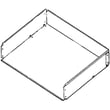
| Drip pans | Rust, staining, smoking | Replace drip pan (example: range drip pan WB31T10011) |
| Surface element switch | Burner stuck on, won’t heat, cycles oddly | Replace switch (example: GE range surface element control switch WB24T10025) |
| Bake/broil heating | Oven slow to heat, uneven baking | Diagnose element and wiring, replace if failed |
| Control electronics | Dead display, error codes, no bake/broil | Diagnose power and board, replace if needed |
Why it matters
Knowing the 13 to 15 year expectation helps you decide whether to repair or replace. If your JBS27DM1WW is within that window, replacing a surface unit, drip pan, or switch is often a practical way to keep safe, consistent cooking performance.
Last updated: February 2026
How to reset a GE electric stove?
To reset your GE JBS27DM1WW electric range, we recommend a power reset: turn the range off, shut off the circuit breaker for at least 30 seconds, then restore power and reset the clock. This clears many control glitches and some flashing error codes.
Reset options that work on this model
- Power reset (best first step): Turn the breaker OFF for 30 seconds, then ON.
- Clear the control: Touch CLEAR/OFF to stop an active cooking or self-clean cycle.
- After a power outage: Reset the clock; the display can flash after an outage and programmed functions must be set again.
- If an error code returns: Do a power reset again (breaker OFF at least 30 seconds), then retry the function.
Step-by-step: breaker reset
- Make sure the oven is not in a self-clean cycle and the door is unlocked.
- Switch the range circuit breaker OFF.
- Wait 30 seconds.
- Switch the breaker ON.
- Set the clock using the instructions in the owner's manual.
What you’ll see after a successful reset
| What you notice | What it usually means | What to do next |
|---|---|---|
| Display flashes | Power interruption occurred | Set the clock and re-enter settings |
| “F” plus a number/letter flashes | Function error code | Touch CLEAR/OFF, then do a 30-second breaker reset |
| Display blank | Breaker/fuse issue or control setting | Check breaker, then review display settings in the manual |
Why it matters
A reset restores normal operation after a power surge, canceled cycle, or control lockup. It also forces the control to reboot so you can confirm whether the issue was temporary or if a part (like the range oven control board WB27X45466) needs attention.
Last updated: February 2026
Is GE JBS27DM1WW considered high end?
GE JBS27DM1WW is a standard GE freestanding electric range, not a high-end or luxury model. It is built for reliable everyday cooking with core features (bake, broil, surface elements) rather than premium upgrades like pro-style burners, advanced smart features, or luxury finishes; see the owner's manual for the exact feature set on this model.
How we classify “high end” for electric ranges
Most “high-end” ranges stand out in at least a few of these areas:
- Premium cooking performance features (true convection, advanced temperature probes, rapid preheat systems)
- Higher-end cooktop designs (bridge elements, dual-ring elements, specialty zones)
- More robust controls and displays (expanded programming, enhanced diagnostics)
- Premium fit and finish (heavier knobs, upgraded door construction, specialty colors)
- Extra convenience features (enhanced warming drawer modes, specialty cooking modes)
What you can expect from the JBS27DM1WW experience
This GE range is designed around practical, serviceable components and straightforward operation.
- Standard electric surface heating with replaceable cooktop parts
- Conventional oven heating (bake and broil)
- Common wear items are easy to maintain (drip pans, light bulb, door gasket)
- Installation is typical for freestanding electric ranges (anti-tip bracket, proper power connection)
Common “upgrade” comparisons (quick guide)
| Category | Standard range (like JBS27DM1WW) | High-end range |
|---|---|---|
| Core cooking | Bake and broil | Bake and broil plus advanced modes |
| Controls | Basic electronic or knob controls | More programming, larger displays |
| Cooktop | Conventional elements | Specialty elements and zones |
| Materials | Practical finishes | Premium finishes and hardware |
Why it matters
Knowing whether JBS27DM1WW is “high end” helps set expectations for performance, features, and repair costs. Standard models typically have more widely available replacement parts and simpler troubleshooting, which can make ownership and maintenance more predictable.
Last updated: February 2026
What is the reason code 271?
On the GE JBS27DM1WW electric range, “271” is not a standard oven fault code shown in the control’s troubleshooting information; most GE range errors appear as an “F” code (for example, “F” plus numbers/letters). If you’re seeing 271 on the display, start by resetting power and confirming the clock/control is wired correctly per the installation guide.
What “271” usually means on a range display
In most cases, a plain number (without an “F”) points to a control display state, a keypad entry sequence, or a power or wiring issue rather than a stored diagnostic fault.
Common situations that can create unusual display characters or numbers:
- Power interruption or unstable voltage
- Miswired neutral at the terminal block (can trigger odd display behavior)
- Control not fully booting after installation or a breaker trip
- Stuck key or incorrect keypad sequence
Quick checks we recommend (safe, no tools)
- Press CLEAR/OFF once to cancel any active mode.
- If the display is blank or flashing, reset the clock (a power failure can cause flashing).
- Turn the range breaker OFF for 30 seconds, then turn it back ON.
- If the display shows abnormal lines or “bAd” then “Lin”, shut power off and follow the wiring checks in the installation guide.
When it is a true error code
GE range control errors are typically formatted like this:
| What you see | What it usually indicates | What to do first |
|---|---|---|
F + number/letter |
Function error detected by the control | Reset power 30 seconds; if it repeats, service is needed |
LOCKDOOR flashing |
Self-clean selected but door not closed | Close door; press CLEAR/OFF |
| Display flashing | Power failure | Reset the clock |
For a list of common GE range error formats and what they mean, use our GE freestanding range error codes.
Why it matters
Treating “271” like a parts failure can lead to unnecessary part replacement. Verifying power, reset behavior, and correct wiring first helps protect the control board and keeps troubleshooting focused.
Last updated: February 2026