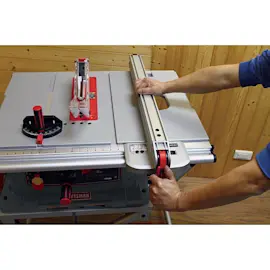
Owner’s manual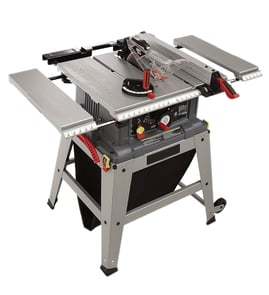

Where can I buy Craftsman replacement parts?
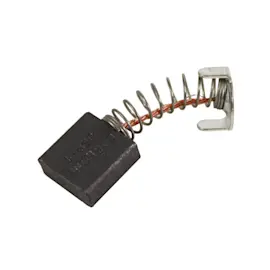
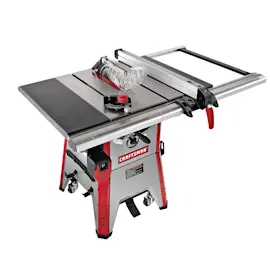
You can buy replacement parts for your Craftsman 113298030 10-inch table saw by using the model number to match the exact diagrams and part list, then ordering through our parts lookup on Sears PartsDirect. For part identification, the 113298030 owner's manual is the fastest way to confirm the correct component name and location.
Best way to get the right part for model 113298030
- Find the model number tag and match it exactly: 113298030
- Use the exploded views and parts list to identify the part by name and reference number
- Compare your old part to the diagram (shape, mounting holes, wire terminals)
- If the issue is electrical (switch, cord, motor), disconnect power before inspecting
- Keep fasteners and spacers in order as you disassemble
What information to gather before ordering
| What to collect | Why it matters | Example |
|---|---|---|
| Model number | Ensures correct fit | 113298030 |
| Part description | Narrows the diagram match | switch, arbor, belt, guard |
| Symptoms | Helps confirm the likely part | won’t start, trips breaker, vibration |
| Photos/measurements | Prevents wrong-order returns | shaft diameter, belt length |
Why it matters
Craftsman table saws often have multiple versions with similar-looking parts. Matching by model number 113298030 and confirming the part in the manual reduces downtime and helps ensure safe operation after the repair.
Last updated: February 2026
Where is the reset button on a Craftsman table saw?
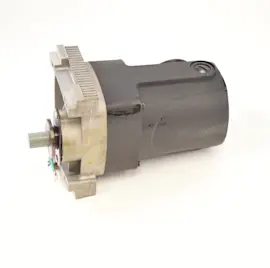
On the Craftsman 113298030 10-inch table saw, the “reset” is typically the motor’s overload reset, located on or near the motor housing rather than on the front of the saw. If the motor overheats or overloads, you reset it at the motor, then correct the cause before cutting again.
Where to look on model 113298030
Check the motor itself first. Many Craftsman saw motors use a small overload reset built into the motor end-bell or a small covered area on the motor.
- Look at the end of the motor (opposite the shaft) for a small button, cap, or cover
- Check for two small plastic caps or a small access cover on the motor housing
- Inspect the switch box and cord area; some versions route overload protection near the switch
- If the saw has a belt-drive motor, look on the motor body, not under the tabletop
For diagrams and the motor/switch layout, use the 113298030 owner's manual.
How to reset it safely
- Unplug the saw.
- Let the motor cool for 10 to 20 minutes.
- Press the overload reset on the motor (or remove the small caps/cover if your motor uses a protected reset).
- Plug in and test with no load.
- Use a properly rated extension cord (or none); undersized cords cause voltage drop
- Make sure the blade spins freely by hand (unplugged)
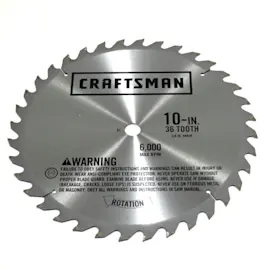
- Confirm the blade is sharp and appropriate for the material
- Verify the fence is parallel to the blade to reduce binding
Why the overload tripped (common causes)
Overload resets usually trip because the motor drew too much current.
| Common cause | What you notice | What to do next |
|---|---|---|
| Dull blade | Slow cutting, burning | Replace or sharpen blade |
| Material binding | Motor bogs down, kickback risk | Align fence, use splitter/guard if equipped |
| Dirty/stiff arbor bearings | Hard to spin blade | Inspect arbor and bearings |
| Low voltage | Trips on startup or heavy cut | Use shorter/heavier cord, dedicated circuit |
Why it matters
Resetting the overload gets you running again, but fixing the underlying load issue helps prevent repeat trips, protects the motor windings, and improves cut quality.
To look up diagrams or search additional replacement items by model number, use the parts list for 113298030 or search on Sears PartsDirect.
Last updated: February 2026
Does Craftsman make a good table saw?
Yes. Craftsman table saws are a solid choice for many DIYers and homeowners; the Craftsman 113298030 10-inch table saw is built as a practical, durable shop saw when it’s set up correctly and maintained, especially for common rip cuts and crosscuts.
What “good” means for a table saw
A table saw is “good” when it delivers safe, repeatable cuts and stays aligned. For the Craftsman 113298030, that comes down to setup, fence alignment, blade condition, and basic motor health (all covered in the 113298030 owner's manual).
Strengths most owners value
- Good capability for typical home woodworking projects
- Straightforward mechanical design that’s serviceable over time
- Standard 10-inch blade format (wide blade availability)
- Strong learning platform for safe technique (push sticks, proper stance, controlled feed)
Common limitations to plan for
- Accuracy depends heavily on fence and miter gauge alignment
- Vibration and noise increase when the blade is dull or the arbor/blade is not seated cleanly
- Older saws often need cleanup and tune-up (rust removal, lubrication, fastener checks)
Quick “is it right for me?” checklist
Use this to decide if a Craftsman table saw fits your needs.
| Your use case | Craftsman table saw fit | What to focus on |
|---|---|---|
| Weekend DIY, home projects | Strong fit | Fence alignment, sharp blade, safe accessories |
| Furniture-level precision | Conditional | Tune-up, upgraded measuring habits, test cuts |
| Daily professional production | Limited | Time spent on calibration and repeatability |
Setup and maintenance that make the biggest difference
These steps are what turn a “mixed review” saw into a dependable one.
- Verify the blade is parallel to the miter slot
- Square the fence to the blade and confirm it locks consistently
- Use a sharp, correct-tooth-count blade for the material
- Keep the tabletop clean and lightly protected to reduce friction
- Follow the manual’s safety rules for guards, splitters, and push devices
Why it matters
Table saw performance is mostly about alignment and safe control. A well-tuned Craftsman 113298030 can cut cleanly and predictably; a poorly aligned saw can burn wood, bind, kick back, and ruin accuracy.
For parts and diagrams for the Craftsman 113298030, start with the model’s parts list; you can also search by model number on Sears PartsDirect.
Last updated: February 2026
What not to do with a table saw?
For the Craftsman 113298030 10-inch table saw, do not cut freehand, do not operate without the blade guard and splitter/riving-knife setup, and do not stand directly behind the workpiece. These actions drive kickback risk up and can pull hands into the blade.
Biggest “don’ts” that lead to kickback or loss of control
- Do not rip warped, twisted, bowed, or badly cupped lumber.
- Do not start a rip with the fence out of parallel or the board pinched between fence and blade.
- Do not reach over or behind the blade to clear offcuts while the blade is moving.
- Do not use your hands as a push stick; use a push stick or push block for narrow rips.
- Do not wear gloves, loose sleeves, jewelry, or anything that can snag.
Setup habits we use to prevent trouble
- Unplug the saw before adjustments, blade changes, or troubleshooting.
- Set blade height so the teeth clear the stock; typically about 1/8 to 1/4 inch above the work.
- Support long boards with outfeed support; keep the tabletop clear.
Quick reference: do this instead
| Avoid | Do instead | Why it matters |
|---|---|---|
| Freehand ripping | Use the rip fence and a push stick | Prevents twisting and kickback |
| Standing in line with the blade | Stand slightly to one side | Keeps you out of the kickback path |
| Clearing scraps near the blade | Shut off, wait for full stop, then remove | Prevents contact with a moving blade |
Why it matters
Kickback happens when wood binds or lifts into the back of the blade; the board can launch toward you in a split second. Guarding, alignment, and body position reduce that risk.
Helpful resources
- Follow the model-specific safety and adjustment steps in the 113298030 owner's manual.
- For replacement items and diagrams, use the model parts list, or search by model number on Sears PartsDirect.
Last updated: February 2026