 Owner’s manual



Is the DW80K7050UG a good dishwasher?
The Samsung DW80K7050UG dishwasher is a good choice when you prioritize quiet operation, a modern top-control design, and flexible rack features; overall satisfaction depends most on proper loading, correct detergent use, and keeping filters and spray arms clean. For feature and cycle details, use the DW80K7050UG owner’s manual.
We see customers judge dishwashers like the DW80K7050UG on a few practical outcomes:
- Cleaning performance on baked-on soils (best with heavy-duty options and correct loading)
- Drying results (improves with rinse aid and heated or enhanced drying settings)
- Noise level (Samsung models in this class are commonly considered quiet)
- Reliability over time (maintenance and water quality make a big difference)
- Cycle length (many modern, energy-efficient cycles run longer by design)
If you want this dishwasher to perform like a “good” dishwasher, these steps matter most:
- Scrape, do not pre-wash; leave light soil for sensors to detect
- Load so spray arms spin freely; avoid blocking the detergent door
- Use fresh detergent and add rinse aid for better drying
- Clean the filter area regularly; remove debris that can reduce wash pressure
- Run hot water at the sink before starting to improve wash temperature
| Symptom | Most common cause | What to check first |
|---|---|---|
| Dishes not clean | Low wash pressure or blocked spray | Filter area, spray arm holes, loading |
| Won’t start or stops | Door not latching or door circuit issue | Door closure, latch alignment |
| Long cycles | Normal for eco cycles | Try Auto/Normal vs Eco; options selected |
| Water in base / error | Leak detection triggered | Check for oversudsing, leaks, tilted install |
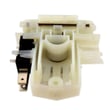
If the dishwasher will not run unless the door is pressed firmly, the door switch circuit can be involved; the dishwasher door switch DD81-02132A is one of the components used to confirm the door is closed.
A dishwasher can seem “bad” when the real issue is restricted water flow, blocked spray, or detergent and rinse aid setup. Dialing in those basics typically improves cleaning, drying, and cycle consistency without replacing major parts.
Last updated: February 2026
How to force reset Samsung dishwasher?
For a Samsung DW80K7050UG dishwasher, the most reliable “force reset” is a power reset: turn the dishwasher off, cut power at the breaker (or unplug it) for 5 to 10 minutes, then restore power and start a new cycle. For model-specific button resets, follow the DW80K7050UG user manual.
- Power reset (best for most glitches): breaker off (or unplug) 5 to 10 minutes, then power back on.
- Cancel a stuck cycle: press and hold Start/Cancel (or Start/Reset) for about 3 seconds (labeling varies by control panel).
- Control panel lockout: if buttons do not respond, check for Control Lock/Child Lock and turn it off.
- Wi-Fi or Smart Control issues: use the Smart Control reset steps listed for your exact control panel in the manual.
- Turn the dishwasher Off.
- Switch the dishwasher circuit breaker Off (preferred) or unplug the power cord.
- Wait 5 to 10 minutes (this lets the control board fully discharge).
- Restore power.
- Select a cycle and press Start.
A reset clears many control glitches, but it will not fix a door-latch or safety-switch problem. Check these common causes:
- Door not fully closed or latch not engaging
- A failed door safety switch
- Water in the base triggering leak protection
- No power at the outlet or tripped breaker
- Drain issue leaving the unit in a fault state
| Symptom after reset | Most likely area to check | What to do next |
|---|---|---|
| No lights, no response | Power supply | Verify breaker, outlet, and wiring connection |
| Lights on, will not run | Door latch/switch | Inspect latch alignment; test the door switch |
| Stops and beeps, drains | Error condition | Look up the code in Samsung dishwasher error codes |
| Runs but shuts off mid-cycle | Leak detection | Check for water in the base and visible leaks |
Resetting restores normal operation after a power surge, frozen keypad, or software hiccup. If the dishwasher repeatedly needs resets, we treat that as a symptom and check components like the door switch or leak detection.
Last updated: February 2026
What is the most common problem with Samsung dishwashers?
The most common problem we see with Samsung dishwashers like model DW80K7050UG is a drainage-related issue: water left in the tub because the filter area, drain path, or drain hose is restricted. Leaks, poor cleaning, and “won’t start” problems are also frequent and often trace back to a few check points in the DW80K7050UG owner’s manual.
- Not draining: clean the filter area, check for debris at the sump, confirm the drain hose is not kinked.
- Poor cleaning: clear spray arm holes, avoid blocking the detergent door, load correctly.
- Leaking: look for water in the base pan, check door sealing surfaces, confirm the unit is level.
- Won’t start: verify the door latches fully; a failed door interlock can stop operation.
- Noise: inspect for a foreign object in the pump area or a loose spray arm.
| Symptom | Most likely cause | Good first step |
|---|---|---|
| Water left in bottom | Clogged filter or drain restriction | Clean filter area; check hose routing |
| Dishes still dirty | Spray arm blockage or loading issue | Clear spray arm holes; reload |
| Water on floor | Leak in base pan or door sealing issue | Check base pan for water; level unit |
| Dead or won’t run | Door not sensed closed | Inspect/replace dishwasher door switch DD81-02132A |
Drain and leak problems can trigger safety shutoffs, leave odors, and reduce wash performance. Catching restrictions early also helps protect the circulation pump and keeps cycle times consistent.
- For error-code meaning and what to check by code, use Samsung dishwasher error codes.
Last updated: February 2026
Why is water sitting in the bottom of my Samsung dishwasher?
A small amount of water in the sump at the bottom of your Samsung DW80K7050UG is normal, but standing water that covers the filter area usually means a drain problem. Start by checking the drain hose routing (high loop or air gap), then clear the filter and drain path.
- Normal: a shallow puddle in the very bottom (keeps seals from drying out)
- Not normal: water pooling up into the tub floor, bad odors, or water returning after it drains
- Not normal: dirty water with food debris left after the cycle
| What you see | Most likely cause | What to do first |
|---|---|---|
| Clean water only in the lowest sump | Normal residual water | No repair needed; confirm in the DW80K7050UG manual |
| Water left after cycle, dishes still wet/dirty | Clog in filter/sump or drain hose | Clean filter, check hose for kinks/high loop |
| Water drains, then comes back later | Backflow from sink/disposal | Add a high loop or use an air gap |
| Won’t drain and may show an error | Drain restriction or sensor issue | Check drain path; review Samsung dishwasher error codes |
- Cancel/drain the cycle; listen for the drain pump running.
- Remove and rinse the filter area; clear seeds, labels, glass, and grease from the sump.
- Inspect the drain hose for kinks, crushing, or a clogged connection at the sink/disposal.
- Make sure the hose has a high loop up under the countertop (or is connected to an air gap) to prevent backflow.
- If the unit stops draining during a cycle, check for a leak condition; a triggered float or leak system can interrupt normal draining.
If you’ve confirmed the drain path is clear and the problem persists, these model-compatible parts are common suspects:
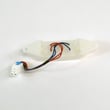
- Dishwasher leak detector sensor DD94-01062A (can stop operation if it senses water in the base)
- Dishwasher inlet hose DD81-02039A (restricted flow can cause poor wash and odd drain behavior)
Standing water can cause odors, redeposit food soil on dishes, and lead to repeated drain errors. Fixing hose routing and keeping the filter area clean usually restores normal draining without major repairs.
Last updated: February 2026





