- Kenmore refrigerator water filters
- Whirlpool refrigerator water filters
- Samsung refrigerator water filters
- GE refrigerator water filters
- LG refrigerator water filters
- Frigidaire refrigerator water filters
- KitchenAid refrigerator water filters
- Maytag refrigerator water filters
- Kenmore Elite refrigerator water filters
- Estate refrigerator water filters
- GE Profile refrigerator water filters
- Amana refrigerator water filters
- Bosch refrigerator water filters
- Dacor refrigerator water filters
- Electrolux refrigerator water filters
Top DIY repair help
View All Repair Categories
Appliances
Lawn & Garden
Power Tools
Home Improvement
Sports & Leisure
Heating & Cooling
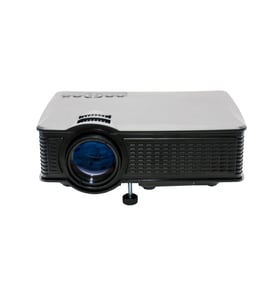
Hitachi Office Parts — Browse All Models
Sears PartsDirect has the repair and replacement parts you need to keep your Hitachi office equipment in top shape. Because you depend on your Hitachi office products to keep your business running, you'll want to repair any equipment failure quickly. Whether you need ink for copiers or bulbs for projectors, we have the Hitachi replacement parts in stock for your convenience.

Frequently bought Hitachi parts

Hitachi Home Electronics Transistor
In Stock
$10.36

Qty

Hitachi Sq Cut Bel
In Stock
$10.26
Qty
Hitachi Flat Belt
In Stock
$11.28
Qty
Sony Sq Cut Bel
In Stock
$10.36
Qty
Hitachi Vhs Player Video Head
In Stock
$103.49
Qty
Hitachi Sq Cut Bel
In Stock
$10.26
Qty
Popular maintenance items for Office
Sears Range Lp Conversion Kit
In Stock
$37.05
14% OFF Phone Price : $43.05
Qty
Thermador Microwave Fuse
In Stock
$101.13
Qty
Range Extra Low Surface Burner Potentiometer
In Stock
$76.42
7% OFF Phone Price : $82.42
Qty
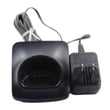
Panasonic Handset Char
In Stock
$53.50
Qty
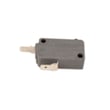
Kenmore Microwave Door Monitor Switch
Part #5304512529
This item is not returnable
In Stock
$33.99
15% OFF Phone Price : $39.99
Qty
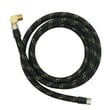
Sears Dishwasher Fill Hose
In Stock
$56.61
Qty
Replacing the projector bulb in your Hitachi office equipment
- Unplug the power cord and let the lamp cool down completely before replacing it.
- Locate the lamp access panel and remove the access panel mounting screws. Remove the lamp access panel.
- Carefully reach in and pull the lamp out of the projector.
- Wear gloves to prevent finger prints and oils from depositing on the new bulb. Unpack the new bulb and carefully install it in the projector.
- Reinstall the lamp access panel and secure the panel with the mounting screws.
- Plug the equipment power cord back in.
Steps for setting up your Hitachi printer
- Unpack the printer and remove all tape from covers and trays. Read the owner's manual instructions for setting up the printer.
- Connect the printer power cord and plug it into a working wall outlet.
- Turn on the printer and allow the printer to initialize.
- Connected the printer cable or USB cable to your computer.
- Select the "Add a printer" option on your computer and follow the instructions for the computer to set up printer communications.
- Print a test page to make sure the printer works properly.
Parts & More
Bottom-Mount Refrigerator
Electric Chainsaw
Front-Engine Lawn Tractor
Gas Snowblower
Gas Walk-Behind Mower
Go-Kart
Parts
Side-By-Side Refrigerator