Owner’s manual
 View engine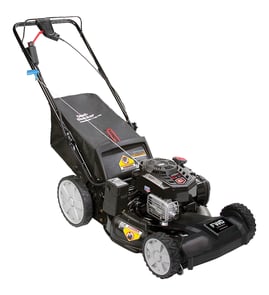
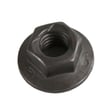


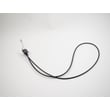
Where to find model number on Craftsman lawn mower?
On the Craftsman walk-behind mower model 917376060, the model and serial number are printed on a decal on the rear of the lawn mower housing. Use that decal information when ordering parts or checking specifications in the 917376060 owner's manual.
Where to look on the mower
Check these common spots first (in order):
- Rear of the mower deck or housing (most common location for 917376060)
- Back edge of the deck near the discharge door
- Near the engine mounting area on the deck
- On the handle support area close to the deck
What the label looks like and what to write down
The decal typically includes both identifiers; record both so you get the right Craftsman parts.
| Item on decal | What it’s used for | Example format |
|---|---|---|
| Model number | Identifies the mower version | 917.376060 |
| Serial number | Identifies the specific unit | Letters and numbers |
Tips if the decal is dirty or hard to read
A faded or grass-stained decal is common on walk-behind mowers.
- Brush off dry debris first
- Wipe with a damp rag and mild soap; avoid harsh solvents
- Use a flashlight at a low angle to make faint printing easier to see
- Take a photo and zoom in to read small characters
Why it matters
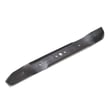
The model number ensures you match the correct blade, drive parts, and hardware for your mower. For example, the correct 22-inch blade for this model is the lawn mower blade 532406713, and using the wrong blade or adapter can cause poor cutting and vibration.
Last updated: January 2026
What model number is the Craftsman 917376060?
The model number for this Craftsman walk-behind gas lawn mower is 917.376060 (often written without the dot as 917376060). You can confirm it on the model tag and in the 917376060 owner's manual.
Where to find the model number on the mower
Check these common locations first:
- On the rear of the deck near the discharge opening
- On the side of the deck near the height adjuster
- Near the handle mounting brackets
- On a sticker or metal plate close to the engine area
Why the dot matters (917.376060 vs 917376060)
Both formats refer to the same mower; the dot is a formatting style used in many Craftsman manuals and parts lists.
| You might see it as | What it means |
|---|---|
| 917.376060 | Manual and model tag format |
| 917376060 | Parts lookup and online search format |
Tips to avoid ordering the wrong parts
When you shop for parts like a blade, belt, or wheel, match the full model number exactly.
- Use 917376060 when searching parts diagrams
- Match the full model number on the mower tag (not just “917”)
- If your mower has an engine model tag, keep that info too (it helps for engine-specific parts)
- Use the parts list in the 917376060 owner's manual to cross-check key items
Why it matters
Craftsman model numbers identify the exact deck, drive system, and hardware used on your mower. Using the correct model number helps ensure parts like the lawn mower blade 532406713 fit and mount correctly.
Last updated: January 2026
What are the common problems with Craftsman lawn mowers?
Common problems on the Craftsman 917376060 walk-behind mower include no-start conditions (stale fuel, dirty air filter, spark plug issues), loss of drive or hard-to-push symptoms from debris-packed drive wheels, and vibration or uneven cutting from a worn or loose blade system. Use the 917376060 owner's manual to match symptoms to the troubleshooting chart.
Most common symptoms and likely causes
- Won’t start: stale fuel, water in fuel, dirty air filter, spark plug or wire issue, control bar not held to handle
- Loss of power: grass buildup under deck, cutting too much grass, dirty air filter, too much oil
- Hard to push or self-propel slows: drive wheels not turning freely due to grass and debris
- Uneven cut: wheel heights uneven, blade worn or bent, deck packed with clippings
- Excessive vibration: blade loose or bent, blade adapter damage, crankshaft damage
Quick checks we recommend first
- Drain old gas and refill with fresh fuel
- Confirm the control bar is held against the handle during starting and mowing
- With engine off and spark plug wire removed, clear packed grass from under the deck
- Check drive wheels; if they do not turn freely, clean the wheel gear area
- Inspect blade mounting hardware; tighten and replace worn parts
Model-specific drive wheel cleaning tip
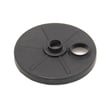
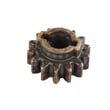
For drive problems, the manual directs cleaning the drive wheel area by removing hubcaps, locknuts, and washers; then clearing debris from the dust cover, pinion, and gear teeth.
| Symptom | What to check first | Typical fix |
|---|---|---|
| Won’t start | Fuel, air filter, spark plug | Refresh fuel; service ignition/air |
| Slows or won’t move | Drive wheel gear area | Clean debris; inspect drive parts |
| Vibration | Blade and adapter | Tighten; replace worn parts |
Parts that commonly wear
- Lawn mower blade 532406713 (cut quality and vibration)
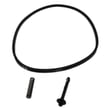
- Belt 532157769 (self-propel drive)
Why it matters
Fixing fuel, airflow, and drive-wheel debris issues early prevents hard starting, poor cut quality, and avoidable wear on the self-propel system.
Last updated: January 2026