 Error Codes





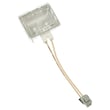

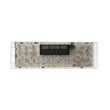
How do I reset the error code on my GE oven?
On the GE JT3000DF3BB electric wall oven, most error codes clear by canceling the fault and doing a full power reset. If the code returns right away, the control is detecting a real problem (commonly an over-temperature condition, a sensor issue, or a door lock fault) that needs troubleshooting.
- Press Clear/Off once; wait 30 seconds.
- Turn OFF the oven circuit breaker (or remove power at the disconnect).
- Leave power off for 2 to 5 minutes.
- Turn the breaker back ON.
- Set Bake and confirm the oven heats normally.
- If the code reappears, write it down before clearing it again.
These are the most common causes on electric wall ovens like this GE model:
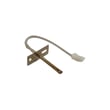
- Temperature sensing problem: a failing or out-of-range sensor can trigger heat-related faults; see wall oven temperature sensor WB21X10165.
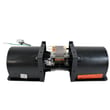
- Cooling/overheat issue: a weak cooling fan or control problem can cause high-temp errors; check wall oven cooling fan assembly WB26X31060 and wall oven cooling fan sensor board WB27T11463.
- Self-clean door lock problem: if the door stays locked or won’t lock, inspect wall oven door lock assembly WB10X23814.
- Overheat protection trip: some faults relate to a high-limit thermostat opening; see range high-limit thermostat WB24X46906.
| What you notice | What it usually points to | What we recommend first |
|---|---|---|
| Oven won’t heat, code returns | Sensor or control detecting bad temp feedback | Check sensor connection; consider sensor replacement |
| Fan runs loud or not at all | Cooling fan failing | Inspect fan for obstruction; replace fan if noisy or stalled |
| Code appears during/after self-clean | Door lock system not reaching position | Let oven cool fully; check lock assembly |
| Code appears after long bake | Overheating from poor cooling/airflow | Verify fan operation and vents are clear |
Resetting clears a temporary control glitch, but a repeating error code is the oven protecting itself. Fixing the underlying cause helps prevent no-heat problems, overheating, and repeated shutdowns.
For code definitions and next-step diagnostics, use GE manual cleaning range error codes.
Last updated: February 2026
What does F3 mean on a GE oven?
On a GE JT3000DF3BB electric wall oven, the F3 error code typically points to an oven temperature sensing problem, most often a faulty oven temperature sensor or a wiring issue that makes the control think the oven is overheating.
- Cancel the cycle and let the oven cool completely.
- Reset power: turn the breaker off for 1 minute, then back on.
- If F3 returns quickly, avoid using self-clean until the issue is corrected.
- Check for obvious damage: pinched wires at the back, loose connectors, or signs of heat damage.
- If baking temperatures have been inaccurate, the sensor is a top suspect.
| Likely cause | What you may notice | Typical fix |
|---|---|---|
| Failed oven temperature sensor | Overheating message, erratic temps, F3 during preheat | Replace the sensor: wall oven temperature sensor WB21X10165 |
| Loose or damaged sensor wiring | Intermittent F3, works sometimes | Reseat connectors, repair wiring |
| Control misreading temperature | F3 persists after sensor replacement | Professional diagnosis of control and harness |
The oven temperature sensor tells the control board how hot the oven is. If the sensor reads incorrectly (or the signal is interrupted), the oven can shut down with F3 to prevent unsafe overheating and protect components like the broil element and wiring harness.
Replace the sensor when:
- F3 comes back after a power reset
- The oven overheats or can’t hold a steady temperature
- You see corrosion or damage at the sensor connector
If you replace the sensor and the code continues, the next step is checking the harness connections and control inputs.
Related help: GE manual cleaning range error codes
Last updated: February 2026
What is the average lifespan of JT3000DF3BB?
A GE electric wall oven like model JT3000DF3BB typically lasts 13 to 15 years with normal household use. Lifespan depends most on heat stress, ventilation, and how quickly worn parts (like sensors, door seals, and fans) are replaced.
Most wall ovens reach the higher end of the range when they have steady airflow and the door seals tightly.
- Heavy high-heat use (broil, self-clean) shortens component life
- Poor cabinet ventilation overheats controls and wiring
- A leaking door seal forces longer heat cycles
- Power surges can damage electronic boards
- Prompt repairs prevent secondary damage
If your oven struggles to hold temperature or runs hot around the control area, these model-matched parts are often involved:
- Wall oven temperature sensor WB21X10165
- Wall oven cooling fan assembly WB26X31060
- Wall oven door seal WB35X32825
- Range high-limit thermostat WB24X46906
Use this as a practical decision tool for JT3000DF3BB.
| Oven age | If the issue is… | Best next step |
|---|---|---|
| Under 8 years | single failed part (sensor, bulb, seal) | Repair is usually the best value |
| 8 to 12 years | repeated heating or cooling fan issues | Repair if cost is reasonable |
| 13+ years | multiple failures or wiring damage | Compare repair cost vs. replacement |
Wall ovens fail gradually; small issues like a weak temperature sensor or worn door seal can make the oven run longer and hotter, which accelerates wear on the cooling system, wiring, and controls.
Last updated: March 2026





