 Error Codes






What is the most common problem with GE dishwashers?
The most common GE dishwasher problem is a no-start or no-run condition: the unit has power, but the cycle will not begin. On GE CDT805P2N8S1, the most frequent causes are a door that is not latching fully, a control issue, or a safety condition that stops the cycle.
- Confirm the door closes firmly and the latch clicks; push the door in at the top corners.
- Cancel the cycle and try a fresh start (some models will not restart mid-cycle).
- Check for a stuck key or unresponsive touch controls.
- Verify the dishwasher is not in demo mode; see dishwasher has power but wont run could be demo mode.
- If the display shows a code, use GE electronic dishwasher error codes to match the symptom to a likely cause.
If the door is not registering as closed, the dishwasher will not run.
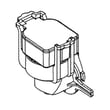
- Dishwasher door latch lock WD01X29878: if the door won’t latch, pops open, or the unit acts like the door is open.
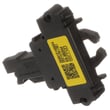
- Configured top ui control with cover WD21X33703: if buttons do not respond or the UI is erratic.
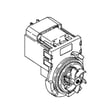
- Configured machine control board WD21X35479: if the dishwasher is dead, won’t initiate a cycle, or stops unexpectedly.
| Symptom | Most likely area | What to do next |
|---|---|---|
| Lights on, won’t start | Door latch or UI | Check latch engagement; then check UI response |
| Starts then stops quickly | Control or sensing | Look for an error code; inspect for water in base |
| Beeps, shows code | Error condition | Use the error code guide to narrow the failure |
A GE dishwasher that will not start is usually protecting itself: it needs a confirmed door-closed signal and stable control communication before it will energize the wash motor, fill valve, and heater.
Last updated: February 2026
What is the life expectancy of a GE CDT805P2N8S1 dishwasher?
A GE dishwasher like model CDT805P2N8S1 typically lasts 10 years. With consistent cleaning, correct detergent use, and quick repairs when problems start (leaks, poor draining, heating issues), we see many units reach 12 years of service.
Most dishwasher life expectancy comes down to water quality, how often it runs, and whether small issues are fixed early.
- Hard water shortens life by building scale on the heating system and internal seals
- Heavy daily use wears pumps, rollers, and the door latch faster
- Clogging and debris strain the drain pump and wash pump
- Overloading racks stresses rack rollers and slide rails
- Ignoring leaks damages the tub gasket and door seals
If your dishwasher is otherwise in good shape, replacing a failed part often restores normal operation.
| Symptom | Common part area | Example part for CDT805P2N8S1 |
|---|---|---|
| Won’t drain, standing water | Drain system | Dishwasher drain pump WD19X25461 |
| Not drying, water stays cool | Heating circuit | Heating element WD05X35098 |
| Won’t start or stops mid-cycle | Door latch or controls | Dishwasher door latch lock WD01X29878 |
| Leaks at the door or tub edge | Seals and gaskets | Dishwasher tub gasket WD08X23477 |
We recommend these habits to extend the life of your GE CDT805P2N8S1 dishwasher:
- Clean the filter area and sump regularly; remove glass and labels
- Run hot water at the sink before starting a cycle
- Use the right amount of detergent; too much can cause residue and leaks
- Check spray arms for clogs and keep the racks rolling smoothly
- Address error codes promptly using GE electronic dishwasher error codes
Dishwashers often show early warning signs (slow draining, poor cleaning, unusual noise). Fixing those issues early can prevent secondary damage to the wash system, seals, and control components.
Last updated: February 2026
How to do a hard reset on a GE dishwasher?
To hard reset a GE dishwasher like model CDT805P2N8S1, we restore power to reboot the control: turn the dishwasher off, cut power at the breaker for about 1 minute, then turn power back on and start a cycle. This clears many temporary control glitches.
- Press Off (or Cancel/Drain) to stop the current cycle.
- Turn OFF the dishwasher circuit breaker (or unplug the dishwasher if it is accessible).
- Wait 60 seconds.
- Turn the breaker ON (or plug back in).
- Wait 10 to 30 seconds for the control to fully wake up.
- Start a normal cycle and listen for fill and wash.
These checks solve the most common “has power but won’t start” situations:
- Confirm the door is fully latched; a weak latch can prevent any cycle from starting.
- Try a different cycle and press Start, then close the door promptly.
- Cancel the cycle and let it drain, then try again.
- Check for standing water; a drain problem can block operation.
- If the control is unresponsive, the user interface or main control may need attention.
| Symptom | What it points to | Example part for this model |
|---|---|---|
| No response when you press Start | Door not proving closed | Dishwasher door latch lock WD01X29878 |
| Powers on but stops mid-cycle | Control sensing issue | GE dishwasher pressure sensor WD21X25468 |
| Won’t drain after cancel | Drain system problem | Dishwasher drain pump WD19X25461 |
A hard reset clears a “locked up” control state after a power flicker, paused cycle, or keypad confusion. If the dishwasher immediately fails again after a reset, that repeatable failure usually points to a door-latch issue, a drain problem, or a control-related fault.
For model-specific fault patterns, use our GE electronic dishwasher error codes reference to match what you see on the display to the most likely cause.
Last updated: February 2026
Can a clogged drain cause an FTD error?
Yes. On a GE CDT805P2N8S1 dishwasher, an FTD error is commonly triggered when the unit cannot drain fast enough; a clogged filter area, blocked drain hose, or a restriction at the sink or disposer connection can cause that drain failure.
- Cancel the cycle and let the dishwasher attempt a drain; listen for the drain pump running.
- Remove standing water (if needed) so you can inspect the sump area safely.
- Clean the filter and sump area; clear labels, glass, food, and twist ties.
- Check the drain hose for kinks, crushing, or a high loop that has fallen.
- Inspect the sink drain/disposer inlet where the dishwasher hose connects; clear buildup.
- If the dishwasher was just installed, confirm the disposer knockout plug was removed.
If the path is clear but the dishwasher still throws FTD, the problem is usually a weak drain pump, a restricted hose, or a control sensing a drain problem.
| Symptom | Most likely cause | Part to consider for CDT805P2N8S1 |
|---|---|---|
| Pump hums but little or no water moves | Debris in pump or failing pump | Dishwasher drain pump WD19X25461 |
| Drains sometimes, then errors | Partial restriction or intermittent pump | Dishwasher drain hose WD24X10062 |
| Drains but error persists | Drain sensing/pressure issue | GE dishwasher pressure sensor WD21X25468 |
A drain restriction can leave dirty water in the tub, cause odors, and stop the cycle early. Fixing the drain path first prevents unnecessary replacement of the drain pump, pressure sensor, or control board.
For step-by-step troubleshooting, we recommend our GE electronic dishwasher error codes guide and our dishwasher not draining video.
Last updated: February 2026





