Installation guide
 Owner’s manual
 Error Codes



How to relight a Hotpoint gas oven?
On the Hotpoint RGBS100DM1WW gas range, most ovens relight automatically when you set Bake because the igniter lights the burner. If your oven uses a standing pilot, you relight it by accessing the oven burner area and lighting the pilot at the burner.
Before you start (safety first)
- Turn the oven knob to OFF and let the oven cool.
- If you smell gas, do not light anything; turn off the gas supply and ventilate the room.
- Keep your face and hands back from the burner area when lighting.
- Use a long-reach lighter or long match.
- Make sure the range is plugged into a working outlet; many ignition systems need power.
How to relight the oven pilot (standing-pilot style)
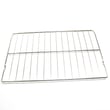
- Remove the oven racks.
- Remove the oven bottom panel (typically held by a couple of screws) to expose the bake burner.
- Locate the pilot near the back of the bake burner.
- Turn the oven control to a bake setting and immediately light the pilot with a long match or lighter.
- Once the pilot stays lit, set the temperature normally and reinstall the oven bottom and racks.
If it will not relight (common causes)
If the pilot will not stay lit or the burner will not ignite, these checks usually pinpoint the issue:
- No power to the range (tripped breaker or blown fuse)
- Gas supply valve is off or gas supply is not connected (verify per the installation guide)
- Ignition system problem on glow-bar models (weak or failed igniter)
- Burner ports clogged with grease or food residue
- Temperature control issue causing improper gas flow
Quick symptom-to-part guide (RGBS100DM1WW)
| Symptom | Most likely area | Part to check |
|---|---|---|
| No bake ignition, no heat | Bake ignition | Bake burner ignition WB13X40208 |
| Oven temperature swings or will not regulate | Oven temperature control | Range oven control thermostat WB24X24270 |
| Burner lights sometimes, sometimes not | Power and wiring | Use a meter and inspect connections |
Why it matters
A properly lit oven burner gives steady heat and safer operation. If the oven is supposed to ignite automatically, repeated lighting attempts can delay ignition and cause a strong gas odor.
Last updated: February 2026
What if I can't find my part on Sears PartsDirect?
If you can’t find a part for your Hotpoint RGBS100DM1WW gas range, we recommend confirming the full model number first, then using the diagrams and part lists to match the exact component name and location. If it still doesn’t show up, our parts specialists can help you identify the correct replacement.
Quick checks that usually solve it
- Recheck the model number tag and enter RGBS100DM1WW exactly (letters and numbers matter).
- Look up the part by where it sits on the range (cooktop, oven, door, broiler drawer) using the exploded views in the RGBS100DM1WW owner’s manual.
- Search by the manufacturer part number if you have it (for example, WB24X24270).
- Try alternate wording for the same item (example: “oven thermostat” vs. “oven control thermostat”).
- If you are replacing an ignition-related part, confirm whether it’s for the oven bake burner or a surface burner (they are different systems).
Common “hard to find” parts for this model
These are examples of parts customers often search for under different names:
| What you call it | What it may be listed as | Example part for RGBS100DM1WW |
|---|---|---|
| Oven won’t light | Bake burner ignition | Bake burner ignition WB13X40208 |
| Oven temperature off | Range oven control thermostat | Range oven control thermostat WB24X24270 |
| Heat leaking around door | Range oven door gasket | Range oven door gasket WB35X29720 |
When to contact us (and what to have ready)
If the part still isn’t showing up, we can narrow it down quickly with a few details:
- Model number: RGBS100DM1WW
- A short symptom description (example: “bake won’t ignite, broil works”)
- Where the part is located (oven cavity, control panel, cooktop)
- Any numbers printed on the old part (part number or stamping)
Why it matters
Gas range parts are often model-specific, and similar-looking components can fit differently or have different ratings. Matching by model number and diagram location helps ensure the replacement fits and works correctly the first time.
Last updated: February 2026
What would cause a gas oven not to ignite?
On the Hotpoint RGBS100DM1WW gas range, a bake or broil burner that will not ignite is usually caused by the oven gas shut-off being closed, a weak/hot-surface igniter, or a gas safety valve issue. Start with the shut-off lever check, then move to ignition parts testing.
Quick checks first (no parts needed)
- Confirm the range has power (the igniter needs electricity even though the oven uses gas).
- Make sure the oven gas shut-off lever on the regulator is open; the manual notes this can stop bake and broil even when surface burners work.
- Remove any foil or liners from the oven bottom; blocking airflow can create unsafe conditions and poor burner performance.
- If the oven is in a self-clean malfunction state, turn the oven off and disconnect power, then have it serviced.
- Review operating steps and safety notes in the RGBS100DM1WW owner’s manual.
Most common failed parts when the oven will not light
In many gas ranges, the igniter can glow but still be too weak to open the gas valve fully.
- Hot-surface igniter (bake): weak igniter, cracked igniter, or damaged wiring
- Gas safety valve: valve not opening even with a good igniter signal
- Oven control thermostat: not sending heat call to the ignition circuit
Parts that match this model
| Symptom | What you often see | Part to consider |
|---|---|---|
| No bake ignition | No glow at bake burner | Bake burner ignition WB13X40208 |
| Intermittent or no heat control | Temperature swings, won’t maintain set temp | Range oven control thermostat WB24X24270 |
| Gas flow not opening to burner | Igniter glows a long time, no flame | Safety valve WB21X21212 |
Why it matters
A no-ignite condition is not just an inconvenience; repeated ignition attempts can allow gas to accumulate, and airflow restrictions (like foil on the oven bottom) can create carbon monoxide and fire risks. Using the correct troubleshooting steps helps restore safe, reliable baking.
Last updated: February 2026
Where is the igniter on a Hotpoint gas oven?
On the Hotpoint RGBS100DM1WW gas range, the oven igniter is mounted at the oven burner inside the oven cavity, typically along the bottom where the bake burner runs. You usually access it by removing the oven racks and lifting out the oven bottom panel.
How to locate it (bake igniter)
- Turn off power to the range at the breaker (the igniter is an electrical part).
- Shut off the gas supply valve before opening panels.
- Remove oven racks.
- Lift out the oven bottom panel to expose the bake burner tube.
- Look for the igniter mounted to the side of the bake burner near the burner ports.
- Use the wiring diagram and access steps in the RGBS100DM1WW owner’s manual.
What you’ll see once the bottom is off
In most Hotpoint gas ovens, the bake igniter sits close to the burner so it can glow and light the gas quickly.
| What you’re checking | What “normal” looks like | What suggests a problem |
|---|---|---|
| Igniter position | Attached to the bake burner assembly | Loose, cracked, or hanging |
| Bake ignition | Burner lights smoothly after a short delay | No ignition, repeated clicking, or delayed ignition |
| Burner flame | Even flame along the burner | Uneven flame or no flame |
Parts that commonly relate to this repair
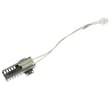
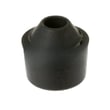
If the oven will not heat or has delayed ignition, the bake igniter is a common suspect on this model. The correct replacement part is the bake burner ignition WB13X40208.
Why it matters
A weak or failed igniter can prevent the bake burner from lighting properly, which leads to no-heat baking, long preheat times, or delayed ignition. Fixing the igniter restores reliable oven temperature and safer, more consistent burner lighting.
Last updated: February 2026
Why is my Hotpoint stove not working?
If your Hotpoint RGBS100DM1WW gas range is not working, the most common causes are a tripped breaker or blown fuse, incorrect oven control settings, or an oven ignition problem (especially when surface burners work but the oven will not heat). Use the RGBS100DM1WW owner’s manual troubleshooting chart to narrow it down fast.
Quick checks we recommend first
- Confirm the range has power: check the house breaker or fuse (the clock and oven controls need electricity).
- Verify the oven controls are set correctly for Bake or Broil (a mis-set mode can look like a failure).
- If the surface burners work but the oven will not heat, watch for ignition: the igniter should glow and the burner should light.
- If the oven light is out, tighten or replace the bulb only after shutting off power at the breaker.
- Listen for normal clicking during baking or broiling; frequent clicking can be normal temperature control behavior.
What the symptom usually points to
| Symptom | Most likely area | What to do next |
|---|---|---|
| Nothing works (no display, no oven response) | Power supply | Reset breaker or replace fuse; then retest |
| Burners work, oven will not heat | Oven ignition or gas safety circuit | Inspect igniter operation; consider replacing the igniter |
| Oven heats but temperature seems off | Temperature calibration or thermostat issue | Follow the manual’s temperature adjustment guidance |
| Clicking during oven use | Normal control cycling | No repair needed if heating is normal |
Parts that commonly fix “oven won’t heat” on this model
If your diagnosis points to ignition, these model-matched parts are common fixes:
- Bake burner ignition WB13X40208: helps light the bake burner so the oven can heat.
- Safety valve WB21X21212: controls gas flow to the oven burner (gas-related repairs should be handled carefully).
- Range oven control thermostat WB24X24270: can affect temperature control and heating behavior.
Why it matters
A gas range can look “dead” for two very different reasons: loss of electrical power (controls cannot operate) or loss of oven ignition (burners may still work). Separating those two paths prevents unnecessary parts replacement and gets you to the right repair faster.
Last updated: February 2026