




Do all GE microwaves have the same mounting bracket?
No. GE microwaves do not all use the same mounting bracket; bracket hole patterns, cabinet cutout requirements, and trim or venting designs vary by series and model. For a built-in GE microwave like model ZSB9232N2SS, we recommend using the bracket and hardware specified for that exact unit to ensure a secure fit.
Even within GE, brackets are not universal because the mounting method depends on the microwave style.
- Built-in models often use trim kits, side rails, or specific support brackets
- Over-the-range models typically use a rear wall bracket plus top cabinet bolts
- Hole spacing and bracket depth can change between generations
- Door swing clearance and latch alignment can require different positioning
- Venting paths (recirculating vs. ducted) can affect how the unit sits
Use this as a practical go or no-go list:
- The replacement microwave is the same model number (ZSB9232N2SS) or an approved direct replacement
- The bracket part number matches the replacement unit’s parts list
- The cabinet opening and support points match the new unit’s requirements
- The microwave sits level and the door closes smoothly without rubbing
- All fasteners tighten fully with no slop or shifting
| Microwave type | Typical mounting method | Bracket reuse risk |
|---|---|---|
| Built-in (like ZSB9232N2SS) | Cabinet support rails/brackets, trim alignment | Medium to high |
| Over-the-range | Wall bracket + top bolts | High |
| Countertop | No bracket | None |
When holes do not align or the unit does not sit square, do not force it. A poor mount can cause vibration, door alignment problems, and unsafe operation. If you need to repair related door-latch or switch issues after a misalignment, common parts on this model include the microwave door interlock switch WB24X25397 and microwave primary interlock switch WB24X10047.
Microwave mounting affects door alignment and the interlock system. If the door does not close correctly, the microwave may not run, may run intermittently, or may blow a fuse due to interlock timing issues.
Last updated: February 2026
Is it worth repairing a GE microwave?
For a GE built-in microwave like model ZSB9232N2SS, repair is worth it when the problem is a common, lower-cost failure (door switch, interlock, turntable drive). If the failure is a high-cost component (control board, magnetron, transformer), replacement usually makes more sense.
Use this simple rule of thumb:
- Repair when the fix is straightforward and parts are reasonably priced (switches, waveguide cover, lamp).
- Replace when the repair involves major high-voltage parts or expensive electronics.
- Repair more often makes sense on built-in units because matching fit and trim can matter.
These are common wear or failure items that are often worth fixing:
- Microwave primary interlock switch WB24X10047
- Microwave door interlock switch WB24X25397
- Microwave turntable motor assembly WB26X32994
- Microwave waveguide cover WB06X10828
- Halogen lamp WB02X35488
| What’s wrong | Common symptom | Usually worth repairing? |
|---|---|---|
| Door/interlock switch issue | Won’t start, stops when door moves, blows fuse | Yes |
| Turntable drive issue | Tray not turning, noisy rotation | Yes |
| Waveguide cover damage | Arcing/sparking, burning smell near side wall | Yes |
| Control board failure | Dead display, random buttons, erratic operation | Often no |
| Magnetron/transformer issue | Runs but doesn’t heat, loud hum | Often no |
Microwaves contain high-voltage components (magnetron, high-voltage transformer, capacitor). When those parts fail, the repair cost and safety risk go up quickly, so it is smarter to focus on safe, high-value fixes first.
- Confirm the outlet has power and the breaker is not tripped.
- If it is dead or intermittent, suspect door switch/interlock problems first.
- If it runs but does not heat, the issue is more likely in the high-voltage system.
- If you see arcing, inspect the waveguide cover and stop using the microwave until it’s corrected.
- If you plan to test electrical parts, use a meter and follow safe procedures from how to use a multimeter to test electrical parts video.
Last updated: February 2026
What are the parts of a microwave?
A GE built-in microwave like model ZSB9232N2SS is made up of a cooking cavity, door and safety interlocks, a turntable system, a control system, and a high-voltage heating system (transformer and magnetron) that generates microwave energy to heat food.
- High-voltage heating system: creates microwave energy (transformer, magnetron, related wiring)
- Waveguide system: directs energy into the cavity and shields internal components
- Door and interlock system: prevents operation with the door open
- Controls and sensing: keypad/control board and sensors manage time, power, and auto-cook features
- Air movement: circulating fan/motor moves air for cooling and, on some models, convection airflow
- Turntable system: rotates food for more even heating
These are examples of real, model-matched parts that often come up in troubleshooting:
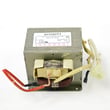
- Microwave high-voltage transformer WB17X10030 (no heat, loud hum, burning smell symptoms)
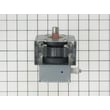
- Microwave magnetron WB26X32629 (no heat, weak heat)
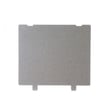
- Microwave waveguide cover WB06X10828 (sparking, arcing, burned cover)
- Microwave primary interlock switch WB24X10047 (won’t start, stops when door moves)
- Microwave door interlock switch WB24X25397 (intermittent running, door-related start issues)
- Microwave turntable motor assembly WB26X32994 (turntable not rotating)
| System | What you’ll notice | Example part on this model |
|---|---|---|
| High voltage | Heats food | Transformer, magnetron |
| Door safety | Starts only with door shut | Interlock switches |
| Turntable | Tray rotates | Turntable motor |
| Controls | Buttons and display | Control boards/panel |
| Waveguide | Prevents arcing and protects channel | Waveguide cover |
Knowing which system a symptom points to helps you choose the right repair path. For example, “runs but doesn’t heat” usually points to the high-voltage system, while “won’t start” often points to door interlocks or controls.
For electrical testing, we use a meter and safe work practices; our how to use a multimeter to test electrical parts video is a good starting point.
Last updated: February 2026
What usually breaks in a microwave?
In a GE built-in microwave like model ZSB9232N2SS, the parts that most often fail are the door interlock switches, turntable drive parts, internal power components (magnetron and transformer), and the electronic control board. These failures commonly show up as no heat, no start, or intermittent operation.
- Door won’t start or stops when you close it: door interlock switch or latch alignment issues (see microwave primary interlock switch WB24X10047 and microwave door interlock switch WB24X25397).
- Runs but does not heat: high-voltage system problem, often the magnetron or transformer (see microwave magnetron WB26X32629 and microwave high-voltage transformer WB17X10030).
- Turntable not rotating: turntable motor or shaft issue (see microwave turntable motor assembly WB26X32994 and microwave turntable shaft WB02X11360).
- Dead display or random resets: control board or power filtering issue (see power control board asm WB27X33412 or noise filter board WB02X35865).
- Sparking or burning smell near the cavity wall: damaged waveguide cover (see microwave waveguide cover WB06X10828).
- Confirm the outlet works by testing a small lamp or another appliance.
- Inspect the door for a solid, even close; look for a loose handle or misaligned latch.
- Remove the turntable and roller/support and check for binding, debris, or a stripped drive coupler.
- If the unit is completely dead, check the home breaker first.
- If you see arcing, stop using the microwave until the waveguide cover is inspected and replaced if damaged.
| Symptom | Common cause | Typical next step |
|---|---|---|
| Won’t start, door-related | Interlock switch/latch | Switch and latch inspection, replace switch if failed |
| Runs, no heat | Magnetron/transformer | Technician diagnosis recommended (high voltage) |
| Turntable not moving | Motor/shaft | Replace motor or shaft if worn |
| Dead or erratic controls | Control board/noise filter | Verify power supply, then board diagnosis |
Microwave door interlock and high-voltage components are safety-critical. Fixing the correct failed part prevents repeat shutdowns, protects the control board, and restores proper heating performance on your ZSB9232N2SS.
Last updated: February 2026
What's the average lifespan of a GE microwave?
A GE microwave typically lasts 8 years. For a built-in model like GE ZSB9232N2SS, normal real-world lifespan is 5 to 10 years, with 8 years being the average when the door seals well, airflow stays clear, and the unit is not run empty.
- Light use (reheating, short cook times): 9 to 12 years
- Average use (daily cooking): about 8 years
- Heavy use (multiple long cycles daily): 5 to 7 years
- Shortened lifespan triggers: slamming the door, blocked vents, frequent overheating
| Usage pattern | Expected lifespan | What usually fails first |
|---|---|---|
| Light | 9 to 12 years | Door switches, lamp |
| Average | ~8 years | Interlock switches, control issues |
| Heavy | 5 to 7 years | Magnetron or high-voltage components |
- Keep the cavity and waveguide area clean; wipe splatters before they carbonize.
- Never run the microwave empty; it stresses the magnetron.
- Use microwave-safe cookware to prevent arcing.
- Make sure the door closes smoothly and evenly; avoid pushing on the handle to “slam” it shut.
- Keep intake and exhaust openings clear so heat can escape.
If your ZSB9232N2SS stops heating, runs only with the door held a certain way, or blows a fuse, these parts are often involved:
- Microwave primary interlock switch WB24X10047 (door safety circuit)
- Microwave door interlock switch WB24X25397 (door sensing and safety)
- Microwave magnetron WB26X32629 (creates microwave energy)
- Microwave high-voltage transformer WB17X10030 (powers the high-voltage system)
Microwaves can appear to “work” (lights, fan, turntable) even when a heating or door-safety component is failing. Knowing the typical lifespan helps you decide whether a repair is cost-effective versus replacing the unit.
Last updated: February 2026


