 Installation guide
 Owner’s manual
 Error Codes






How to reset a GE wall oven?
To reset your GE JTP30SM1SS wall oven, turn the oven’s circuit breaker OFF (or remove the fuse) to cut power, wait at least 30 seconds, then restore power. This resets the electronic control; you’ll typically need to set the clock again.
Quick reset steps
- Turn the oven circuit breaker OFF (or remove the fuse).
- Wait 30 to 60 seconds.
- Turn the breaker ON (or reinstall the fuse).
- If the display is flashing, reset the clock.
- Re-test Bake and Broil.
When a reset is the right fix
A power reset is most useful when:
- The display is blank or flashing after a power interruption.
- An “F” code (function error) appears; a reset often clears a one-time control glitch.
- The oven is unresponsive to keypad presses.
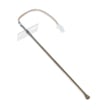
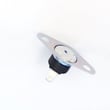
If an “F” code returns after the reset, the issue is usually in a component the control monitors, such as the wall oven temperature sensor WB23T10015 or wiring to it.
What to expect after power is restored
| What you see | What it means | What to do |
|---|---|---|
| Display flashes | Power failure was detected | Set the clock, then reselect cooking mode |
| Oven runs, then stops later | 12-hour shut-off feature may be active | Review special features in the manual |
| Cooling fan runs after reset | Normal heat management | Let it run; it can continue after cooking |
Why it matters
A proper reset clears temporary control logic faults without replacing parts. It also helps you confirm whether the problem is a one-time power glitch or a repeatable failure that points to the control, sensor, or safety thermostat.
For keypad sequences and special feature settings (including 12-hour shut-off and Sabbath mode behavior), follow the JTP30SM1SS owner’s manual.
Last updated: January 2026
How to disable control lock on GE wall oven?
To disable Control Lock on your GE JTP30SM1SS electric wall oven, press and hold the correct two pads together for 3 seconds until the display changes from LOCON (locked) to LOCOFF (unlocked). This restores normal operation of all touch pads.
Steps to turn Control Lock off (unlock)
- Make sure the display is showing the time of day.
- Press and hold both pads together for 3 seconds:
- Hour and Min - (common on many JTP-series controls), or
- 9 and 0 (on some versions of this control)
- Release the pads when the display shows LOCOFF.
What you should see and hear
- When locked, pressing any pad typically causes a beep and the display shows LOCON.
- When unlocked, the oven responds normally and LOCOFF appears briefly.
Quick checks if it still seems locked
- Confirm you are pressing the correct pair for your keypad layout (either Hour + Min - or 9 + 0).
- Press both pads at the exact same time and keep holding for the full 3 seconds.
- If the oven is in a cycle that locks the door (such as self-clean), wait for the LOCKED light to go out after the oven cools, then try again.
Control Lock reference table
| Display message | Meaning | What to do |
|---|---|---|
| LOCON | Control Lock is on | Hold Hour + Min - or 9 + 0 for 3 seconds |
| LOCOFF | Control Lock is off | Use the oven normally |
| LOCKED (light) | Door is locked (often during/after self-clean) | Wait for cool-down; door unlocks when safe |
Why it matters
Control Lock prevents accidental keypad presses during cleaning or around kids. If it is left on, the oven will not accept bake, broil, timer, or clock inputs until you unlock it.
For the exact pad names and your control layout, follow the steps in the JTP30SM1SS owner’s manual.
Last updated: January 2026
Where to find model number on GE wall oven?
On the GE JTP30SM1SS electric wall oven, the model and serial number label is typically on the side trim or on the front of the lower oven frame behind the oven door. Use that tag when ordering parts or scheduling service; it ensures an exact match.
Where to look on the oven
Check these common label locations first:
- Open the oven door and look along the front frame (especially the lower oven on double-oven setups)
- Check the side trim area around the oven opening
- Look just inside the frame near the control panel area (if your model has a front control panel)
- Use a flashlight and look for a white or silver rating label with both model and serial numbers
Quick steps to find it fast
- Turn the oven off and let it cool.
- Open the door fully.
- Inspect the front frame behind the door, then scan the side trim.
- Write down the full model number and serial number exactly as shown.
What the label usually looks like
| Item on tag | What it’s used for | Example (format) |
|---|---|---|
| Model number | Matching parts and documentation | JTP30SM1SS |
| Serial number | Service history and production info | Letters and numbers |
Why it matters
We use the model number to match the correct GE wall oven parts and diagrams for your exact configuration (controls, door glass, sensor type). For example, it helps confirm the right wall oven temperature sensor WB23T10015 or oven lamp 40A15 if you are troubleshooting heating or lighting issues.
Helpful reference
The label locations and other identification details are also shown in the JTP30SM1SS owner’s manual.
Last updated: January 2026
What is the code F3 on a GE oven?
On the GE JTP30SM1SS electric wall oven, an F3 error code points to an oven temperature sensing problem. In most cases, the oven temperature sensor circuit is reading out of range due to a failed sensor, a loose connection, or damaged wiring.
What to check first (safe, quick steps)
- Press Clear/Off to stop the cycle and let the oven cool.
- Turn off power at the breaker for at least 1 minute, then restore power.
- If the code returns, avoid using self-clean until the issue is corrected.
- Check for obvious pinched or burned wires at the back of the oven (if accessible).
- Use the troubleshooting and error information in the JTP30SM1SS owner’s manual.
Most common fix: replace the temperature sensor
If the sensor circuit is bad, replacing the sensor is the most common repair for an F3 code.
- Part to consider: wall oven temperature sensor WB23T10015
- Typical symptom pattern: oven overheats, won’t regulate temperature, or throws F3 shortly after starting
Basic diagnostic idea (for technicians/advanced DIY)
A technician will typically measure sensor resistance at room temperature and inspect the harness from the sensor to the control. If readings are out of spec or intermittent when the harness is moved, the sensor or wiring is the culprit.
When it can be wiring or the control
If a new sensor does not resolve F3, the issue is usually in the harness/connector or the electronic control.
| Likely cause | What you’ll notice | Typical next step |
|---|---|---|
| Failed temperature sensor | F3 repeats, temp swings | Replace sensor |
| Loose/damaged wiring | Code comes and goes | Repair connector/harness |
| Control problem | F3 persists after sensor | Test/replace control |
Why it matters
The temperature sensor is the oven’s feedback device. When it reports the wrong temperature (or the control can’t read it), the oven can’t regulate heat accurately, which leads to error codes, poor baking results, and overheating protection shutdowns.
Last updated: January 2026





