Owner’s manual
 Error Codes


Can you run both drawers on a Fisher and Paykel dishwasher?
Yes. On the Fisher & Paykel DD24DCTX7-84679-B double DishDrawer dishwasher, both drawers are designed to wash independently, so you can run one drawer or run both drawers at the same time as long as each drawer is loaded correctly and can seal/close normally (see the DD24DCTX7-84679-B owner's manual).
How to run both drawers successfully
- Load each drawer so nothing protrudes above the top edge of the tub.
- Make sure dishes do not block the internal lid from seating when the drawer closes.
- Start each drawer on its own wash program; each drawer has its own controls.
- If you need to open a drawer mid-cycle, pause first and wait for the beeps before opening.
- Keep the dishwasher assembled correctly; the motor assembly, filter plate, drain filter, and spray arm(s) must be in place.
When one drawer prevents the other from running
If one drawer has a fault, the other drawer may show a code indicating the issue is in the opposite drawer. For example, a U4-type situation means there is a fault in the other drawer that prevents use of the drawer showing the message.
Quick check table
| What you see | What it usually means | What we do next |
|---|---|---|
| One drawer runs normally | No shared fault condition | Run either drawer or both |
| One drawer shows a “fault in the other drawer” message | The opposite drawer needs attention | Troubleshoot the other drawer first |
| Spray arm issue message | Spray arm loose/off or low water pressure | Refit/check spray arm and water supply |
Why it matters
Running both drawers is a big advantage of a double-drawer dishwasher: you can wash a full load faster, or wash two different loads back-to-back. Correct loading and a properly seated lid prevent leaks, poor cleaning, and avoidable service issues.
Last updated: February 2026
How do I get my Fisher and Paykel DishDrawer to drain?
To get your Fisher & Paykel DishDrawer (model DD24DCTX7-84679-B) to drain, we start by clearing the drain path: straighten the drain hose, then remove and rinse the drain filter so water can flow freely to the sink drain or disposer. Use the steps in the DD24DCTX7-84679-B owner's manual.
Quick steps that fix most draining problems
- Turn the power off at the supply (or unplug the dishwasher).
- Pull the drawer open and remove standing water (a cup or turkey baster works well).
- Check the drain hose for kinks, crushing, or a high loop that has slipped down.
- Lift the plastic grid above the drain area, then lift out the drain filter.
- Empty and rinse the drain filter under running water.
- Reinstall the drain filter so it sits flush with the filter plate, then lower the grid.
Clean the drain filter and filter plate (model-correct method)
Our manual maintenance steps for DD24/DD60 style DishDrawer units are:
| What you do | What you should see |
|---|---|
| Lift the plastic grid and remove the drain filter | Some water under the filter is normal |
| Rinse the drain filter under running water | Debris clears from the mesh and edges |
| Refit the drain filter flush with the filter plate | Filter sits flat; grid closes normally |
If the dishwasher is run without the filter plate and drain filter correctly in place, draining and wash performance suffer.
If it still will not drain
These checks isolate whether the issue is a blockage, a control issue, or a drain component problem:
- Run a cancel or drain function (if your control panel supports it) after reassembly.
- Listen for the drain motor sound; a quiet hum with no water movement points to a restriction or drain valve issue.
- Check the sink/disposer connection for a clog (including the disposer inlet plug if recently installed).
- Inspect the drain valve for sticking; consider replacing the dishwasher drain valve and o-ring 522150 if it is leaking or not opening.
- If you get continuous beeping and a fault code, follow the fault flowchart in the manual.
Why it matters
A restricted drain can leave dirty water in the tub, cause odors, and trigger fault codes. Keeping the drain filter clean and seated correctly protects the pump system and helps the wash cycle finish normally.
Last updated: February 2026
How do you reset the flood switch on a Fisher Paykel dishwasher?
On the Fisher & Paykel DD24DCTX7-84679-B, a flood condition (often shown as E1 Flood detected) clears after you stop the alarm, power the dishwasher off briefly, then restart it. If the code returns, remove the water that triggered the flood protection and correct the leak source.
Quick reset steps (what we do first)
- Press Power to stop the beeping/alarm.
- Press Power again to turn the dishwasher off.
- Wait about 2 to 5 minutes.
- Press Power to turn it back on.
- If the unit resumes, run a short rinse and watch for water returning to the base.
If the flood code comes back right away
A flood switch usually trips because water collected where it should not (commonly the base pan area). Clearing the code without removing the water only makes the alarm return.
- Cancel the cycle and do not keep restarting repeatedly.
- Check for obvious leaks: door seal area, drawer lid sealing, hoses, and drain path.
- Inspect and clean the filter area so water can circulate and drain correctly.
- If you find standing water or repeated overflow symptoms, address the cause before running another full cycle.
Parts that commonly relate to flood or draining symptoms
These parts are model-matched options we use when troubleshooting repeated flood detection, poor draining, or water left behind:
| Symptom you see | What it often points to | Model-matched part to consider |
|---|---|---|
| Water will not drain out | Drain restriction or drain valve issue | Dishwasher drain valve and o-ring 522150 |
| Dirty water recirculates, poor wash | Clogged or damaged filter | Dishwasher filter 524828 |
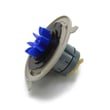
| Intermittent motor errors with water issues | Drive system problem affecting pumping | Motor rotor 524285P |
Why it matters
Flood protection is designed to prevent cabinet damage and electrical hazards. When the dishwasher detects flooding, it stops normal operation and alarms until the condition is cleared and the underlying leak or drain problem is corrected.
Where to confirm the exact fault code behavior
Use the DD24DCTX7-84679-B owner's manual to match the displayed code (or indicator pattern) to the correct “flood detected” procedure and any model-specific steps.
Last updated: February 2026
How to read Fisher Paykel serial number?
On the Fisher & Paykel DD24DCTX7-84679-B dishwasher, we read the serial number directly from the serial label inside the cabinet, underneath the top drawer. Pull the top drawer open and look on the cabinet frame area under that drawer for the label.
Where to find the model and serial label
Use these quick checks to locate the label fast:
- Open the top drawer fully.
- Look inside the cabinet, not on the drawer front.
- Check the area underneath the top drawer (cabinet frame/underside area).
- Use a flashlight; the label is often in a shaded spot.
- Copy the serial number and model number exactly as printed.
For a diagram and model-specific details, check the DD24DCTX7-84679-B owner's manual.
How to interpret what you see on the label
Most Fisher & Paykel labels include a few key fields. Here is what each one is used for:
| Label item | What it means | When you need it |
|---|---|---|
| Model number | Identifies the exact dishwasher version | Ordering parts, checking fit |
| Serial number | Unique ID for your specific unit | Service history, warranty/service calls |
| Date of purchase (not always on label) | When the unit was bought | Service and warranty paperwork |
Tips for copying the serial number correctly
Small character mix-ups are the most common issue. We recommend:
- Write it down and also take a clear photo.
- Watch for 0 (zero) vs O (letter O).
- Watch for 1 (one) vs I (capital i).
- Keep any dashes exactly as shown.
Why it matters
The DD24DCTX7-84679-B can have multiple part variations across production runs. Using the exact model and serial from the label helps us match the correct dishwasher parts (like a control board, drain valve, or drawer slide kit) the first time.
Last updated: February 2026
What does A7 mean on my Fisher and Paykel dishwasher?
On the Fisher & Paykel DD24DCTX7-84679-B DishDrawer dishwasher, an A7 code means the dishwasher detected excess foam and started an auto-recovery routine to protect washing performance and prevent overflow. Use the steps in the DD24DCTX7-84679-B owner's manual to clear the condition and reset operation.
What to do right now
- Press the control to stop the beeping (the unit uses beeping and a displayed code to indicate a fault).
- Open the drawer and let the foam settle; remove any standing suds with a cup or towel.
- Cancel the cycle, then run a rinse cycle with no detergent.
- If foam returns, run a second rinse and switch to dishwasher detergent only (never hand-dish soap).
- Check for rinse aid spills in the drawer and wipe them up.
Common causes of A7 (excess foam)
- Hand dish soap used by mistake
- Too much detergent for the soil level or water softness
- Detergent not formulated for automatic dishwashers
- Rinse aid overfill or a leak from the dispenser area
Quick detergent check (what to change)
| Situation | What we recommend | Why it helps |
|---|---|---|
| Lightly soiled loads | Use less detergent | Reduces suds formation |
| Soft water | Reduce detergent amount | Soft water increases foaming |
| Pods creating foam | Try powder/gel and adjust dose | Lets you fine-tune |
If A7 keeps coming back
- Clean the filter area so water can circulate normally; a restricted filter can worsen suds and poor wash results. Use the dishwasher filter 524828 if your filter is damaged or won’t clean up.
- If you also see motor-related symptoms (no wash action, unusual noises), check the drive components; the motor rotor 524285P is a common wash motor component on this model.
- Follow the manual’s fault-handling steps to capture any additional indicator pattern that helps pinpoint the issue.
Why it matters
Excess foam cushions spray action, reduces cleaning, and can trigger protective fault behavior. Clearing suds quickly helps the DD24DCTX7-84679-B return to normal wash pressure and cycle timing.
Last updated: February 2026
What model is my Fisher and Paykel dishwasher?
Your Fisher & Paykel dishwasher’s model number is printed on the serial label inside the cabinet, underneath the top drawer. On a DishDrawer style unit like model DD24DCTX7-84679-B, you’ll see the label when the top drawer is pulled open far enough to view the cabinet frame.
Where to find the model and serial label
Check these common label locations first:
- Inside the cabinet opening, underneath the top drawer (most common for DishDrawer units)
- Along the cabinet frame edge that the drawer slides on
- On a sticker visible only when the top drawer is fully pulled out
- Near the wash program panel area inside the drawer (varies by series)
For diagrams and model-specific label references, use the DD24DCTX7-84679-B owner’s manual.
How to read the label correctly
Write the information exactly as shown on the sticker:
- Model number: includes letters, numbers, and dashes (example format: DD24DCTX7-84679-B)
- Serial number: a separate identifier used for service history and production details
- Date of purchase: not on the label, but helpful to record with the model and serial
Quick checklist
- Pull the top drawer open and look underneath it into the cabinet area
- Use a flashlight; the label is often in a shaded spot
- Copy the model number exactly, including all dashes
Why it matters
We use the exact model number to match the correct Fisher & Paykel dishwasher parts and diagrams. Even small model-number differences can change which electronic control board, drain valve, or filter fits your dishwasher.
| What you’re looking for | What it’s used for |
|---|---|
| Model number | Choosing correct parts and diagrams |
| Serial number | Service identification and production details |
Last updated: February 2026
Why is my Fisher and Paykel dishwasher 4 lights flashing and beeping?
Four flashing lights with beeping on your Fisher & Paykel dishwasher model DD24DCTX7-84679-B means the dishwasher is signaling a fault or an operating condition that needs attention (for example: paused cycle, water supply issue, spray arm issue, or a detected fault code). Use the fault-code steps in the DD24DCTX7-84679-B owner's manual to identify which condition the lights represent.
What to check first (fast, no tools)
- Pause mode: If the dishwasher is paused, close the drawer and press Start/Pause to resume.
- Drawer closure: Make sure the drawer is fully closed and latched.
- Water supply: Confirm the shutoff valve is fully open and the home water supply is on.
- Spray arm: Open the drawer and check that the spray arm is securely mounted and spins freely.
- Flood condition: If you see water in the base area or repeated fault beeps, stop the cycle and address the leak source.
How to identify the exact fault behind the 4 lights
Fisher & Paykel dishwashers use the pattern of lit program indicators (and sometimes a code like U1, U4, U6, E1, E2, E3) to pinpoint the problem.
- Note which 4 lights are flashing (for example: Heavy, Normal, Fast, Delicate, Rinse, Eco).
- Follow the manual’s “attend to a fault” steps to reveal the related code.
- Match the code to the likely cause (water supply, spray arm, motor fault, temperature sensor, flood detected).
Common code-to-cause examples
| What you see | What it usually points to | What we do next |
|---|---|---|
| U1 | No water supply turned on | Open valve; check fill path |
| U6 | Spray arm loose/off or low water pressure | Refit spray arm; verify pressure |
| E1 | Flood detected | Check for leaks; dry and correct source |
| E2 | Motor fault | Inspect drive system; test components |
Parts that commonly relate to fault beeping and flashing
If the fault points to drive or sensing issues, these model-matched parts are common suspects:
- Dishwasher electronic control board 523725USP (controls cycles and interprets fault inputs)
- Dishwasher hall sensor 528785P (motor speed/position feedback)
- Motor rotor 524285P (part of the wash motor drive)
Why it matters
The “4 lights flashing and beeping” symptom is the dishwasher’s way of preventing poor washing, overheating, or flooding. Identifying the exact indicator pattern first avoids replacing the wrong part and gets the drawer washing again faster.
Last updated: February 2026