Installation guide
 Owner’s manual



Can you fix a KitchenAid microwave?
Yes, we can often fix the microwave portion of your KitchenAid KEMS308SSS05 wall oven/microwave combo when the problem is in the door safety circuit, power supply, or a simple electrical protection device. For heating or high-voltage issues, we recommend professional service due to shock risk; use the KEMS308SSS05 use & care manual for safe checks.
What you can safely try first (no disassembly)
- Confirm the unit is not in Control Lock; on this model, Control Lock can disable most keys.
- Verify the door closes firmly and is not misaligned.
- Power-cycle the unit: turn the breaker off, wait 1 minute, then turn it back on.
- Test with a microwave-safe cup of water for 2 minutes; if it runs but does not heat, stop troubleshooting and plan for service.
- If the display is dead, check the home breaker first (built-in units share a dedicated circuit in many installs).
Common repairs on this model’s microwave section
If symptoms point to a specific component, these are common part-level fixes for KEMS308SSS05:
| Symptom | Likely area | Example compatible part from this model’s list |
|---|---|---|
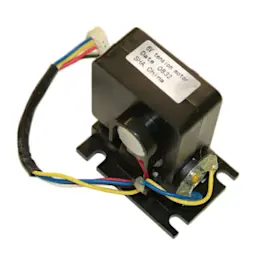
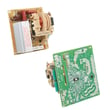
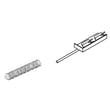
| Runs but does not heat | High-voltage/inverter system | Inverter W10217711 |
| Starts then stops, or door-related errors | Door interlock circuit | Switch W10211972 |
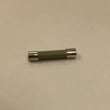
| Completely dead (no display) | Fuse or fuse holder | Fuse (black) WP4375321 |
Why it matters
Microwaves contain high-voltage components that can store a dangerous charge even when unplugged. Sticking to external checks helps prevent injury and avoids replacing parts that are not the root cause.
When to stop and call for service
- Burning smell, arcing, or loud buzzing
- Unit runs but never heats
- Repeatedly blows a fuse after reset
- Any repair requiring cabinet removal or high-voltage access
Last updated: January 2026
How to reset KitchenAid microwave oven combo?
To reset the KitchenAid KEMS308SSS05 wall oven/microwave combo, we recommend doing a full power reset: turn the circuit breaker(s) OFF for 1 minute, then turn them back ON. After power is restored, start a bake cycle and watch the display for about 1 minute.
Reset steps (recommended for KEMS308SSS05)
- Turn the unit OFF at the home circuit breaker(s).
- Wait 60 seconds (this clears many control glitches).
- Turn the breaker(s) back ON.
- If the display prompts for time, set the clock.
- Start a lower-oven BAKE cycle.
- Monitor for about 1 minute to confirm the error does not return.
If the control panel is locked
This model uses a Control Lock feature that can make the keypad seem unresponsive.
- To lock: touch and hold START for about 5 seconds.
- To unlock: touch and hold START again for about 5 seconds.
- When locked, only Timer, Timer Off, and Oven Light typically work.
Details and key sequences are covered in the KEMS308SSS05 use & care manual.
What to do if it keeps resetting or goes blank
If the display goes dead, shows “PF” (power failure), or the unit repeatedly loses power, the issue is often in the power supply or a protective device.
| Symptom | What it usually points to | What we recommend |
|---|---|---|
| “PF” after outages | Recent power interruption | Reset breaker, set clock, test BAKE |
| Dead display | No power to unit or open safety device | Verify breaker, then consider service |
| Microwave stops when door moves | Door switch/interlock issue | Inspect door operation; service if needed |
If you suspect a door-switch problem, the switch W10211972 is one of the microwave door interlock switches used on this model.
Why it matters
A proper reset helps clear temporary electronic control errors and confirms whether you are dealing with a one-time glitch or an ongoing issue (like a door interlock, fuse, or wiring problem).
Last updated: January 2026
What are the internal parts of a microwave oven?
A microwave oven like the upper microwave in KitchenAid model KEMS308SSS05 uses a high-voltage power system to generate microwave energy, plus safety interlocks, airflow parts, and a turntable drive to heat food evenly. For model-specific operation and safety details, use the KEMS308SSS05 use & care manual.
Common internal microwave components (what they do)
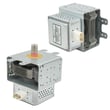
- Magnetron: generates microwave energy.
- High-voltage power section (transformer or inverter, plus capacitor/diode): supplies power to the magnetron.
- Waveguide and waveguide cover: routes energy into the cavity and shields the opening from splatter.
- Door interlock switches and interlock system: prevents operation with the door open.
- Cooling fan and airflow ducting: moves air to keep components from overheating.
- Thermostats/thermal cutoffs and fuses: shut the unit down if temperatures or current get unsafe.
- Turntable system (motor, coupler, tray): rotates food for more even heating.
Examples of internal parts listed for KEMS308SSS05
These are compatible parts we commonly see tied to “won’t start,” “no heat,” or uneven heating symptoms:
| Component area | Example part for this model | What it’s typically tied to |
|---|---|---|
| Door safety | Switch W10211972 | No start, intermittent operation, runs only with door pressure |
| Door safety | Interlock W11033422 | Door won’t latch correctly, won’t run, error conditions |
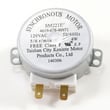
| Turntable drive | Turntable motor W10911403 | Turntable not rotating, uneven heating |
| Turntable tray | Microwave turntable tray W11373838 | Tray damaged, wobbling, poor rotation |
| Power conversion | Inverter W10217711 | No heat, weak heat, shuts off during cook |
If you’re looking for a specific internal component that isn’t shown in the parts list for this model (for example, a particular cover or bracket), that usually means it’s grouped under a different sub-assembly name; use the model diagrams to match what you see in the unit.
Why it matters
Knowing which internal system is involved helps you troubleshoot safely. Many “microwave won’t start” issues trace to the door interlock system, and many “uneven heating” complaints trace to the turntable drive. Because microwaves contain high-voltage components, we recommend leaving internal electrical testing to a qualified technician.
Last updated: January 2026
What does F1 mean on a KitchenAid oven?
On the KitchenAid KEMS308SSS05 wall oven/microwave combo, the exact meaning of an F1 code is not identified in the model-specific Use & Care information we have for this unit. In practice, F1 on many KitchenAid-built ovens points to an electronic control or temperature-sensing circuit fault, so it should be treated as a service-needed error if it returns.
What we can confirm for KEMS308SSS05
From the model’s documentation:
- The display can show an error condition and may require service.
- After a power interruption, “PF” may appear and normal operation resumes after setting the clock.
- The control has features like Control Lock that can affect operation.
For control and display behavior details, use the KEMS308SSS05 use & care manual.
Safe first steps to try
- Turn the oven off; reset power at the breaker for 1 minute, then restore power.
- If “PF” appears, set the clock and try a short BAKE test.
- Confirm Control Lock is not enabled.
- If F1 returns quickly or the oven beeps and stops heating, discontinue use and schedule service.
Parts that are commonly involved (when F1 relates to sensing)
If diagnosis points to the temperature-sensing circuit, these model-listed parts are typical suspects:
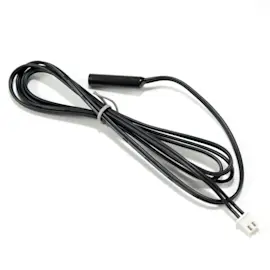
- Wall oven temperature sensor WPW10131825 (sensor feedback to the control)
- Wiring/connection issues (inspect harness routing and terminals)
Quick guide: what the timing can suggest
| When F1 shows up | More likely area to check | Why |
|---|---|---|
| Immediately at power-up | Control board or wiring | Self-check fails before heating starts |
| After preheat begins | Sensor circuit or connection | Fault appears when temperature feedback is used |
| Intermittent during cooking | Loose connection, heat-related control issue | Expansion/heat can open a weak connection |
Why it matters
The control relies on temperature feedback to regulate bake and broil safely. When it detects a fault in that feedback loop (or in the control itself), it may shut down heating and post an error to prevent unsafe operation.
Last updated: January 2026
What model is my KitchenAid oven?
Your KitchenAid wall oven/microwave combo model number is printed on the model and serial number plate; on model KEMS308SSS05, that plate is located on the right mounting rail (the right side of the oven frame when you open the door). See the KEMS308SSS05 owner’s manual for the exact location callout.
Where to find the model number on KEMS308SSS05
Check these common spots first:
- Open the lower oven door and look along the right mounting rail for the model/serial plate.
- Look for a metal or foil label with “MODEL” and “SERIAL” fields.
- If the unit is installed in a wall cabinet, use a flashlight and look along the front frame area.
- If you cannot see it, remove racks for better access and visibility.
What to write down (so you get the right parts)
Record these details exactly as shown on the plate:
- Model number (example: KEMS308SSS05)
- Serial number
- Electrical rating (volts/kW/amps, if listed)
Quick ID checklist
| Item | Why we need it |
|---|---|
| Model number | Ensures parts match your exact configuration |
| Serial number | Helps confirm production variation and correct revisions |
| Brand (KitchenAid) | Narrows parts families and documentation |
Why it matters
KitchenAid model numbers can look very similar across wall oven/microwave combos, but small differences can change the correct oven sensor, door parts, or control components. Using the exact model number helps prevent ordering the wrong replacement.
Last updated: January 2026
Why is my KitchenAid convection oven not turning on?
If your KitchenAid KEMS308SSS05 wall oven/microwave combo won’t turn on, the most common causes are a power supply problem (tripped breaker, loose connection), the control being in a locked or uninitialized state after a power loss, or a failed safety component such as a thermal fuse. Use the KEMS308SSS05 use and care manual to confirm control behavior and display messages.
Quick checks we recommend first
- Verify the household circuit breaker is fully reset (turn OFF then ON).
- If the display is blank, confirm the unit has power at the junction box (qualified person only).
- If the display shows a power failure message (often “PF”) or prompts for time, set the clock or press START to allow operation.
- Make sure Control Lock is not enabled (Control Lock can prevent most keys from working).
- Try a simple function: press BROIL, then START; after about 5 minutes you should feel heat.
What to do based on what you see
| What you notice | Likely direction | What we do next |
|---|---|---|
| Display is completely blank | No power to unit or open safety device | Check breaker, wiring connection; then suspect a thermal fuse |
| Display works but oven won’t start | Control lock, clock not set, or control issue | Clear Control Lock; set clock; retry BAKE/BROIL |
| “Err” or an “F…E…” style code appears | Control detected a fault | Power reset; if code returns, service diagnosis is needed |
| Fan runs but no heat | Heating circuit issue | Check heating components and wiring (service diagnosis) |
Parts that commonly stop operation (when power is present)
If your KEMS308SSS05 has power but won’t run or keeps shutting down, these model-compatible parts are common suspects:
- Wall oven thermal fuse WP8304452 (opens if the unit overheats; can leave the oven dead)
- Wall oven temperature sensor WPW10131825 (bad readings can prevent normal heating)
- Door latch W11029221 (a latch problem can interfere with some operating modes)
Why it matters
A no-start condition is often either a simple control state (Control Lock or clock/power-failure prompt) or a true power interruption. Checking the display behavior first helps us avoid unnecessary part replacement and gets you to the right fix faster.
Last updated: January 2026