 Error Codes




How long do Jenn Air wall ovens last?
Jenn-Air wall ovens typically last 15 to 20 years with normal household use and basic care. For your Jenn-Air JJW2430IL01 electric wall oven, lifespan depends most on heat exposure, door seal condition, and how often the oven runs at high temperatures (bake, broil, self-clean).
Most electric wall ovens reach the 15 to 20 year range because the core system is straightforward (heating elements, temperature sensing, controls). These factors make the biggest difference:
- Usage frequency (daily cooking vs. occasional use)
- High-heat cycles (frequent broiling and self-cleaning add stress)
- Ventilation and cooling airflow (blocked vents trap heat around controls)
- Door closing and gasket sealing (heat loss forces longer run times)
- Power quality (surges can damage electronic controls)
If you see these symptoms repeatedly, repairs become more likely:
- Oven won’t heat or heats inconsistently
- Long preheat times compared to when it was new
- Temperature swings that burn food on one rack and undercook on another
- Control panel resets, beeping, or intermittent operation
- Door won’t lock or unlock correctly (especially around clean cycles)
| Symptom | Common fix | Parts often involved |
|---|---|---|
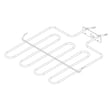
| No bake heat | Replace bake element | Range bake element W11545804 |
| Erratic temps | Check/replace oven temperature sensor | Sensor - rtd W11290976 |
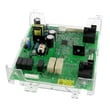
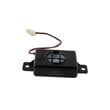
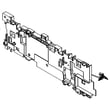
| Dead display or random resets | Diagnose power and control | Electronic control board WPW10260060 |
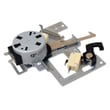
| Door won’t unlock/lock | Replace latch mechanism | Door latch W10883049 |
A wall oven that is losing heat, overheating, or failing to regulate temperature wastes energy and makes cooking results unpredictable. Catching issues early (especially heating and sensing problems) helps your JJW2430IL01 run closer to its full 15 to 20 year service life.
Last updated: February 2026
How to reset jenn air wall oven?
To reset your Jenn-Air JJW2430IL01 electric wall oven, we recommend doing a full power reset: turn the oven off, shut off power at the circuit breaker for 1 to 5 minutes, then restore power and set the clock. This clears many control glitches and false error conditions.
- Turn the oven controls to Off.
- Switch both oven breakers (or the oven circuit breaker) Off.
- Wait 1 to 5 minutes.
- Turn the breaker On.
- Set the clock and try Bake at a normal temperature (for example, 350°F).
A reset will not fix a failed control or sensor, but it helps you narrow the problem.
- If the display comes back but buttons do not respond, inspect for stuck keys and try the reset again.
- If the oven heats incorrectly after the reset, a temperature sensor issue is common; consider the sensor - rtd W11290976.
- If the oven will not heat at all, a heating circuit problem is likely; check the range bake element W11545804 (if your oven uses that element for baking).
- If the oven shows persistent error codes or keeps rebooting, the control may be failing; consider the electronic control board WPW10260060.
| Action | What it helps | What it will not fix |
|---|---|---|
| Power reset at breaker | Clears software lockups, restores normal keypad response | Burned-out element, broken wiring, failed control board |
| Setting clock after reset | Restores normal timed functions | Temperature calibration problems caused by a bad sensor |
Jenn-Air wall ovens like model JJW2430IL01 use an electronic control to manage heating, timing, and safety locks. A breaker reset is the fastest way to clear a temporary control fault before you spend time troubleshooting parts.
Last updated: February 2026
What are common problems with Jenn Air stoves?
Common problems we see on Jenn-Air cooking appliances include the oven not heating, uneven baking, a door that will not unlock after self-clean, and control panel or display issues. On your Jenn-Air JJW2430IL01 electric wall oven, these symptoms often trace back to a failed heating circuit, temperature sensing problem, or a door latch/control issue.
- Oven will not heat (bake or broil): failed bake element, wiring issue, or a control board problem.
- Long preheat or uneven temperatures: weak bake element, convection airflow issue, or a temperature sensor drifting out of range.
- Self-clean door stays locked: door latch mechanism not returning, latch switch issue, or control not completing the unlock sequence.
- Error codes or dead/erratic display: control board or harness connection problem.
- Fan noise or poor airflow: convection/venting fan issue or obstruction.
- Confirm power: wall ovens typically need a full 240 VAC supply; a tripped breaker can leave the oven with lights but no heat.
- Try a reset: turn the breaker off for 2 minutes, then back on.
- Test bake vs. broil: if broil works but bake does not, the bake element is a prime suspect.
- Inspect the door lock: after self-clean, let the oven cool fully; then check whether the latch is physically stuck.
- Look for loose connections: especially at harness plugs going to the control and sensor.
| Symptom | Common part to check | What it affects |
|---|---|---|
| No bake heat | Range bake element W11545804 | Primary heat source for baking |
| Door will not unlock | Door latch W10883049 | Locks and unlocks door during self-clean |
| Random errors, no heat commands | Electronic control board WPW10260060 | Sends power to heating and manages functions |
| Temperature swings | Sensor - rtd W11290976 | Reports oven temperature to the control |
When an oven is not heating correctly, the control can still appear normal while cooking performance suffers. Catching a weak bake element, a drifting RTD sensor, or a sticking door latch early helps prevent repeated error codes, long preheats, and inconsistent results.
For a step-by-step troubleshooting flow that matches the most common “no heat” complaints, use our oven wont heat troubleshooting electric range problems video.
Last updated: February 2026
Where to find model number on Jenn-Air wall oven?
On a Jenn-Air wall oven like model JJW2430IL01, the model number is typically printed on the rating label located around the center vent area (often visible when you open the oven door and look along the vent trim). Use that exact model number when ordering parts.
- Open the oven door and look along the center vent/vent trim area.
- Check the frame lip around the oven opening near the vent.
- Look for a sticker or metal tag labeled Model and Serial.
- Wipe the area with a damp cloth; grease can hide the print.
- Use a flashlight and take a photo to zoom in on small text.
Most Jenn-Air wall ovens use a label that includes both identifiers:
| Label field | What it’s used for |
|---|---|
| Model number | Matching the correct parts list and diagrams |
| Serial number | Identifying production run details for service and compatibility |
Jenn-Air wall ovens can look similar across model series, but parts like the electronic control board, door latch, and sensor can vary by model revision. Using JJW2430IL01 helps us match the correct replacement part the first time.
- Check for a faint “shadow” of the sticker and photograph it at an angle.
- If you’re replacing a common failure item, match by part ID from the parts list, such as the door latch W10883049 or electronic control board WPW10260060.
Last updated: February 2026







