Owner’s manual
 Error Codes


How do I reset the error code on my Samsung refrigerator?
On your Samsung RF34H9950S4 refrigerator, most error codes clear after a simple power reset: unplug the refrigerator (or switch off the breaker) for 5 minutes, then restore power and allow a few minutes for the control to reboot. If the code returns, troubleshoot the system the code points to.
Quick reset steps (safe first)
- Unplug the refrigerator or turn the circuit breaker off.
- Wait 5 minutes (this lets the control board fully power down).
- Restore power.
- Wait 2 to 5 minutes for the display to stabilize.
- Check whether cooling, fans, and the ice maker resume normal operation.
Control panel reset (when a power reset is not enough)
Many Samsung refrigerators also support a control-panel reset using a button press-and-hold sequence. The exact keys vary by control style, so we recommend using the steps listed for your exact model in the RF34H9950S4 owner's manual.
Common button sequences you may see
| Control style | Typical reset action | Hold time |
|---|---|---|
| Touch panel with “Power Cool” and “Power Freeze” | Press and hold both keys together | ~10 seconds |
| Panel with top-left and top-right keys | Press and hold both corner keys | ~8 to 10 seconds |
If the error code keeps coming back
A repeating code usually means the refrigerator is still detecting a problem. These checks solve many repeat-code situations:
- Make sure doors close fully and gaskets seal.
- Confirm the condenser area is not blocked by dust or items behind the unit.
- Listen for fan noise changes (evaporator fan and condenser fan).
- If the code relates to temperature sensing, inspect wiring connections to sensors.
- If ice maker related, check for ice buildup and airflow restrictions in the ice room.
Parts that commonly relate to repeat errors
| Symptom area | Part that often applies (model-specific examples) |
|---|---|
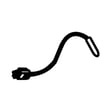
| Temperature or sensor-related codes | Refrigerator temperature sensor DA32-10104N |
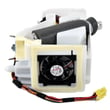
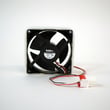
| Cooling fan or airflow-related codes | Refrigerator condenser fan motor assembly DA97-15765B |
Why it matters
Resetting clears the display and reboots the control, but it does not fix the underlying condition. If the code returns after a reset, addressing airflow, sensors, fans, or ice-room conditions prevents warm temperatures, ice maker failures, and repeat shutdowns.
For code definitions and model-family troubleshooting patterns, we also use Samsung’s code guides such as Samsung rb series bottom freezer refrigerator error codes to narrow down likely causes.
Last updated: February 2026
What is the most common problem with Samsung refrigerators?
For Samsung refrigerators like model RF34H9950S4, the most common customer-reported issues are ice maker problems (no ice, slow ice, freezing up) and temperature/cooling problems (warm fresh food section, frost buildup, noisy fans). These symptoms usually trace back to airflow, defrost, or water-supply related faults.
Most common issues we see (and what they look like)
- Ice maker stops or freezes up: clumped ice, hollow cubes, ice room frosting
- Fresh food section warms up: freezer seems OK but fridge is 40°F+
- Frost or ice buildup: on the back wall or around vents, reduced airflow
- Fan noise or no airflow: buzzing, grinding, or intermittent fan operation
- Water dispenser issues: slow fill, no water, or leaking at the valve/tubing
Quick checks you can do first
Use these steps before replacing parts; they solve a large share of “no ice” and “not cooling” complaints.
- Confirm temperature settings (typical targets: 37°F fridge, 0°F freezer)
- Make sure vents are not blocked by food packages
- Check door seals for gaps and moisture trails
- If ice is clumping, empty the bin and look for frost in the ice room
- Verify the household water supply valve is fully open and the line is not kinked
- Power reset: unplug for 2 minutes, then restore power and allow 24 hours to stabilize
| Symptom | Most likely system | Common part category |
|---|---|---|
| No ice or freezing up | Ice room airflow or fill system | Fan motor, inlet valve |
| Warm fridge, cold freezer | Airflow/evaporator frost | Evaporator fan, defrost-related |
| Clicking, won’t start cooling | Compressor start/protection | Overload protector, inverter |
Parts that commonly relate to these symptoms on RF34H9950S4
When troubleshooting points to a specific failure, these model-listed parts are frequent matches:
- Water not filling ice maker or dispenser: refrigerator water inlet valve DA62-04027A
- Cooling issues tied to airflow: evaporator fan motor (model uses multiple fan assemblies)
- Compressor protection trips: refrigerator compressor overload protector DA34-00004D
Why it matters
Ice maker and cooling problems often start as minor airflow or water-supply issues, but they can lead to food temperature swings, repeated defrosting, and extra run time. Catching the root cause early helps protect the compressor and keeps temperatures stable.
For model-specific operating settings, error displays, and reset steps, follow the RF34H9950S4 owner's manual.
Last updated: February 2026
Why is my Samsung fridge flashing 40 e?
A flashing 40 E on a Samsung RF34H9950S4 refrigerator points to a problem with temperature sensing or airflow that makes the control think a compartment is not reaching the target temperature. We focus first on sensor connections, frost buildup, and fan operation, then replace the failed component if needed.
Quick checks we recommend first
- Power reset: unplug the refrigerator for 5 minutes, then restore power.
- Confirm doors fully close and gaskets seal; warm air leaks can trigger temperature-related errors.
- Look for heavy frost on the rear interior panel (a sign of airflow restriction).
- Verify vents are not blocked by food packages.
- Listen for fans running (evaporator fan inside, condenser fan near the compressor area).
Most common causes and what to do
| Likely cause | What you may notice | What we do next |
|---|---|---|
| Loose or damaged temperature sensor wiring | Error comes and goes, temps fluctuate | Inspect connectors and harness seating per the RF34H9950S4 owner's manual |
| Failed temperature sensor (thermistor) | Temps read wrong, cooling seems inconsistent | Test sensor resistance; replace if out of spec (common candidates include DA32-10104N or DA32-00011D) |
| Evaporator fan not moving air | Warm fridge section, frost pattern, odd fan noise | Check for ice obstruction; if motor is bad, replace the evaporator fan motor |
| Ice buildup from defrost/airflow issue | Frost behind panel, reduced airflow | Defrost safely, then diagnose the root cause (sensor, fan, or control) |
Parts that commonly relate to this symptom
If testing points to a failed sensor, these model-matched parts are common fixes:
Why it matters
When the refrigerator cannot trust temperature feedback, it may overcool, undercool, or run longer than normal. Fixing the sensor or airflow issue helps protect food temperatures and prevents repeat error flashing.
For additional Samsung troubleshooting patterns, we also use the Samsung rb series bottom freezer refrigerator error codes guide to interpret related display behaviors.
Last updated: February 2026
Why is my Samsung fridge running but not cooling?
If your Samsung RF34H9950S4 refrigerator sounds like it’s running but isn’t cooling, the most common causes are restricted airflow, dirty condenser coils, a fan not moving air, or frost/ice buildup from a defrost problem. Start with quick checks and a power reset, then move to fan and sealed-system symptoms.
Quick checks we recommend first
- Confirm the temperature settings were not accidentally changed.
- Make sure food packages are not blocking interior air vents.
- Check that the doors fully close and the gaskets seal all the way around.
- Clean the condenser coils and make sure the condenser area has good airflow.
- Turn off Demo/Cooling Off mode if it’s enabled (steps vary by model).
For model-specific control and mode details, follow the steps in the RF34H9950S4 owner's manual.
What “running” usually means (and what to listen for)
A refrigerator can “run” because the lights and display work, or because you hear a fan, even if the compressor is not actually pumping refrigerant.
| What you notice | Most likely area | What to check next |
|---|---|---|
| Freezer cold, fresh food warm | Airflow/evaporator fan, frost blockage | Listen for evaporator fan, check for heavy frost behind rear panel |
| Both sections warm, fans run | Compressor/inverter, condenser airflow | Check condenser fan operation and coil cleanliness |
| Clicking, then silence | Compressor start/overload | Check for repeated clicking and warm compressor area |
| Frost builds quickly, temps rise | Defrost system issue | Look for ice blocking vents and fan |
Parts that commonly cause “runs but not cooling”
These are common failure points on Samsung refrigerators like the RF34H9950S4:
- Evaporator fan not spinning or hitting ice (air cannot circulate)
- Condenser fan not running (heat cannot be rejected)
- Temperature sensor reading wrong (cooling control gets confused)
- Inverter or compressor problem (sealed system not pumping)
If you suspect a failed sensor, the refrigerator temperature sensor DA32-10104N is one of the listed sensors for this model.
Why it matters
When airflow is blocked or a fan is down, temperatures can rise fast even though the refrigerator “sounds normal.” Catching it early helps prevent food spoilage and reduces strain on the compressor.
Last updated: February 2026