- Kenmore refrigerator water filters
- Whirlpool refrigerator water filters
- Samsung refrigerator water filters
- GE refrigerator water filters
- LG refrigerator water filters
- Frigidaire refrigerator water filters
- KitchenAid refrigerator water filters
- Maytag refrigerator water filters
- Kenmore Elite refrigerator water filters
- Estate refrigerator water filters
- GE Profile refrigerator water filters
- Amana refrigerator water filters
- Bosch refrigerator water filters
- Dacor refrigerator water filters
- Electrolux refrigerator water filters
Top DIY repair help
View All Repair Categories
Appliances
Lawn & Garden
Power Tools
Home Improvement
Sports & Leisure
Heating & Cooling

Wards Countertop microwave Parts — Browse All Models
Wards countertop microwaves simplify the process of defrosting, cooking and reheating foods. The large capacity of many Wards microwave models lets owners cook foods for their families quickly and easily. When your Wards microwave breaks down, find the repair parts you need to fix the problem at Sears PartsDirect.


Wards 6953 microwave
Wards 6806 microwave
Popular maintenance items for Countertop Microwaves

Microwave Fuse
In Stock
$13.31
13% OFF Phone Price : $15.31

Qty


Microwave Door Interlock Switch
In Stock
$37.13
14% OFF Phone Price : $43.13
Qty
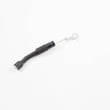
Microwave Diode
In Stock
$17.11
10% OFF Phone Price : $19.11
Qty
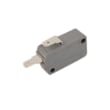
Microwave Door Interlock Switch
In Stock
$32.99
15% OFF Phone Price : $38.99
Qty
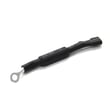
Microwave High-voltage Diode
In Stock
$17.89
10% OFF Phone Price : $19.89
Qty
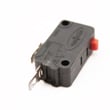
Microwave Primary Interlock Switch
In Stock
$42.24
12% OFF Phone Price : $48.24
Qty
Replacing the turntable motor in your Wards countertop microwave
- Unplug the microwave power cord to disconnect electrical power.
- Open the microwave door and remove the turntable. Pull the turntable motor coupler off the turntable motor shaft. Close the door.
- Carefully lay the microwave down on its back cabinet panel.
- Remove the bottom panel mounting screws. Support the bottom panel as you remove the final mounting screw. Remove the bottom panel.
- Remove the turntable mounting screws and pull out the turntable motor. Install the new turntable motor and secure it with the mounting screws. Reassemble the microwave and plug the power cord back into the wall outlet.
Tips for preventing arc burn marks inside the cavity of your Wards countertop microwave
Clean the cavity often. For stubborn residue, place 1 or 2 cups of water in a microwave-safe cup. Bring that to a boil for 2 to 3 minutes. The steam will soften the mess so that it’s easier to clean out. Keep rack supports clean or they can start to melt.
Cover food when cooking or reheating to avoid splatter.
Don't store the metal rack in the microwave and only place the rack in the microwave when it will be used for multi-level cooking. When using the rack, insert it correctly so it doesn't touch the sides or back of the microwave cavity and it’s mounted correctly in all of the rack supports. Never place the rack on the floor of the microwave. Never use the metal rack when cooking popcorn. As the bag expands, it could push the rack out of position and create arc or burn marks.
Parts & More
Bottom-Mount Refrigerator
Carpet Cleaner
Cooktop
Dishwasher
Exercise Cycle
Front-Engine Lawn Tractor
Gas Walk-Behind Mower
Parts
Power Rake
Wall Oven