Installation guide
 Owner’s manual



How do I reset a Speed Queen dryer?
For the Speed Queen dryer model ADG4BRGS117TW01-START-S, there is no special “reset” button for normal operation. To reset and restart a stopped cycle, close the door, set the timer back to the desired cycle if needed, then press the Start button (or Start/Pause, depending on your control panel). See the owner's manual for the exact control steps for your unit.
Quick reset and restart steps
- Open the dryer door to stop the cycle (or turn the timer knob to Off).
- Close the door firmly (the door switch must be engaged).
- Turn the timer knob clockwise to your desired cycle and time.
- Press Start to begin drying.
- If the timer is not advancing in Auto-Dry, reselect the cycle by turning the knob clockwise again.
If the dryer still will not start after a “reset”
Check these common causes first:
- Power: confirm the dryer is plugged in and the breaker is not tripped.
- Door switch: make sure the door fully latches.
- Controls: verify the timer is not set to an Off position.
- Venting: restricted venting can cause poor performance and shutdown symptoms.
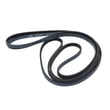
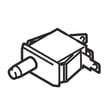
- Start circuit components: a failed switch can prevent starting (for example, the switch D512973 if it matches your symptom and diagram).
What “reset” means on this model
On this style of Speed Queen dryer, “resetting” typically means stopping the cycle and restarting it with the timer and Start button. It is not a software reset like you might see on some electronic appliances.
| Situation | What to do | What it tells you |
|---|---|---|
| Dryer stopped mid-cycle | Close door, reset timer, press Start | Normal restart procedure |
| Timer not advancing | Turn timer knob clockwise when selecting cycle | Prevents timer hang-up in Auto-Dry |
| Won’t start at all | Check power, door latch, timer position | Points to supply or start circuit issue |
Why it matters
Restarting correctly protects the timer mechanism, confirms the door switch is working, and helps you separate a simple control setting issue from a part failure (belt, motor, or switch).
If you need replacement parts for ADG4BRGS117TW01-START-S, we list model-matched options on this page, and you can also search by model at Sears PartsDirect.
Last updated: February 2026
What are common problems with Speed Queen dryers?
Common problems on the Speed Queen dryer model ADG4BRGS117TW01-START-S are long dry times from restricted venting, no-heat symptoms from ignition or gas valve issues, squealing or thumping from worn drum support parts, and no-start conditions tied to a switch or control problem. Our owner's manual covers safety and basic troubleshooting checks.
Most common symptoms and what they usually mean
- Takes too long to dry: lint screen blocked, crushed or long vent run, clogged exterior hood, restricted internal airflow
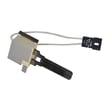
- No heat (gas model): igniter not glowing, gas valve not opening, airflow restriction causing overheating and shutdown
- Squealing, chirping, or rumbling: worn belt, idler wheel, or drum rollers
- Won’t start: door not fully closed, failed switch, power supply issue
- Cycle seems to advance slowly: normal behavior in auto-sensing cycles with wetter or larger loads
Parts that commonly fix noise or tumbling problems
If the drum turns poorly or makes noise, these are frequent wear items for this model:
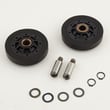
- Commercial dryer drum belt D511255P
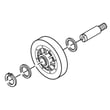
- Idler wheel and bearing assembly D510142P
- Idler lever and wheel assembly D516792
- Cylinder roller D510708P
Quick checks we recommend before replacing parts
- Clean the lint screen and confirm strong airflow at the outside vent hood.
- Inspect the vent for kinks, crushed sections, or heavy lint buildup.
- Run a timed dry cycle with a medium load to compare performance.
- If you smell gas: follow the safety steps in the manual and stop using the dryer.
Symptom-to-likely-cause guide
| Symptom | Most likely cause | What to do first |
|---|---|---|
| Long dry times | Restricted venting | Clean/shorten venting, clear hood |
| Squealing noise | Belt or idler wear | Inspect belt path and idler wheel |
| Thumping/rumble | Drum rollers | Check rollers for flat spots |
| No heat (gas) | Ignition or gas valve issue | Verify airflow, then test heat components |
Why it matters
Restricted venting is the most common root cause behind poor drying and overheating-related shutdowns; it also increases wear on the drive system. Keeping airflow clear helps the dryer dry faster and reduces strain on parts like the motor and belt.
You can order replacement parts for ADG4BRGS117TW01-START-S from the parts list for this model, or search by model number on Sears PartsDirect.
Last updated: February 2026
Why is the start button not working on my Speed Queen dryer?
On your Speed Queen dryer model ADG4BRGS117TW01-START-S, the start button usually won’t work if the door isn’t fully closed (door safety switch not made), the timer is not set correctly, power is interrupted, or the start switch is failing. Confirm the correct start sequence in the owner's manual.
Quick checks we recommend first
- Close the door firmly; make sure the door latch engages and the drum stops when the door opens.
- Set a cycle and try again; if your model uses auto-dry, turn the timer knob clockwise when selecting the cycle.
- Verify the outlet has power and the plug is fully seated.
- Check the home fuse(s) or circuit breaker(s) for the dryer circuit.
- If the dryer stopped mid-cycle, wait 10 minutes for the motor overload protector to reset, then try Start again.
What to test next (common failed parts)
If the basics check out, these are the most common components that stop a dryer from starting:
| Symptom | Most likely cause | What you’ll notice |
|---|---|---|
| Start button does nothing, door feels “loose” | Door switch or latch issue | Dryer will not run with door open |
| Hums but won’t tumble | Drive system drag or motor issue | Drum hard to turn by hand (power off) |
| Intermittent start | Start switch or wiring connection | Works sometimes, then won’t |
If you suspect a worn drive system (squeal, thump, or drum not turning), inspect the belt and idler. The commercial dryer drum belt D511255P and idler wheel and bearing assembly D510142P are common wear items on this model.
Why it matters
The dryer is designed not to run with the loading door open; bypassing the door safety switch is unsafe. A no-start condition is often a simple setup issue (door, timer, power), but it can also prevent the motor from running and leave loads unfinished.
Ordering the right replacement part
We recommend matching parts by the full model number ADG4BRGS117TW01-START-S and comparing the part diagram to your dryer’s configuration. You can order parts from the list for this model, or search by model on Sears PartsDirect.
Last updated: February 2026