Owner’s manual
 Error Codes



How much space is needed around a Samsung refrigerator?
For the Samsung RF260BEAESR refrigerator, we recommend leaving at least 1 inch of clearance around the cabinet for basic airflow; if you can, leave an extra 2 to 3 inches behind or on the sides to make cleaning and service access easier. See the RF260BEAESR user manual for placement and ventilation guidance.
Recommended clearances (practical guidance)
Use these spacing targets when installing a freestanding Samsung bottom-mount refrigerator like RF260BEAESR:
- Minimum: 1 inch on the sides and top, plus space behind for airflow
- Better: add 2 to 3 inches where possible for easier condenser-area cleaning
- Front: enough room for doors to open fully and drawers to slide out
- Back: keep cords and outlets from being pinched; avoid blocking ventilation
- Location: avoid direct sunlight and wet areas; install on a level floor
Quick checklist before you slide it into place
- Confirm the refrigerator is on a flat, level surface
- Make sure there is room for doors to open easily
- Keep the ventilation space clear (no boxes, panels, or tight enclosures)
- Ensure the unit can be moved out for maintenance or service
- If it is connected to water, choose a spot with easy water supply access
Clearance targets at a glance
| Area around refrigerator | Minimum clearance | Preferred clearance |
|---|---|---|
| Sides | 1 in. | 2 to 3 in. (if space allows) |
| Top | 1 in. | 2 in. |
| Back | 1 in. | 2 to 3 in. |
| Front (door swing) | As needed | Full door and drawer access |
Why it matters
Adequate clearance helps the refrigerator shed heat properly, keeps temperatures more stable, and makes routine maintenance (like cleaning dust from the back and underneath) much easier. Tight installs commonly lead to poor airflow, warmer temps, and more frequent running.
Last updated: February 2026
How to fix Samsung refrigerator error code 5E?
On a Samsung RF260BEAESR refrigerator, error code 5E typically points to a defrost or drainage-related problem. We fix it by clearing any ice or drain blockage, then resetting the control; if the code returns, we test defrost components such as the temperature sensor.
Quick reset steps (try first)
- Press and hold Alarm and Lighting together for about 10 seconds to clear the code (if your control panel supports this shortcut).
- If the display keeps blinking or the code returns, unplug the refrigerator for 10 minutes, then plug it back in (a basic control reset described in the RF260BEAESR owner's manual).
- Confirm the refrigerator is not in Cooling Off mode (display often shows “OF OF”); if it is, cancel it per the RF260BEAESR owner's manual.
What usually causes a 5E code
Most 5E situations come from moisture not draining correctly during defrost, or the unit sensing abnormal temperatures around the evaporator area.
Common causes to check:
- Ice buildup blocking the drain trough or drain tube
- Clogged drain line causing water to refreeze
- Frost buildup from a door not sealing well
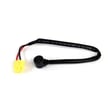
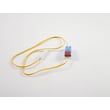
- Defrost sensor reading out of range (example part: refrigerator temperature sensor DA32-10104N)
- Airflow restriction at the fresh food evaporator cover
Step-by-step checks you can do safely
- Power off the refrigerator (unplug it).
- Inspect for ice on the back wall inside the fresh food section; heavy frost suggests a defrost/drain issue.
- Check door sealing: look for gaps, torn gasket areas, or doors not closing square.
- Clear the drain area: melt visible ice with a hair dryer on low (keep heat moving, avoid overheating plastic).
- Restore power and monitor for 24 hours.
What to expect (symptoms vs likely cause)
| What you notice | Most likely issue | What to do next |
|---|---|---|
| Water under crisper drawers | Drain line iced/clogged | Defrost and clear drain path |
| Heavy frost on rear panel | Defrost system problem | Check sensor and airflow |
| Code clears then returns | Intermittent sensor/ice issue | Test sensor, inspect wiring |
Why it matters
A recurring 5E code can lead to warm temperatures, water leaks inside the refrigerator, and repeated ice buildup that blocks airflow. Fixing the drain and defrost sensing early helps protect food temperatures and reduces strain on the compressor.
Last updated: February 2026
How do I force my Samsung fridge to reset?
For a Samsung RF260BEAESR refrigerator, the most reliable “forced reset” is a power reset: unplug the refrigerator for about 10 minutes, then plug it back in. This clears many control glitches, including a blinking temperature display, and lets the unit restart and stabilize.
Recommended reset methods (in order)
- Power reset (best overall): Unplug for ~10 minutes, then restore power.
- Breaker reset (if you cannot reach the plug): Turn the refrigerator circuit breaker OFF for ~10 minutes, then ON.
- Control reset (when the display is acting up): After power is restored, re-set your Fridge and Freezer temperatures and allow several hours to reach setpoint.
- After an outage: Keep doors closed as much as possible while the refrigerator restarts and cools.
What to check before and after you reset
- Confirm the outlet has power (test with a small lamp).
- Make sure the cord is fully seated in the outlet.
- Listen for normal restart sounds (fan and compressor may start after a short delay).
- Expect temperatures to take a few hours to return to normal after power is restored.
- If the temperature display keeps blinking after the reset, reduce door openings and verify nothing is blocking interior air vents.
Quick timing guide
| Reset type | How long to leave power off | What it helps most |
|---|---|---|
| Unplug reset | ~10 minutes | Blinking display, control glitches |
| Breaker reset | ~10 minutes | Same as unplug when plug is inaccessible |
| Cooling recovery | A few hours | Getting back to set temperatures |
Why it matters
A reset restores the refrigerator’s control board to a clean startup state. On the RF260BEAESR, this is a practical first step when the digital display blinks or temperatures drift after frequent door openings or loading warm food.
For model-specific control behavior and operating steps, follow the RF260BEAESR owner’s manual.
Last updated: February 2026
How to defrost Samsung refrigerator model RF260BEAESR?
To defrost your Samsung RF260BEAESR refrigerator, we recommend moving food to a cooler, turning the unit off, and letting the frost melt naturally; then dry everything before restarting. For model-specific control steps and safe handling, follow the RF260BEAESR user manual.
Quick defrost steps (safe and effective)
- Move perishable food to an insulated cooler.
- Turn the refrigerator off at the controls, then unplug the power cord.
- Leave the fresh food doors open; pull the freezer drawer open to improve airflow.
- Place towels in the bottom of the fresh food section and near the freezer drawer to catch meltwater.
- Let ice melt on its own; wipe up water as it collects.
- Dry the interior completely, reinstall shelves and drawers, then plug back in and turn cooling on.
What to avoid during defrost
Using the wrong method can damage liners, wiring, or the evaporator area.
- Do not chip ice with a knife, screwdriver, or sharp tool.
- Do not use a heat gun, open flame, or high-heat hair dryer inside the compartments.
- Do not spray water directly on the control panel or display.
- Do not remove LED lamp covers or LED lamp components yourself.
If frost keeps coming back (common causes)
Repeated icing usually points to an airflow, door-seal, or defrost-sensing issue.
| Symptom you see | Most common cause | What we recommend first |
|---|---|---|
| Frost on back wall of fresh food section | Restricted airflow at evaporator cover | Clear vents, avoid overpacking, confirm doors close fully |
| Ice buildup plus warm temps | Defrost system not clearing frost | Check for blocked vents, then consider service diagnosis |
| Frost near door edges | Door not sealing | Inspect gasket for gaps and clean the sealing surface |
| Ice maker area icing | Water/ice system issue | Use the steps in why your Samsung fridge stopped making ice and how to fix it |
Why it matters
Heavy frost blocks airflow across the evaporator, so the refrigerator can run longer, temperatures swing, and the ice maker may stop producing. A proper defrost restores airflow and helps protect the compressor and fans.
Last updated: February 2026
Why does my Samsung refrigerator dispense water but not ice?
If your Samsung refrigerator RF260BEAESR dispenses water but won’t make ice, the dispenser circuit is getting water but the ice maker circuit is being blocked by a frozen fill tube, low water pressure, an ice maker module problem, or freezer temperature that is too warm. Use the RF260BEAESR owner’s manual to confirm ice maker settings and any “OF OF” Cooling Off mode.
Quick checks (most common fixes)
- Confirm the ice maker is ON and the ice bin is fully seated.
- Verify freezer temperature is about 0°F.
- Break up and remove any clumped ice that can jam the bin or shutoff arm.
- Check the fill area for a frozen fill tube.
- Make sure doors seal tightly; warm air leaks slow or stop ice production.
Water pressure matters on this model
Samsung specifies 20 to 125 psi for proper ice maker operation. The water dispenser can still work with marginal pressure, but the ice maker fill cycle often will not.
| Check | Normal | If not normal |
|---|---|---|
| Supply pressure | 20 to 125 psi | Ice maker may not fill |
| Shutoff valve | Fully open | Low flow to ice maker |
| Water line | No kinks | Restricted flow |
Parts that commonly match this symptom
If the basics check out, these model-matched parts are frequent causes:
- Frozen or restricted fill path: Samsung refrigerator ice maker fill tube and heater DA97-00209Z
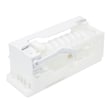
- Ice maker not cycling: refrigerator ice maker module DA59-00294B
Safe troubleshooting steps
- Reset power: unplug (or switch off breaker) for 5 minutes, then restore power.
- Thaw carefully: use warm air on the fill area; keep heat moving to avoid warping plastic.
- Confirm cooling: if the freezer cannot hold 0°F, correct cooling and airflow issues first.
Why it matters
Ice production needs three things at once: cold freezer temps, a working ice maker cycle, and a reliable water fill. Fixing the root cause prevents repeat freeze-ups and slow ice output.
Last updated: February 2026
What is the most common problem with Samsung refrigerators?
The most common problems we see on Samsung refrigerators like model RF260BEAESR are cooling complaints (fresh food warm, freezer not freezing), ice maker issues, and water leaks. In many cases, the root cause is restricted airflow from frost or ice buildup, a fan problem, or a sensor/defrost-related issue; your RF260BEAESR manual also notes that “Cooling Off Mode” can make the unit run without cooling.
Most common symptoms (and what they usually point to)
- Refrigerator warm but lights work: unit may be in Cooling Off (Demo) Mode, or airflow is blocked by frost
- Freezer cold but fridge warm: fresh food evaporator area may be iced over, or the evaporator cover/air passages are blocked
- No ice or slow ice production: water supply/pressure issue, frozen fill tube, or ice maker module problem
- Puddles under the fridge or inside: drain system restriction or water line connection issue
- Unusual fan noise: fan hitting ice buildup, or a failing fan motor
Quick checks we recommend first (RF260BEAESR)
- Confirm Cooling Off Mode is not on: if the display shows “OF OF”, press Power Freeze + Freezer together for 5 seconds until you hear the chime (then cooling resumes).
- Check door sealing and airflow: make sure door gaskets seal and vents are not blocked by food packages.
- Look for frost buildup: heavy frost on the back wall inside the fresh food section often signals a defrost/airflow problem.
- Verify water supply for ice maker: the manual calls for 20 to 125 psi water pressure for proper ice maker operation.
Parts that commonly relate to these problems
| Symptom | Common area | Example part for this model |
|---|---|---|
| Warm temps, erratic temps | Temperature sensing/controls | Refrigerator temperature sensor DA32-10104N |
| No ice, frozen fill tube | Ice maker water feed | Samsung refrigerator ice maker fill tube and heater DA97-00209Z |
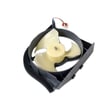
| Fan noise, poor cooling | Condenser airflow | Refrigerator condenser fan motor assembly DA97-15765C |
Why it matters
Cooling and ice maker problems often start small (a little frost, a slightly weak door seal, low water pressure) but quickly turn into food spoilage, noisy operation, and repeated icing. Catching the early signs helps protect the compressor and keeps temperatures stable.
Last updated: February 2026
How to fix Samsung refrigerator error code 22 E?
Error code 22E on a Samsung RF260BEAESR refrigerator points to a cooling fan problem, most often the evaporator fan not running correctly because of ice buildup, a blocked fan blade, or a wiring/connection issue. Use the troubleshooting steps below and confirm any model-specific test steps in the RF260BEAESR owner’s manual.
What to do first (safe reset and quick checks)
- Unplug the refrigerator (or switch off the breaker) for 2 to 5 minutes, then restore power.
- Listen for the evaporator fan: you should typically hear airflow from the fresh food section after the unit runs.
- Make sure vents inside the refrigerator are not blocked by food packages.
- Check that doors close fully; a warm air leak can cause frost that jams the fan.
- If you smell burning or see smoke, unplug immediately and follow the safety guidance in the RF260BEAESR owner’s manual.
Most common causes of 22E on this model
In our experience with Samsung bottom-mount and French door designs, 22E is usually triggered by one of these:
| Likely cause | What you’ll notice | Typical fix |
|---|---|---|
| Ice buildup around the evaporator fan | Buzzing, rubbing, or fan stops; temps drift warm | Defrost and correct the root cause (door seal, airflow, defrost issue) |
| Loose or damaged fan wiring/connector | Intermittent error; fan cuts in and out | Reseat connectors; repair harness if damaged |
| Failed temperature sensing leading to icing | Frost returns quickly after defrost | Test/replace sensor such as refrigerator temperature sensor DA32-10104N |
| Fan motor not operating | No airflow; refrigerator warms | Fan motor diagnosis and replacement as needed |
Step-by-step: clear ice that can trigger 22E
- Move perishable food to a cooler.
- Unplug the refrigerator.
- Leave doors open to thaw; speed up with towels and a fan blowing room air (do not use sharp tools to chip ice).
- After thawing, restore power and monitor for normal airflow and stable temperatures.
Why it matters
When the evaporator fan cannot move air across the evaporator, the refrigerator section can warm up and the freezer can develop heavy frost. Fixing the airflow issue quickly helps protect food and reduces strain on the compressor.
Helpful related guidance
- Use our why your Samsung fridge stopped making ice and how to fix it article if you also have ice maker symptoms; fan and frost problems often show up together.
- If your display shows additional codes, compare symptoms using Samsung rf26 model french door refrigerator error codes.
Last updated: February 2026