Installation guide
 Owner’s manual
 Error Codes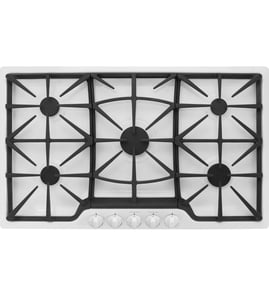



How long do JennAir cooktops last?
Most Jenn-Air cooktops last 15 years with normal home use. For your Jenn-Air JGD8430ADS gas counter unit cooktop, consistent cleaning, keeping burner ports clear, and avoiding damage to the glass-ceramic surface are the biggest factors that help it reach that typical lifespan; see the JGD8430ADS owner's manual.
A cooktop’s service life is usually driven by heat exposure, cleaning habits, and wear on ignition and gas components.
- Daily cleaning prevents permanent stains and baked-on soils on the glass-ceramic surface.
- Keep burner ports clear so flames stay even and efficient.
- Avoid sliding metal cookware across a hot surface to reduce marks and scratching.
- Do not use harsh cleaners (oven cleaner, bleach, ammonia, or ammonia-based glass cleaner) on the cooktop surface.
- Limit burner movement while cleaning by holding the burner head; avoid excessive force.
Use this quick routine to reduce common wear issues like uneven flames, hard-to-light burners, and surface damage.
- Wipe the cooktop after each use once it is cool.
- Clean burner caps and grates with warm, soapy water and a nonabrasive pad.
- Remove spills quickly, especially sugary foods or melted plastic.
- Keep the downdraft opening clear; never cover it when the fan is on.
- Replace worn ignition parts if clicking continues or lighting becomes inconsistent.
These symptoms often show up as a cooktop ages and can point to specific parts or service needs.
| Symptom | Common cause | What to check first |
|---|---|---|
| Burner won’t light or keeps clicking | Weak/failed igniter or moisture/soil | Clean and dry; inspect range surface burner igniter WP74009336 |
| Uneven flame | Clogged ports or cap not seated | Clean ports; reseat burner cap |
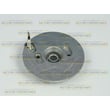
| Downdraft fan weak | Grease buildup or worn blower | Clean intake; consider cooktop blower assembly WPY707985 |
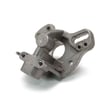
| Grates wobble or don’t sit flat | Worn pads/feet | Inspect and replace foot grate 814323 |
A well-maintained JGD8430ADS not only lasts longer, it also cooks more evenly and vents better. Preventing baked-on residue and avoiding harsh chemicals protects the glass-ceramic top and helps the sealed gas burner system perform consistently.
You can order replacement parts for your JGD8430ADS from the parts list for this model, or search by model number on Sears PartsDirect.
Last updated: February 2026
Why is my JennAir gas Range oven not igniting?
On the Jenn-Air JGD8430ADS gas cooktop, a burner usually will not ignite when the ignitor is wet, soiled, damaged, or not clicking; clogged burner ports or a mis-seated burner cap can also prevent lighting. Restore ignition by drying and cleaning the ignitor area, clearing ports, and reseating the cap per the JGD8430ADS owner's manual.
- Confirm you have power to the cooktop (the re-ignition system needs electricity for sparking).
- Turn the knob to LITE and listen for clicking; all ignitors may spark, but only the selected burner should light.
- Make sure the burner cap sits flat and centered on the burner base.
- Check that burner ports and ignition ports are clear of food soil and grease.
- If the ignitor is wet from cleaning or boilovers, let it fully dry before retrying.
| Symptom | Likely cause | What to do |
|---|---|---|
| No clicking sound | No power, failed switch, or wiring issue | Check breaker/fuse and outlet; inspect wiring connections if accessible. |
| Clicking but no flame | Gas not reaching burner, clogged ports, cap not seated | Clean ports, reseat cap, verify gas supply is on. |
| Burner lights sometimes | Moisture or soil at ignitor, weak flame setting | Dry/clean around ignitor; increase flame until clicking stops. |
| Constant or intermittent sparking | Flame not being sensed or flame too low | Increase flame slightly; clean burner head and ports. |
If cleaning and reseating do not help, these model-matched parts are often involved in ignition and flame issues:
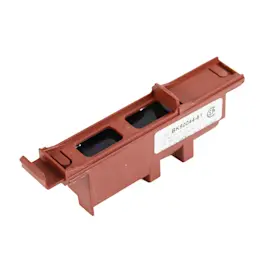
- Range surface burner igniter WP74009336 (creates the spark)
- Range surface burner head 74007736 (ports can clog or wear)
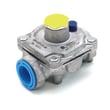
- Cooktop pressure regulator W11087445 (gas pressure problems can affect ignition)
This cooktop uses Flame-Sensing re-ignition; when a flame goes out, the system sparks to relight it. If the ignitor is wet, dirty, or damaged, the burner can fail to light or keep clicking, which affects cooking performance and safe operation.
You can order JGD8430ADS replacement parts from the parts list for this model, or search by model number on Sears PartsDirect.
Last updated: February 2026
Why is my JennAir gas burner not clicking?
If your Jenn-Air JGD8430ADS gas cooktop burner is not clicking, the cooktop is not producing spark. The most common causes are a wet or soiled igniter area, a mis-seated burner cap, or a power issue (outlet, breaker, or fuse) that stops the ignition system from sparking.
- Make sure the cooktop has power (clock or lights working, if equipped); reset the breaker if needed.
- Turn the burner knob OFF, wait 30 seconds, then try again.
- Remove and dry the burner cap and burner area; moisture after cleaning commonly stops sparking.
- Re-seat the burner cap so it sits flat on the burner base.
- Check burner ports and ignition ports for spills or debris; clean gently so ports are open.
- If the igniter tip looks cracked or heavily worn, plan to replace the igniter.
Your JGD8430ADS uses automatic re-ignition; when you turn on any surface burner, all ignitors may spark, but only the selected burner should light. If a flame goes out, the system will spark to re-ignite. If you get intermittent sparking after the burner is lit, increase the flame slightly until the clicking stops (per the JGD8430ADS owner's manual).
If drying and cleaning do not restore clicking, these ignition-related parts are common fixes:
| Symptom | Most likely area | Example part for this model |
|---|---|---|
| No clicking on any burner | Ignition circuit or power feed | Check wiring and connections; test components safely |
| One burner won’t click/light | Igniter or burner assembly issue | Range surface burner igniter WP74009336 |
| Clicking happens but burner won’t light | Clogged ports or cap not seated | Burner cap WP3191898 or range surface burner head 74007736 |
A burner that does not click cannot spark to ignite gas reliably. Restoring proper spark and correct burner-cap seating helps prevent delayed ignition, uneven flames, and repeated re-ignition cycling.
We recommend matching parts by the full model number JGD8430ADS and comparing the burner position (left front, right front, etc.) before ordering. You can order parts from the list for this model, or search by model number on Sears PartsDirect.
Last updated: February 2026