 Owner’s manual
 Error Codes




How to reset a GE refrigerator compressor?
On the GE CQE28DM5NBS5 bottom-mount refrigerator, the practical “compressor reset” is resetting power and the cooling system controls. Unplug the unit for 5 minutes, plug it back in, then allow up to 24 hours for temperatures to fully stabilize.
Reset methods that work on CQE28DM5NBS5
Use these in order; they match the control and power guidance in the CQE28DM5NBS5 owner's manual.
- Power reset: Unplug, wait 5 minutes, plug back in (grip the plug, do not pull the cord).
- Cooling system Off/On reset (control panel): Turn cooling Off, then back On using the Settings controls.
- Stabilization time: After any reset or outage, wait 24 hours for normal cooling.
- Outlet requirement: Use a grounded 3-prong outlet; no adapters or extension cords.
- Door use: Keep doors closed as much as possible during the first few hours after restart.
How to turn cooling Off and back On (model-specific)
The CQE28DM5NBS5 control panel supports turning the cooling system off without removing power.
- Press Settings until Fridge or Freezer is highlighted.
- Press and hold Up and Down together for 3 seconds to turn cooling Off (the display shows "- -").
- Return to Fridge or Freezer and press On to turn cooling back On.
What’s normal during compressor restart
These behaviors are expected right after a reset and do not indicate a failed compressor.
| What you notice | What it means | What to do |
|---|---|---|
| Clicking or chirping | Compressor attempting to restart (can take up to 5 minutes) | Wait 5 minutes, then recheck temps |
| Fans running fast | Unit is pulling temperatures down | Limit door openings |
| Not cooling immediately | Normal after first plug-in or power outage | Allow up to 24 hours |
Why it matters
A reset clears a “cooling off” setting and reboots the control logic after a power interruption. Waiting the full 24 hours prevents misdiagnosing normal recovery time as a sealed-system or control-board failure.
Last updated: February 2026
What is the average lifespan of a GE refrigerator?
Most GE refrigerators, including the GE CQE28DM5NBS5 bottom-mount refrigerator, typically last 12 to 15 years with normal household use and basic maintenance. In many homes, a well-cared-for unit reaches 10 to 20 years, depending on usage, installation, and cleaning habits.
What affects refrigerator lifespan the most
- Condenser cleanliness: dust buildup makes the compressor work harder.
- Door seal condition: air leaks force longer run times.
- Temperature settings: overly cold settings increase wear and energy use.
- Airflow and loading: blocked vents reduce cooling efficiency.
- Water and ice system upkeep: filter changes help protect valves and icemaker.
Quick maintenance checklist (best return for the effort)
- Keep fresh food around 37°F and freezer around 0°F (typical targets).
- Clean condenser area periodically (frequency depends on pets and dust).
- Make sure doors close fully; avoid overloading door bins.
- Replace the water filter on schedule; follow the steps in the CQE28DM5NBS5 owner's manual.
- If you use the dispenser often, purge air after filter changes to prevent sputtering.
Parts that commonly drive “repair or replace” decisions
These parts do not set the lifespan by themselves, but they are common wear or failure points that can influence whether a repair is worth it:
| System | Common symptom | Example part for CQE28DM5NBS5 |
|---|---|---|
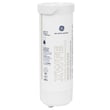
| Water filtration | Slow water flow, bad taste/odor | GE refrigerator water filter XWFE |
| Door sealing | Frost, moisture, warm spots | Refrigerator door gasket (model-specific) |
| Ice making | No ice, small cubes, jams | Refrigerator ice maker assembly |
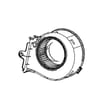
| Cooling/airflow | Warm fridge, noisy fan | Ice room fan motor assembly |
Why it matters
A refrigerator that is running longer than normal to hold temperature uses more electricity and puts extra strain on sealed-system components (compressor, condenser, evaporator). Simple upkeep, especially keeping airflow clear and seals tight, is what most often extends service life.
Last updated: February 2026
What is the most common problem with a GE refrigerator?
The most common issue we see on GE refrigerators like model CQE28DM5NBS5 is a cooling complaint: the fresh food section gets warm, temperatures swing, or the freezer cools but the refrigerator does not. In many cases, airflow restrictions, dirty condenser coils, or a failing fan are the root cause; the ice maker and dispenser are also frequent trouble spots.
Most common symptoms customers report
- Refrigerator section warm but freezer still cold
- Frost buildup on the back wall or in the freezer
- Loud humming, rattling, or a fan noise that comes and goes
- Ice maker not making ice or dispensing slowly
- Water dispenser flow is weak or stops
Quick checks we recommend first (no parts needed)
- Give it time after power loss or first plug-in: allow 24 hours for both compartments to reach the set temperatures.
- Check airflow: do not block vents with food packages; leave space around the air tower and rear walls.
- Clean condenser coils: dusty coils commonly cause poor cooling and longer run times.
- Confirm door seal and leveling: a door that does not close tightly can cause temperature problems and moisture.
- Look for fan operation: if you do not hear normal fan airflow, a fan motor or an iced-up evaporator area is likely.
Parts that commonly relate to these problems on CQE28DM5NBS5
| Problem area | What it affects | Example model-matched part |
|---|---|---|
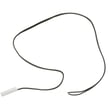
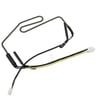
| Defrost sensing | Frost buildup, warm temps | Refrigerator defrost sensor WR55X29875 |
| Ice room airflow | Ice maker performance, ice clumping | Refrigerator ice room fan motor assembly WR60X31997 |
| Water flow to dispenser/ice maker | Slow water, no ice fill | Refrigerator water inlet valve assembly WR57X32000 |
| Filtration | Low flow, taste/odor complaints | Refrigerator water filter XWFE |
Why it matters
Cooling and airflow problems can snowball quickly: warmer temps lead to food spoilage, excess frost, and longer compressor run time. Catching a dirty coil, blocked vent, or weak fan early usually prevents bigger repairs.
Model-specific help
For control settings, dispenser behavior, and troubleshooting steps (including the 24-hour stabilization guidance), use the CQE28DM5NBS5 owner’s manual.
Last updated: February 2026
Why is my GE bottom freezer not making ice?
If your GE CQE28DM5NBS5 bottom-mount refrigerator is not making ice, the most common causes are the icemaker being turned off in Settings, an interrupted water supply, low water pressure, or a missing/clogged water filter (or bypass plug). Use the CQE28DM5NBS5 owner's manual to confirm the icemaker ON/OFF setting and water requirements.
Quick checks we recommend first
- Confirm the icemaker is ON (use Settings and navigate to Icemaker).
- Make sure the shutoff valve is fully open and the supply line is not kinked.
- Verify the refrigerator is connected to cold, potable water.
- Check household water pressure; this model needs 40 to 120 psi.
- If you recently installed the refrigerator or restored power, allow 24 hours for temps to stabilize.
- If a new filter was installed, discard the first batches of ice and allow 1 to 2 days to fill the bin.
Water filter and bypass plug issues (very common)
On CQE-series bottom freezer models, the dispenser and icemaker will not run unless either a filter or a bypass plug is installed. If the filter is missing, not fully seated, or clogged, ice production can stop.
Use these part options when applicable:
| Situation | What to install | What it does |
|---|---|---|
| Normal operation | GE refrigerator water filter XWFE | Filters water feeding the dispenser and icemaker |
| Filter removed or unavailable | Refrigerator water filter bypass WR17X33825 | Allows water flow without a filter cartridge |
If water is not filling the icemaker
If the icemaker cycles but you do not hear water filling, focus on the water supply components.
- Inspect the fill tube area for an ice blockage.
- Confirm water pressure is within spec (40 to 120 psi).
- If the valve is buzzing but not delivering water, the inlet valve can be restricted or failing.
- Consider testing or replacing the refrigerator water inlet valve assembly WR57X32000 if other checks pass.
Why it matters
Ice makers are sensitive to water flow. A partially blocked filter, missing bypass plug, or low pressure can prevent the mold from filling, so the unit never freezes a harvestable batch of cubes.
Last updated: February 2026





