 Owner’s manual
 Error Codes





How to calibrate a Jenn-Air wall oven?
To calibrate the oven temperature on your Jenn-Air WW27430W wall oven, use the control’s bake offset feature: start Bake, enter 500°F, then hold Bake until the offset display appears and enter an adjustment from -35°F to +35°F. Use WW27430W use and care manual for the exact key sequence for your control panel.
Calibration steps (WW27430W)
- Touch Bake.
- Enter 500 using the number pads.
- Touch and hold Bake for about 8 seconds until an offset value (such as “00”) appears.
- Enter your desired offset using the number pads (allowed range is -35°F to +35°F).
- Wait a few seconds for the control to accept and store the setting.
How much should I adjust it?
Use a small change first. Most temperature complaints are corrected with a 5°F to 15°F offset.
| If your oven is… | Try this offset | What it does |
|---|---|---|
| Consistently too cool | +10°F | Raises the average bake temperature |
| Consistently too hot | -10°F | Lowers the average bake temperature |
| Off by a lot | +/-20°F max to start | Prevents over-correcting |
Before you calibrate (quick checks)
- Confirm the issue is consistent across multiple recipes and rack positions.
- Preheat fully; many wall ovens need 15 to 20 minutes to stabilize.
- Avoid adjusting for just one food item; calibration is meant for overall baking performance.
- If temperatures swing wildly or preheat is unusually slow, check the oven temperature sensor and heating performance.
Why it matters
Calibration changes the oven’s programmed temperature offset, so it affects every bake cycle. A correct offset helps prevent underbaked centers, overbrowned tops, and longer cook times.
Last updated: January 2026
How long do Jenn-Air wall ovens last?
A Jenn-Air wall oven like model WW27430W typically lasts 15 years with normal household use. Keeping the oven clean, protecting the door seal, and fixing heating or temperature issues early helps you reach that lifespan without performance drop-offs.
Typical lifespan and what affects it
Most wall ovens reach their full service life when heat stays consistent and the door closes tightly.
- Usage frequency: daily baking shortens life compared to occasional use
- Heat stress: frequent self-clean cycles accelerate wear on wiring and controls
- Airflow: convection fan operation helps cooking performance and reduces hot spots
- Door sealing: a worn gasket leaks heat and forces longer element run times
- Electrical health: loose connections at element receptacles can cause overheating
Quick signs your oven is nearing end-of-life
These symptoms often show up in the later years and usually point to a few key parts.
- Oven takes much longer to preheat than it used to
- Food bakes unevenly across racks
- Temperature swings are noticeable (too hot or too cool)
- Door does not seal firmly, heat escapes around the edges
- Broil performance is weak or inconsistent
| Symptom | Common cause | What to check first |
|---|---|---|
| Uneven baking | Temperature sensing or airflow issue | Oven sensor and convection fan operation |
| Heat escaping | Worn gasket | Door seal WP71001970 |
| Weak broil | Broil circuit issue | Broil element and related wiring |
| Slow preheat | Heating circuit wear | Bake element and receptacles |
Maintenance that extends lifespan
We recommend following the care and operating guidance in the WW27430W use and care manual and focusing on these habits:
- Wipe spills after the oven cools to reduce smoke and soil buildup
- Use self-clean only when needed (high heat is hard on components)
- Replace a torn gasket promptly to prevent heat loss
- If temperatures seem off for all foods, use the manual’s temperature adjustment procedure
Why it matters
A wall oven that holds temperature and seals properly cooks faster, bakes more evenly, and puts less strain on the bake element, broil element, and control board. That directly supports a full 15-year service life.
Last updated: January 2026
Why is my Jenn-Air oven not working?
If your Jenn-Air WW27430W wall oven is not working, the most common causes are a power supply problem (tripped breaker), a control lock or fault code condition, or a failed heating or control component. Start with a safe power reset and then check for fault codes on the display using the steps in the WW27430W use and care manual.
Quick checks we recommend first
- Verify the oven has power: check the home breaker(s) for the wall oven and reset if tripped.
- If the display is showing an F code and beeping, press Cancel/Off once.
- If the fault code returns, disconnect power to the oven before any further checks.
- Confirm the oven door closes fully; some functions will not run correctly if the door is not seated.
- If the oven was recently in self-clean, allow extra cool-down time; cooling fans can run after use.
What fault codes mean on this model
The WW27430W displays fault codes as “F” plus a number. When a fault code appears with continuous beeping, we recommend this sequence:
| What you see | What to do | Why it helps |
|---|---|---|
| “F” + number and beeping | Press Cancel/Off | Stops the alarm and clears a temporary condition |
| Code returns | Disconnect power to the oven | Resets the control and prevents repeated fault cycling |
| Still returns after restore | Schedule service | Points to a control, sensor, or wiring issue |
Parts that commonly cause “not working” symptoms
If the oven has power but will not heat, heats inconsistently, or trips errors, these parts are frequent suspects:
- Oven temperature sensor: if it reads incorrectly, the control may stop heating or throw an error (see oven sensor 12001656).
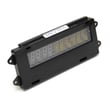
- Oven control board: can fail and prevent bake/broil operation (see range oven control board and clock WP71001872).
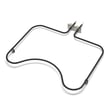
- Heating elements: a broken bake or broil element can stop heating (for broil, see broiler element WPW10310260).
Why it matters
An oven that will not run is often a simple power or control condition, but repeated fault codes usually indicate a sensor, control board, or wiring problem. Addressing the root cause prevents no-heat complaints, overheating, and repeated shutdowns.
Last updated: January 2026
How to reset Jenn-Air wall oven?
To reset your Jenn-Air WW27430W electric wall oven, clear the control first by pressing Cancel Off. If the oven is still unresponsive or an F fault code returns, reset power at the breaker for about 1 minute, then restore power and start a Bake cycle to confirm normal operation (see the WW27430W use and care manual).
Quick reset steps (most common)
- Touch Cancel Off once to stop the current cycle and clear the display.
- Wait about 10 seconds.
- Start Bake and set a temperature.
- Watch the display for about 1 minute to confirm the error does not return.
- If the oven does not respond, reset power at the circuit breaker.
Hard reset (power reset at the breaker)
- Turn OFF the oven circuit breaker(s).
- Leave power off for about 1 minute.
- Turn the breaker(s) back ON.
- Set the clock if needed, then start a Bake cycle.
If an error code keeps coming back
The WW27430W displays fault codes as an F followed by a number. If a continuous beep sounds, press Cancel Off. If the fault code reappears, disconnect power and have the oven serviced.
Common causes to check after a reset
| Symptom after reset | What it usually points to | What we recommend |
|---|---|---|
| F code returns quickly | Control or sensor circuit issue | Check wiring connections; test/replace the oven sensor if needed |
| Oven heats incorrectly | Temperature sensing or calibration | Verify with an oven thermometer; consider sensor replacement |
| No heat but controls work | Heating circuit issue | Inspect elements and wiring; service if needed |
If you suspect a temperature sensing problem, the oven sensor 12001656 is a common part involved in temperature regulation.
Why it matters
A proper reset clears a stuck control state and helps you confirm whether the issue is a one-time control glitch or an ongoing problem with the oven sensor, control board, or heating circuit.
Last updated: January 2026





