Owner’s manual
 Error Codes


What are the advantages of bottom mount refrigerators?
A bottom-mount refrigerator like the Samsung RB1855SL keeps fresh-food shelves at eye and waist level, so you reach everyday items with less bending. It also supports steadier cooling when you keep vents clear and limit door-open time (both are emphasized in the RB1855SL owner's manual).
Key advantages you’ll notice day to day
- Easier access to fresh food: the refrigerator section is on top, where you use it most.
- Better organization: wide shelves and door bins make it simpler to see what you have.
- Less cold-air loss during quick grabs: you typically open the fresh-food door more often than the freezer.
- Good airflow when loaded correctly: spacing food and keeping vents unblocked helps maintain even temperatures.
- Energy-friendly habits are straightforward: cooling hot food first and minimizing door-open time reduces workload.
How to get the most benefit from the design
We recommend these setup and use habits (they directly affect noise, cooling, and efficiency):
- Install on a firm, level floor to reduce unusual noises and improve cooling.
- Leave air space behind shelves and avoid blocking vents or grilles.
- Space food out for ventilation; cover high-moisture foods to reduce condensation.
- Let warm food cool before storing.
- Keep door openings short and infrequent.
Bottom-mount vs. top-freezer: quick comparison
| Feature | Bottom-mount (RB1855SL style) | Top-freezer |
|---|---|---|
| Fresh-food access | Higher, easier reach | Lower, more bending |
| Freezer access | Lower, more bending | Higher, easier reach |
| Best for | People who use fridge most | People who use freezer most |
| Organization | Often more shelf visibility | Often simpler layout |
Why it matters
Most households use the refrigerator compartment far more than the freezer. A bottom-mount layout reduces strain on your back and knees while helping you keep food visible and airflow consistent, which supports better cooling performance.
Last updated: January 2026
How to get the bottom shelf out of a Samsung refrigerator?
On the Samsung RB1855SL bottom-mount refrigerator, we remove the bottom shelf by taking food off first, then lifting the shelf slightly and pulling it straight toward us to clear the side supports. If it feels stuck, we check for locking tabs or ice buildup before forcing it.
Steps to remove the bottom shelf safely
- Unplug the refrigerator or switch off power if your hands will be near lights or wiring.
- Remove all items from the shelf and the bins/drawers below it.
- Slide the shelf forward as far as it will go.
- Lift the front edge slightly to clear the shelf supports.
- Pull the shelf out toward you; keep it level to avoid binding.
- If it will not move, look for a small tab/stop at the side rails and press it while pulling.
If the shelf will not come out
Most “stuck shelf” issues are caused by misalignment, cold contraction, or ice.
- Check that the shelf is not sitting on top of a drawer lip or door bin edge.
- Look for frost or ice at the rear panel and along the shelf rails; thaw with the doors open for 10 to 20 minutes.
- Make sure the refrigerator is level; a forward tilt can make shelves bind.
- Inspect the shelf frame for cracks or warping.
- If the shelf is glass, handle it with two hands and avoid twisting.
Cleaning and reinstalling
The RB1855SL manual describes removing shelves for cleaning and reinstalling them in the correct positions. Use the same lift-and-pull motion to remove, then reverse to reinstall. Reference the RB1855SL owner's manual for the shelf handling and cleaning guidance.
| Task | What we recommend | Why |
|---|---|---|
| Cleaning | Mild detergent and water; dry completely | Helps prevent odors and sticking |
| Reinstalling | Do not mix up top/middle/bottom shelf positions | Keeps airflow and fit correct |
| Preventing future sticking | Avoid overloading and keep items from contacting the rear panel | Reduces binding and frost issues |
Why it matters
Removing the shelf the right way prevents cracked glass, broken shelf supports, and air-flow problems that can cause warm spots in the fresh food section.
Last updated: January 2026
What are the 4 types of ice Samsung?
Samsung’s “4 types of ice” feature refers to four ice styles some Samsung refrigerators can produce: cubed, crushed, curved, and Ice Bites. Your Samsung RB1855SL is a bottom-mount model; use the RB1855SL owner's manual to confirm which ice options your specific ice maker supports.
The 4 ice types explained
These names can vary by model, but they generally mean:
- Cubed: standard full-size cubes
- Crushed: cubes crushed by a dispenser mechanism
- Curved: crescent-shaped ice (common in many ice makers)
- Ice Bites: small nugget-style pieces (available on select models)
How to tell what your RB1855SL can actually make
Many bottom-mount refrigerators make one style of ice (often cube or crescent) unless they have a dispenser/crusher system.
- Check whether your refrigerator has an ice/water dispenser in the door
- Look for Crush/Cube selection on the control panel
- Inspect the ice maker: a simple bin-style ice maker usually makes one shape
- Review the “Making ice” section in the RB1855SL owner's manual
Quick comparison
| Ice type | Usually requires a door dispenser? | Common use |
|---|---|---|
| Cubed | No | Everyday drinks, coolers |
| Crushed | Yes | Cocktails, quick chilling |
| Curved | No | Everyday drinks |
| Ice Bites | Often yes (model-dependent) | Chewable ice, fast cooling |
Why it matters
Knowing the supported ice type helps you troubleshoot “no ice” complaints correctly. For example, if the model only makes one style, a “missing” ice option is a feature difference, not a failure.
Last updated: January 2026
What is the most common problem with Samsung refrigerators?
For Samsung refrigerators like model RB1855SL, the most common customer-reported issues are ice maker problems (not making ice, freezing up, leaking) and cooling/defrost problems (warm refrigerator, frost buildup, restricted airflow). These symptoms often trace back to airflow blockage, fan/defrost faults, or sensor-related temperature control.
What you’ll usually notice first
- Ice maker stops producing or makes small/hollow cubes
- Frost or ice buildup on the freezer back wall or vents
- Refrigerator section warms up while freezer seems “too cold”
- Water under crispers or puddles near the front (often a drain issue)
- Fan noise changes (rattling, grinding, or no fan sound)
Common causes on bottom-mount Samsung designs
These are the most frequent root causes we see behind the symptoms above:
- Ice buildup restricting airflow between freezer and fresh food section
- Defrost system trouble (heater circuit, thermal fuse, defrost sensor)
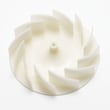
- Evaporator fan issues (fan blade damage or ice hitting the blade)
- Temperature sensing/control problems that cause poor cycling
- Drain restriction that leads to water leaks and refreezing
If you’re chasing a cooling or frost issue, checking the defrost sensor and related components is a practical starting point; see RB1855SL manual.
Parts that commonly relate to these symptoms
Use your symptom to narrow the likely part area:
| Symptom | Most likely system | Example part to check |
|---|---|---|
| Frost buildup, warm fridge | Defrost/airflow | Refrigerator temperature sensor assembly DA32-10105S |
| Water pooling or refreezing | Drain system | Refrigerator drain tube grommet DA63-00951B |
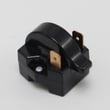
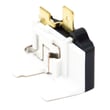
| Clicking, no start, warm temps | Compressor start circuit | Refrigerator compressor start relay DA35-10013N |
Why it matters
Ice maker and defrost-related problems can snowball into temperature swings, food spoilage, and extra strain on the sealed system if the refrigerator runs constantly trying to recover.
Quick safety reminders before troubleshooting
The manual calls out key electrical safety steps that apply to common fridge repairs:
- Unplug power before servicing internal components
- Keep ventilation openings clear
- Do not use unapproved methods to speed up defrosting
For model-specific operating and safety guidance, use RB1855SL manual.
Last updated: January 2026