 Installation guide
 Owner’s manual



How to tell if a dryer thermal fuse is blown?
A blown dryer thermal fuse is confirmed with a continuity test: with power disconnected, remove the fuse and check it with a multimeter. If you get no continuity (OL or infinite resistance), the fuse is blown and must be replaced; then correct the airflow problem that caused overheating (often a blocked vent). For model ADEE9BGS175TW01, use the owner's manual for access and safety guidance.
Quick signs that point to a blown thermal fuse
These symptoms are common when the thermal fuse opens to prevent overheating:
- Dryer will not start even though the door is closed and Start is pressed
- Motor hums briefly, then stops (varies by design)
- Dryer runs but produces no heat (some designs)
- Problem appeared after long dry times or a hot cabinet smell
- Lint screen and exhaust airflow seem restricted
How we test a thermal fuse (safe, reliable method)
- Unplug the dryer (electric) or shut off power at the breaker; for gas models, also shut off gas.
- Access the thermal fuse (commonly on the blower housing or exhaust duct inside the cabinet).
- Pull the wires off the fuse terminals (note their positions).
- Set the multimeter to continuity or lowest ohms.
- Touch one probe to each terminal.
What the meter reading means
| Meter result | What it means | What to do next |
|---|---|---|
| Beep or ~0 to 1 ohm | Fuse is good | Keep troubleshooting (door switch, motor, timer/control, power supply) |
| OL / no beep / infinite ohms | Fuse is blown | Replace the fuse and fix the overheating cause |
Fix the root cause so the new fuse does not blow again
Overheating is usually caused by poor airflow. We recommend:
- Clean the lint screen and the lint screen housing
- Inspect the exhaust duct for kinks, crushing, or heavy lint buildup
- Check the outside vent hood; make sure the flapper moves freely
- Keep the vent run as short and straight as possible
- Verify the dryer is installed with proper clearances and ventilation per the installation guide
Why it matters
A thermal fuse is a one-time safety device. If airflow is restricted, the dryer can overheat, dry slowly, and repeatedly open the fuse. Restoring proper venting improves drying performance and helps protect the heater and motor.
If you need other replacement parts for your Speed Queen dryer, we list model-matched components on this page, and you can also search by model number on Sears PartsDirect.
Last updated: February 2026
When I press the start button on my dryer, nothing happens.?
If your Speed Queen ADEE9BGS175TW01 dryer does nothing when you press Start, the most common causes are a power supply issue, the door not fully closed, or the motor overload protector needing time to reset. Follow the start sequence and checks in the owner's manual to restore operation safely.
Quick checks (most fixes)
- Confirm the power cord is fully seated in the outlet.
- Make sure the loading door is fully closed; the dryer will not run with the door open.
- Press Power/Cancel first (control lights on), then select a cycle, then press Start/Pause.
- Check both dryer fuses or both circuit breakers (many electric dryers use a 2 leg supply).
- If the display shows “Er” and “ro”, let the dryer cool about 10 minutes, then press Start/Pause to clear and restart.
What to do if it still will not start
If the basics check out, we focus on the parts that actually allow power to reach the motor.
- Listen for a click when pressing Start/Pause; no click can point to a control or switch issue.
- If the drum turns by hand but the dryer will not run, a drive system problem can keep the motor from starting under load.
- If the motor hums briefly then stops, the motor overload protector may be tripping repeatedly.
Common part-related causes (and what they look like)
| Symptom | Likely area | What you can check |
|---|---|---|
| No lights, no response | Power supply | Breakers, outlet, cord connection |
| Lights on, no start, door feels loose | Door closure/switching | Door fully latches, no obstruction |
| “Er/ro” code | Motor overload protector | Wait 10 minutes, restart |
| Motor runs but drum does not turn | Belt/idler/roller | Belt condition, idler wheel movement |
Parts that often solve “won’t start” after mechanical binding
A seized roller or failed idler can overload the motor and prevent starting. If you find a broken belt or a locked-up drum support, these model-matched parts are common fixes:
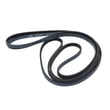
- Commercial dryer drum belt D511255P
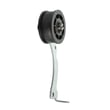
- Idler wheel and bearing assembly D510142P
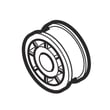
- Cylinder roller D510708P
Why it matters
When the dryer cannot start, it is usually because a safety condition is detected (door open), power is missing (one breaker tripped), or the motor is protecting itself from overheating or overload. Fixing the root cause prevents repeat shutdowns and protects the drive motor.
For ordering, use the parts list for your ADEE9BGS175TW01, or search by model on Sears PartsDirect.
Last updated: February 2026
What are common problems with Speed Queen dryers?
Common problems on the Speed Queen ADEE9BGS175TW01 dryer are long dry times from restricted venting or lint buildup, no-heat conditions from failed heating components, unusual noises from worn drum support parts, and no-start symptoms tied to switches or motor overload. Our owner's manual also calls out routine exhaust-duct cleaning to prevent performance issues.
Most common symptoms and what they usually mean
- Takes too long to dry: lint screen blocked, crushed or restricted vent, stuck weather hood damper
- No heat or weak heat: heating element or heater kit issue, temperature sensing problem
- Squealing, thumping, rumbling: belt, idler, or drum roller wear
- Won’t start or stops mid-cycle: door/start switch issue, motor overload protector tripped
- “Er/ro” on display: motor overload protector cycled; clear and restart, then correct the cause
Quick checks we recommend first (fast, high-impact)
- Clean the lint filter and confirm strong airflow at the outside vent.
- Inspect the vent path for kinks, crushing, or heavy lint buildup.
- Make sure the dryer is level; uneven leveling can cause vibration noise.
- Check the drum for foreign objects (coins, pins) that can create scraping or rattling.
- If “Er/ro” appears, let the motor cool, press Start to clear, and restart; if it repeats, correct the overload cause before continued use.
Parts that commonly fix these issues on ADEE9BGS175TW01
| Symptom | Common wear item | Example part for this model |
|---|---|---|
| Squealing or drum not turning | Drum belt | Commercial dryer drum belt D511255P |
| Squealing or tension problems | Idler wheel assembly | Idler wheel and bearing assembly D510142P |
| Thumping/rumbling | Drum support roller | Cylinder roller D510708P |
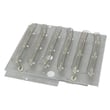
| No heat | Heating element | Dryer heating element D510329P |
| Heat cycling oddly | Temperature sensor | Thermistor assembly (black) D510523 |
Why it matters
Airflow and lint control affect everything: dry time, heat performance, and even motor load. The manual recommends inspecting and cleaning the exhaust duct about every 1 to 2 years and having internal lint vacuumed periodically by a qualified service person.
You can order replacement parts for your ADEE9BGS175TW01 from the parts list for this model, or search by model number on Sears PartsDirect.
Last updated: February 2026
How to do a hard reset on dryer?
To hard reset your Speed Queen ADEE9BGS175TW01 dryer, do a full power reset: turn the dryer off, disconnect power for 5 minutes, then restore power and start a cycle. This clears most control glitches and gets the control ready to run again.
Hard reset steps (safe power reset)
- Press Power/Cancel to turn the dryer off.
- Unplug the dryer (or switch the breaker off).
- Wait 5 minutes.
- Restore power.
- Close the door fully; the dryer will not run with the door open.
- Press Power/Cancel, choose a cycle, then press Start/Pause.
If the display shows “Er” and “ro”
On ADEE9BGS175TW01, “Er” and “ro” alternating points to the motor overload protector. It resets after the motor cools; then you clear and restart from the control.
- Let the dryer sit idle 10 to 30 minutes to cool
- Press Start/Pause to clear
- Press Start/Pause again to restart
What to check if the reset does not fix it
- Clean the lint screen and confirm strong airflow at the vent hood
- Reduce load size (heavy loads can overload the motor)
- Make sure the drum turns freely by hand (with power off)
- Confirm the door latch closes firmly
Common causes and likely parts (quick guide)
| Symptom after reset | Common cause | Part to consider |
|---|---|---|
| Motor runs, drum will not turn | Belt slipped or broken | Speed queen commercial dryer drum belt D511255P |
| Thumping or squealing | Worn drum support roller | Speed queen cylinder roller D510708P |
| Belt loosens, noise near motor | Idler wheel wear | Speed queen idler wheel and bearing assembly D510142P |
Why it matters
A reset clears the control; repeated shutdowns usually mean overheating from restricted venting or motor overload from a dragging drum. Correcting airflow and drive wear helps prevent repeat “Er/ro” events.
For model-specific control steps, use the ADEE9BGS175TW01 owner’s manual. For power-cord and electrical connection details, use the ADEE9BGS175TW01 installation guide. To order parts, use the parts list for this model or search by model number on Sears PartsDirect.
Last updated: February 2026





