Owner’s manual

Can you replace the microwave on a wall oven microwave combo?
On the Kenmore 79048843900 wall oven/microwave combo, the microwave is built into the combination appliance, so you typically do not replace the microwave as a separate, standalone unit. In most cases, you either repair the microwave section (using the correct parts and procedures) or replace the entire combo if the microwave is not economically repairable.
What you can do instead
1) Repair the microwave section (most common)
Many microwave failures in a combo unit are caused by door-safety parts, controls, or power-related components that can be replaced.
- Check for a door that will not latch or a unit that will not start; door-safety components are common failure points.
- If the microwave is completely dead, verify the outlet, house fuse, and circuit breaker first.
- If the microwave runs but does not heat, stop using it and have it serviced; high-voltage components require professional handling.
- Use the wiring diagram and troubleshooting steps in the 79048843900 owner's manual to match symptoms to checks.
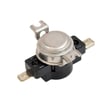
- For door-related issues, common repair parts include the microwave door interlock switch 5304493153 and lever 5304485407.
Safety note for combo units
Microwave servicing is different from wall oven servicing. The microwave section contains high-voltage components that can retain a dangerous charge even when unplugged. We recommend using a qualified servicer for internal microwave repairs.
Quick decision guide: repair vs replace
| Situation | Best next step | Why |
|---|---|---|
| Door will not close, latch, or start | Repair | Often a switch, latch, or lever issue |
| Display works but heating is inconsistent | Service diagnosis | Could involve high-voltage or control issues |
| Unit is dead (no lights, no response) | Check power, then service | Could be supply, fuse, or control |
| Multiple major failures or heavy corrosion | Consider replacing combo | Repair cost can exceed value |
Why it matters
Because the microwave and wall oven share a cabinet and installation footprint, replacing only the microwave section is rarely practical. Repairing targeted components keeps the built-in combo operating without changing cabinetry or electrical connections.
Last updated: February 2026
How to reset Kenmore microwave over the range?
For the Kenmore 79048843900 wall oven/microwave combo, the most reliable “reset” is a power reset: unplug the unit (or turn off the breaker) and restore power, then press Stop/Clear and set the clock. This clears most temporary control glitches and restores normal operation.
Quick reset options (start here)
- Stop/Clear reset: Touch Stop/Clear once to cancel an entry; touch it twice to cancel a cooking program.
- Power reset: Turn the microwave circuit OFF at the breaker for 1 minute, then turn it back ON.
- After a power interruption: Touch Stop/Clear, then reset the clock (the display may prompt you to press Clear and press Clock).
- If the keypad seems unresponsive: Check whether Child Lock is enabled (see below).
If the controls are locked (Child Lock)
Child Lock disables the control panel and can look like the microwave “won’t reset.”
- To turn Child Lock ON: Touch Help, then 1, then START.
- To turn Child Lock OFF: Touch Help, then Stop/Clear.
Details and keypad sequences are listed in the 79048843900 owner's manual.
If it is stuck in demo mode
Demo mode lets the display count down without actually heating.
| Symptom | What it usually means | What to do |
|---|---|---|
| Display counts down fast, no heat | Demo mode is ON | Cancel demo mode using the demo-mode key sequence in the manual, or do a power reset |
A power reset (breaker OFF then ON) is also an effective way to exit demo mode on many Kenmore units; then set the clock.
When a reset is not enough
If the microwave still will not run after a power reset, common causes include:
- Door not fully closing or latch not engaging
- Failed door safety switch such as the microwave door interlock switch 5304493153
- Control problem (keypad or electronic control)
- Blown internal fuse (symptom can be dead display)
Why it matters
Resetting correctly helps you separate a simple control lockup from a door-switch or control-board issue, which saves time and prevents repeated nuisance shutdowns.
Last updated: February 2026
What is the life expectancy of a Kenmore microwave?
Most Kenmore microwaves typically last 9 to 10 years with normal household use. For the Kenmore 79048843900 wall oven/microwave combo, avoiding overheating and keeping airflow paths clear helps the microwave section reach that expected lifespan.
What affects microwave lifespan most
- Running the microwave empty (this overheats the magnetron)
- Poor ventilation around the unit or blocked vents
- Slamming the door or operating with a misaligned latch
- Heavy daily use (multiple long cook cycles per day)
- Power issues (surges) and repeated overheating events
Do this to help your 79048843900 last longer
The Use and Care information for this model emphasizes safe operation that also protects key components like the magnetron.
- Never run the microwave with no food inside for more than a minute or two
- Use microwave-safe cookware and follow recommended cooking practices
- Keep the cavity clean so food residue does not overheat and cause damage
- Make sure the door closes smoothly and fully every time
- Allow short “rest” time between back-to-back high-power cycles
Signs it is nearing end of life (repair vs. replace)
| Symptom | Most common cause | What we recommend |
|---|---|---|
| Heats slowly or unevenly | Aging high-voltage components | Professional diagnosis; high-voltage repairs are not DIY |
| Loud buzzing or burning smell | Electrical or high-voltage issue | Stop using and have it serviced |
| Door will not reliably start/stop | Door switch or latch problem | Check door operation; service if inconsistent |
| Display works but no heat | High-voltage circuit problem | Professional service evaluation |
Why it matters
Microwave performance problems often trace back to heat stress on the magnetron and high-voltage system. Preventing “no-load” operation and keeping the door system working correctly reduces wear and helps maintain safe, consistent heating.
For model-specific operating and care guidance, use the 79048843900 owner’s manual.
Last updated: February 2026
Where is Kenmore's model number?
On Kenmore model 79048843900 microwave/wall oven combinations, the model and serial number are printed on the serial plate located along the interior side trim; you can see it when you open the oven door. For diagrams and exact placement, use the 79048843900 use and care guide.
How to find the serial plate quickly
- Open the lower oven door fully and look along the left and right interior side trim
- Use a flashlight; the plate is easier to spot from an angle
- Look for a label that lists Model No. 790. and a Serial No.
- Write the numbers down exactly as shown (letters and digits)
- Take a clear photo for parts ordering and service records
What you will see on the plate
| Item on label | What it’s used for |
|---|---|
| Model number (example format: 790.xxxx) | Matching parts and correct diagrams |
| Serial number | Identifying production details for service |
| Other codes | Factory and configuration information |
Why it matters
We use the full model number to ensure you get the correct Kenmore wall oven/microwave combo parts and troubleshooting steps. Even small model variations can change which control board, sensor, or door components fit.
Last updated: February 2026
Why is my Kenmore microwave not working?
If your Kenmore 79048843900 wall oven/microwave combo microwave is not working, the most common causes are a power supply problem (outlet, fuse, or breaker), a door interlock issue, or a blown internal fuse. Start with basic power checks, then follow the troubleshooting steps in the 79048843900 owner's manual.
Quick checks we recommend first
- Confirm the unit has power; test the outlet with a small appliance.
- Check your home circuit breaker or fuse; reset or replace if tripped/blown.
- If the display is acting odd (for example, counting down too fast), check and cancel demo mode per the manual.
- Open and close the door firmly; a misaligned latch can keep the microwave from running.
- Press Stop/Clear once to reset the keypad logic if pads are not responding.
Parts that commonly stop a microwave from running
A microwave that will not start, stops immediately, or acts dead often points to the door safety circuit or an internal fuse.
| Symptom | Most likely area | What to do next |
|---|---|---|
| No lights, no fan, no turntable | Power supply or internal fuse | Verify outlet and breaker; if OK, service is typically required |
| Starts then stops, or won’t start with door closed | Door interlock system | Inspect latch alignment; consider the microwave door interlock switch 5304493153 |
| Completely dead after a surge or overheating event | Internal fuse | If power is good, a blown fuse is common; replacement is not a DIY microwave repair |
Safety and service guidance (important)
The manual notes that if the outlet, fuse, and/or circuit breaker are functioning properly and the microwave still will not operate or heat water, the unit should be serviced by a qualified technician (microwave internal components can retain dangerous voltage).
Why it matters
The door interlock system is a critical safety feature; if the switch or latch is not engaging correctly, the microwave may refuse to run to prevent unsafe operation.
Last updated: February 2026