 Installation guide
 Owner’s manual




How long is a normal wash cycle on a Frigidaire dishwasher?
On the Frigidaire FFCD2413US4A dishwasher, a Normal Wash cycle typically runs about 1 1/4 to 2 3/4 hours. The exact time changes with water temperature, soil level, and which options you select (such as heated drying).
Typical cycle times (what to expect)
Cycle length varies because the dishwasher may extend washing to reach target temperatures and improve cleaning.
- Normal Wash: about 1 1/4 to 2 3/4 hours
- Heavy Wash: about 2 to 3 hours
- 1 Hour Wash: about 1 hour
- Options like High Temp and Heat Dry can increase total time
| Cycle | Approx. duration | Best for |
|---|---|---|
| Normal Wash | 1 1/4 to 2 3/4 hours | Everyday loads, light to heavy soil |
| Heavy Wash | 2 to 3 hours | Pots, pans, baked-on soil |
| 1 Hour Wash | 1 hour | Lightly soiled loads |
What makes “Normal” run longer or shorter
These are the most common reasons the same cycle finishes at different times:
- Incoming water is cooler, so the unit heats longer
- Heavier soil triggers longer wash action
- Heat Dry adds drying time
- High Temp extends heating and wash portions
- Opening the door mid-cycle can pause operation (restart is time-sensitive)
Why it matters
Knowing the normal time range helps you spot real problems. If your FFCD2413US4A suddenly takes far longer than 2 3/4 hours on Normal Wash, it often points to heating, filling, or draining issues that reduce cleaning performance.
For the exact cycle and option chart for your model, use the FFCD2413US4A owner’s manual.
Last updated: February 2026
How to reset a Frigidaire dishwasher error code?
On the Frigidaire FFCD2413US4A dishwasher, most error conditions clear after you cancel the current cycle and let the unit drain. Press and hold START/CANCEL for 3 seconds; the dishwasher runs about a 90-second drain, then you can restart a cycle per the FFCD2413US4A owner's manual.
Quick reset steps (in order)
- Cancel and drain: Press and hold START/CANCEL for 3 seconds; wait for the drain to finish.
- Restart the cycle: Close and latch the door, then press START/CANCEL to run the last-used cycle (the dishwasher remembers the previous selection).
- Unlock controls (if nothing responds): Press and hold OPTIONS for 3 seconds to toggle Child Lock off.
- Power reset (if the code returns immediately): Turn the dishwasher circuit breaker OFF for 5 minutes, then back ON.
- Check for the cause: Look for standing water, a kinked drain hose, or a door that is not fully latched.
What to check if the error comes back
Many “reset” situations are really the dishwasher protecting itself. These checks fix the root cause:
| Symptom after reset | Most common cause | What to do next |
|---|---|---|
| Won’t start or beeps | Controls locked or door not latched | Unlock Child Lock; re-latch door firmly |
| Water left in tub | Drain restriction or weak drain pump | Inspect hose routing; clear debris; consider drain pump a A00126401 if pump is noisy or not pumping |
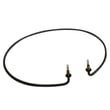
| Poor drying or cool water | Heating problem | Use Heat Dry and rinse aid; if no heat, inspect wiring and consider Frigidaire dishwasher heating element 154825001 |
Why it matters
Canceling and draining clears the control’s active fault state and prevents repeated overfilling, overheating, or drain timeouts. If the code returns, correcting the underlying issue (drain path, heating, latch, or control lock) stops the error from coming back.
Last updated: February 2026
What is the average lifespan of a Frigidaire dishwasher?
A Frigidaire dishwasher typically lasts 10 years. With consistent cleaning, correct detergent use, and prompt fixes for draining or heating problems, many units run longer; heavy daily use and hard water usually shorten service life. For model-specific care steps, follow the FFCD2413US4A owner's manual.
What affects lifespan the most
- Water hardness and mineral buildup (can clog the filter and reduce wash performance)
- How often it runs (multiple loads daily increases wear on the pump and motor)
- Heating and drying performance (a weak heater can leave moisture and residue behind)
- Drain health (slow draining strains the drain pump and can cause odors)
- Routine cleaning (filter and sump area kept clear reduces load on the wash system)
Maintenance checklist (best return for the effort)
- Clean and rinse the filter regularly; replace it if it is damaged (see dishwasher filter 5304532206).
- Run hot water at the sink before starting a cycle so the dishwasher fills with hotter water.
- Use the correct detergent amount; too much can leave residue, too little can reduce cleaning.
- Keep the spray arms clear of labels, seeds, and broken glass.
- If drying drops off, inspect the heater circuit and connections; replace the heater if it fails (see dishwasher heating element 154825001).
Common wear items and what they do
| Symptom | Likely system involved | Example part for FFCD2413US4A |
|---|---|---|
| Poor cleaning, weak spray | Wash pump and motor | Pump and motor assembly 5304519906 |
| Not draining, water left in tub | Drain pump or drain path | Drain pump A A00126401 |
| Not drying, cool water | Heater circuit | Dishwasher heating element 154825001 |
| Slow fill or no fill | Water inlet valve | Water inlet valve 5304525044 |
Why it matters
A dishwasher that is cleaned and draining correctly runs with less strain on the pump, motor, and heater. That reduces breakdowns, improves cleaning results, and helps you get the full expected service life from your Frigidaire FFCD2413US4A.
Last updated: February 2026
How to clear i4 code on frigidaire dishwasher?
On the Frigidaire dishwasher model FFCD2413US4A, an i4 code points to a water-related fault (most often a leak/overfill condition). To clear it, we focus on stopping the water, drying any water in the base, and correcting the cause; the code clears after the condition is gone and the unit is restarted per the FFCD2413US4A owner's manual.
Quick steps to clear the i4 code
- Turn off power at the breaker for 1 minute, then restore power.
- Shut off the water supply valve under the sink.
- Pull the dishwasher out slightly and check for water in the bottom pan (base); dry it completely.
- Inspect the door seal area and tub edge for debris that can cause a drip.
- Run a short cycle and watch the fill; stop the cycle if water rises unusually high.
What to check first (most common causes)
- Oversudsing from hand soap or too much detergent (can trigger a leak/foam condition).
- Loose or leaking drain connection at the sink/disposer or a split hose.
- Inlet valve seepage that slowly overfills when the dishwasher is off.
- Float/overfill protection issue (float stuck up or switch not changing state).
Parts that commonly fix i4-related problems
| Symptom you see | Likely area | Model-matched part to consider |
|---|---|---|
| Water keeps entering when off | Fill system | Crosley dishwasher water inlet valve 5304525044 |
| Water in base after a cycle | Drain path leak or backflow | Dishwasher drain hose 807117001 |
| Overfill protection acting up | Float circuit | Dishwasher float switch 154773201 |
Why it matters
An i4 condition is the dishwasher protecting your kitchen from water damage. Clearing the code without fixing the leak/overfill source usually brings the code right back.
Helpful DIY guidance
If the dishwasher has power but will not run while showing the code, follow the same safety steps above and use the troubleshooting flow in our dishwasher leaks video.
Last updated: February 2026
What is the most common problem with a Frigidaire dishwasher?
The most common Frigidaire dishwasher problems (including model FFCD2413US4A) are performance issues caused by restricted water flow: clogged filters, blocked spray arms, or poor draining. “Won’t run” complaints are also common and are often tied to power, water supply, Delay Start, or the door not fully latching (see the FFCD2413US4A owner’s manual).
Most common symptoms and what usually causes them
- Not cleaning well: filter or spray arm blockage, overloading, low water temperature, hard water, old detergent
- Not draining: drain path restriction, drain pump issue, kinked drain hose
- Won’t start or stops: tripped breaker, water supply off, Delay Start selected, door not latched, control issue
- Spots or film: hard water, incorrect detergent amount
- Long cycles: cool incoming water, heavy soil sensing, Delay Start
Quick checks we recommend first (no tools)
- Confirm the door closes firmly and latches.
- Verify the water supply valve is fully on.
- Cancel and restart the cycle after selecting it (many models require pressing Start after choosing a cycle).
- Clean the filter area and remove debris that can restrict circulation.
- Use fresh automatic dishwasher detergent (household grade only).
Parts that commonly solve the “usual suspects”
| Symptom | Common part to inspect | What it affects |
|---|---|---|
| Poor cleaning, debris left behind | Dishwasher filter 5304532206 | Wash water circulation and soil capture |
| Not draining or water left in tub | Drain pump a A00126401 | Pumps water out during drain |
| Not drying, poor heating performance | Frigidaire dishwasher heating element 154825001 | Heats water and supports drying |
| Not filling or fills slowly | Crosley dishwasher water inlet valve 5304525044 | Controls incoming water flow |
Why it matters
Most “common problems” are really flow and temperature problems. When the dishwasher cannot circulate hot water freely (or cannot drain correctly), you see poor cleaning, long cycles, odor, and spotting. Fixing the restriction first prevents unnecessary part replacement.
Helpful DIY guidance
If the main complaint is poor wash performance, follow the steps in dishwasher not cleaning dishes video to focus on loading, filtration, and circulation checks.
Last updated: February 2026
Can I replace dishwasher parts myself?
Yes, for the Frigidaire FFCD2413US4A dishwasher, we can usually replace many common parts ourselves if we shut off power and water first and follow the step-by-step procedures in the FFCD2413US4A installation guide. For electrical wiring, door work, or leak-related repairs, careful setup and testing are essential.
Good DIY repairs vs. better left to a pro
Many dishwasher repairs are straightforward, but some involve higher risk (electric shock, sharp metal edges, leaks).
- Good DIY candidates: filter cleaning/replacement, rack and roller repairs, drain hose replacement
- More advanced DIY: water inlet valve, drain pump, pump and motor assembly
- Often best for a technician: complex electrical diagnosis, repeated leak issues, control board troubleshooting
DIY safety checklist (do these every time)
From the installation instructions, we follow the same safety basics during repairs.
- Disconnect electrical power at the breaker/fuse before opening wiring areas
- Shut off the water supply valve before disconnecting any water line
- Wear gloves; metal panels can be sharp
- Keep the dishwasher secured so it cannot tip when the door is opened
- After reassembly, run a fill and pump-out and check all joints for leaks
Parts that are commonly replaced on this model
These are examples of model-matched parts that customers often replace:
| Symptom | Common part to check | Example model-matched part |
|---|---|---|
| Not draining | Drain path, pump, hose | Dishwasher drain hose 807117001 |
| Poor cleaning | Filter, wash system | Dishwasher filter 5304532206 |
| Not drying | Heater circuit | Frigidaire dishwasher heating element 154825001 |
| Not filling | Water supply/valve | Crosley dishwasher water inlet valve 5304525044 |
Why it matters
DIY replacement can restore cleaning and draining performance quickly and save service costs, but dishwashers combine water and electricity. Following the documented shutoff, securing, and leak-check steps prevents damage and keeps the repair safe.
Last updated: February 2026
What are the commonly replaced parts in a dishwasher?
In a Frigidaire dishwasher like model FFCD2413US4A, the most commonly replaced parts are the drain and wash components (pumps, hoses, filters), water-fill parts (inlet valve, float switch), and heat or door-related parts (heating element, hinges). These parts wear from normal use, clogs, and leaks; see the FFCD2413US4A owner’s manual for care steps that reduce repeat failures.
Most common parts customers replace
- Drain pump and drain hose when the unit will not drain or drains slowly
- Pump and motor assembly when wash pressure is weak or the dishwasher is noisy
- Dishwasher filter when debris buildup causes poor cleaning or standing water
- Water inlet valve when the dishwasher will not fill or fills too slowly
- Heating element when dishes are not drying and water is not heating properly
- Detergent dispenser when the cup will not open or detergent is not dispensing
- Door hinge parts when the door will not stay open or feels unbalanced
Model-relevant examples for FFCD2413US4A
| Symptom | Likely part to check/replace | Example part for this model |
|---|---|---|
| Not draining | Drain pump, drain hose, filter | Drain pump a A00126401, dishwasher drain hose 807117001, dishwasher filter 5304532206 |
| Not filling | Water inlet valve, float switch | Crosley dishwasher water inlet valve 5304525044, dishwasher float switch 154773201 |
| Not drying / not heating | Heating element and mounting hardware | Frigidaire dishwasher heating element 154825001 |
| Poor wash / loud wash motor | Pump and motor assembly | Crosley dishwasher pump and motor assembly 5304519906 |
Quick checks before you buy a part
- Clean the filter and remove debris from the sump area
- Confirm the water supply is on and the supply line is not kinked
- Check that the dishwasher is level and securely fastened
- Inspect the drain hose routing for kinks or a high loop/air gap blockage
- Use only household automatic dishwasher detergent (industrial detergents can damage internal parts)
Why it matters
Replacing the correct “root cause” part prevents repeat problems. For example, a clogged inlet screen can mimic a bad inlet valve, and a dirty filter can mimic a weak pump. Our installation instructions also call out checking for kinks and leaks after water-line connections, which helps prevent water damage and repeat service.
Last updated: February 2026
How can I force my Frigidaire dishwasher to drain?
To force your Frigidaire FFCD2413US4A dishwasher to drain, press and hold START/CANCEL for 3 seconds. The dishwasher cancels the cycle and automatically runs a 90-second drain, then it’s ready for you to select a new cycle.
Steps to force-drain (cancel and drain)
- Press and hold START/CANCEL for 3 seconds.
- Verify the cycle and option lights go out and the START/CANCEL light stays on.
- Close the door fully so the drain can run.
- Wait about 90 seconds for the drain to finish.
- Select the next cycle and press START/CANCEL to start.
For the exact indicator-light behavior and cancel instructions, follow the FFCD2413US4A owner’s manual.
If it still will not drain
These checks solve most “dishwasher not draining” problems:
- Sink/disposer connection: If connected to a garbage disposer, confirm the disposer inlet knockout plug was removed.
- Drain hose routing: The drain hose connection at the sink drain needs to be above the trap; avoid kinks or crushing behind the unit.
- Filter and sump area: Clean debris from the filter area so water can flow to the drain.
- Drain hose condition: Replace a split, soft, or clogged hose such as the dishwasher drain hose 807117001.
- Drain pump operation: If the pump hums, jams, or won’t run, the drain pump assembly for this model is listed as drain pump a A00126401 (the associated part number shown for that listing is 5304492415).
Quick reference: what you should see
| Action | What happens | Typical time |
|---|---|---|
| Hold START/CANCEL | Cycle cancels and drain starts | Immediately |
| Drain completes | Unit stops draining and is ready for a new cycle | About 90 seconds |
Why it matters
Cancel-and-drain is the safest way to clear standing water before unloading, checking the filter, or troubleshooting a drain problem. It also reduces the chance of a leak if a drain connection under the sink is loose.
Last updated: February 2026





