Owner’s manual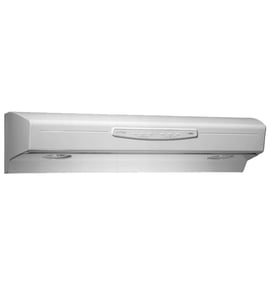


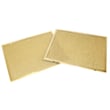
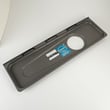
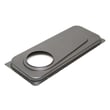
How to clean kenmore kitchen hood vent?
For your Kenmore Elite range hood model 23355123007, disconnect power first, then clean the grease filters frequently with hot water and mild detergent; wipe the hood surfaces with warm, soapy water and dry right away. Use the cleaning steps and cautions in the owner's manual.
Safe cleaning steps (what we recommend)
- Turn off power at the breaker (reduces shock risk while cleaning).
- Remove the aluminum mesh grease filters.
- Wash filters in hot water with mild detergent (a dishwasher is also OK for the mesh filters).
- Wipe the hood exterior with warm water and mild soap; rinse and dry immediately.
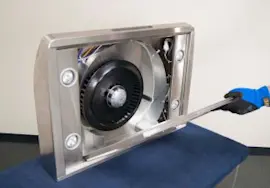
- Clean the fan blade with a damp cloth and mild detergent (do not bend the blade).
- Reinstall dry filters and restore power.
What to clean and how often
| Area | What to use | Typical frequency |
|---|---|---|
| Aluminum mesh grease filters | Hot water + mild detergent (or dishwasher) | About monthly (more often if you fry/wok cook) |
| Stainless steel surfaces | Warm water + mild dish soap; wipe with the grain; rinse and dry | Weekly or as needed |
| Painted or Teflon-coated surfaces | Mild soap/detergent + warm water; soft cloth only | As needed |
| Fan blade | Damp cloth + mild detergent | As needed |
Important do’s and don’ts
- Do clean stainless steel in the direction of the polish lines.
- Do dry stainless steel immediately to reduce spotting.
- Do not use abrasive cloths, steel wool, or scouring powder on painted or Teflon-coated surfaces.
- Do not allow water to enter the motor.
- Do wash filters more often if cooking produces heavy grease.
Why it matters
A clean vent hood moves air better, runs quieter, and helps reduce grease buildup on the blower and controls. Regular filter cleaning is the single biggest step to keep airflow strong.
Last updated: February 2026
What are the parts of a range hood called?
On the Kenmore Elite 23355123007 range hood, the main parts are typically the hood canopy (body), venting pieces (duct plate and damper), blower and motor components, controls, lights, and filters. Your exact configuration depends on whether the hood is ducted or non-ducted (recirculating); see the owner's manual.
Common range hood parts (what they do)
- Hood canopy: the main housing that captures smoke and grease
- Grease filters: aluminum mesh filters that trap grease before air reaches the blower
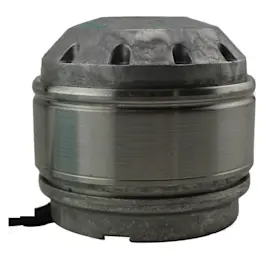
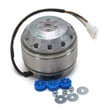
- Blower and motor: pulls air through the filters and pushes it out (ducted) or through filters (non-ducted)
- Damper and duct connector: helps prevent backdrafts and connects the hood to ductwork
- Duct plate or duct adapter: mounting/transition piece for the duct connection
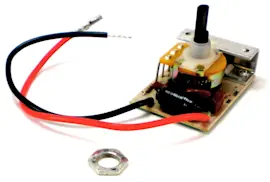
- Control panel or touch pad: fan speed and light controls
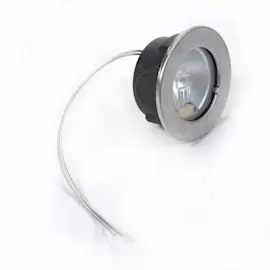
- Light system: bulbs, sockets, and light panel/trim
Parts you will see referenced for model 23355123007
Your manual calls out several serviceable items that are commonly removed during installation and cleaning.
| Part name (common term) | What it’s for | Example part on this model page |
|---|---|---|
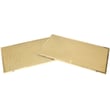
| Grease filter | Captures grease; removable for cleaning | Range hood 30-in hood grease filter, 2-pack 99010302 or range hood grease filter, 2-pack S99010304 |
| Vent damper | Reduces backdraft; opens when fan runs | Range hood vent damper SR740013 |
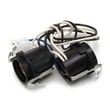
| Light socket | Holds the bulb and provides electrical contact | Range hood light socket SR111630 |
Ducted vs. non-ducted naming (quick guide)
- Ducted (vented outside): you will hear terms like duct plate, duct connector, damper, and duct adapter.
- Non-ducted (recirculating): you will see references to non-ducted filters (often called charcoal or cooking filters) in addition to the grease filters.
Why it matters
Knowing the correct part names helps you match diagrams, follow cleaning steps, and order the right replacement parts (especially filters, light components, and venting pieces) for your Kenmore Elite 23355123007.
Last updated: February 2026
How to replace range hood buttons?
On the Kenmore Elite range hood model 23355123007, the “buttons” are part of the hood control (push-button switch assembly). Replacing them typically means removing the control panel area, disconnecting the wiring connector, swapping the switch/touchpad, then reassembling and restoring power; follow the steps and diagrams in the owner's manual.
Before you start (safety and access)
- Turn off power at the breaker (range hoods are hardwired or plugged in, but the safe step is breaker off).
- Let bulbs and metal surfaces cool completely.
- Protect the cooktop with a towel to prevent scratches.
- Keep screws organized by location (bottom panel screws vs. control screws).
Basic replacement steps (typical for this model style)
- Disconnect power at the service entrance.
- Remove the grease filters by pulling down on the filter tabs and lifting the filters out.
- Remove the bottom cover/panel to access the control area.
- Locate the button control/touchpad and unplug the wire connector (do not pull on wires; pull on the connector body).
- Remove the mounting screws, swap in the replacement control, and reinstall screws.
- Reinstall the bottom panel and filters; restore power and test fan speeds and light levels.
If the buttons light up but nothing runs
This model’s control contains a fuse that can open after a power surge. A common symptom is that the green fan-level indicators respond, but the fan and lights do not turn on.
| Symptom | Most likely cause | What to do next |
|---|---|---|
| Button indicators work, fan and lights do not | Blown control fuse | Access the control area and replace the fuse per the manual |
| No response from any buttons | No power, loose connection, failed control | Verify breaker, then check wiring connections at the control |
Parts that are commonly involved
- If your hood uses a socket-mounted lamp and the light is intermittent after reassembly, inspect the range hood light socket SR111630.
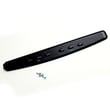
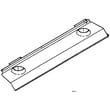
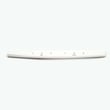
- If you remove the bottom panel for access, handle it carefully to avoid bending; the correct replacement is the range hood bottom panel, 30-in SR680511.
Why it matters
A secure control connection and properly reinstalled bottom panel and filters keep airflow correct, reduce vibration noise, and ensure the fan speeds and light levels work as designed.
Last updated: February 2026
How do I know what model range hood I have?
Your Kenmore Elite range hood model number is printed on the appliance’s specification label. On model 23355123007, you will typically find that label on the top of the hood, on the underside, or behind the grease filters. Use the exact model number to match parts and the correct instructions in the owner's manual.
Where to look for the model number label
Check these common spots (power off first so you can safely remove filters or panels):
- Top of the hood (often visible from inside the cabinet above)
- Underside of the hood near the light area
- Behind the grease filters (remove the filters and look on the inner frame)
- Inside the hood cavity near the wiring channel or blower area
- On the specification label that lists electrical ratings and installation requirements
Quick steps to find it fast
- Turn the hood off and let lights cool.
- Pull down on the filter tabs and lift the grease filters out.
- Look for a sticker or metal tag with a long number (example format: 233.55123007 or 23355123007).
- Write it down exactly; include all digits.
Why the exact model number matters
The model number controls which parts fit (filters, light components, controls) and which installation specs apply. For example, the manual for this hood calls out typical mounting height and other requirements that can vary by model.
| What you’re doing | Why the model number is needed | Example for this hood |
|---|---|---|
| Ordering filters | Ensures correct size and mounting style | 30-in vs 36-in vs 42-in filters |
| Using diagrams/manual | Matches wiring and component layout | Correct panel and filter removal steps |
| Confirming fit | Prevents wrong part returns | Grease filter style and count |
Parts that commonly depend on the model
Once you confirm the model number, match it to the part listing for your hood. Common examples include:
- Range hood 30-in hood grease filter, 2-pack 99010302
- Range hood light socket SR111630
- Range hood vent damper SR740013
Last updated: February 2026