 Installation guide
 Owner’s manual
 Error Codes





How long do Whirlpool wall ovens last?
Whirlpool wall ovens typically last 13 to 15 years. With normal home use and basic care (especially keeping the door seal tight and avoiding overheating events), many units reach 15 to 20 years. For model-specific care and operating guidance, use the owner's manual.
Typical lifespan and what affects it
Most Whirlpool electric built-in ovens like RBS305PDB14 fall into a predictable lifespan range; the biggest variables are heat stress, cleaning habits, and how often the oven runs at high temperatures.
- Cooking frequency: daily baking shortens life compared to occasional use
- High-heat use: frequent broiling and long bakes at 450°F+ add wear
- Self-clean use: very high temperatures increase heat stress on components
- Ventilation and installation: correct cabinet clearances reduce overheating
- Door seal condition: heat leaks force longer run times
- Electrical health: loose connections can cause intermittent heating
Parts that commonly drive “end of life” symptoms
When an oven is “old,” it is usually one or two serviceable parts causing poor performance.
| Symptom | Common cause | Example part for RBS305PDB14 |
|---|---|---|
| Oven temperature swings, underbakes | Temperature sensing issue | Wall oven temperature sensor WPW10131825 |
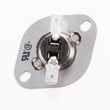
| Oven overheats or shuts down | Safety thermostat opens | Range high-limit thermostat WP9759243 |
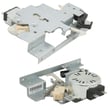
| Self-clean will not start, door will not lock | Door latch/lock problem | Door latch WPW10195934 |
Self-cleaning and lifespan (important)
Your Whirlpool manual notes the self-clean cycle uses very high temperatures and is commonly set around 3 hours 30 minutes, with shorter times for light soil. Using the shortest effective clean time and letting the oven cool fully before wiping ash reduces heat shock and stress on door glass and electronics.
Why it matters
Knowing the expected lifespan helps you decide whether to repair (often a sensor, latch, or thermostat) or plan for replacement, especially when heating performance or door-lock behavior changes.
Last updated: February 2026
How do I reset a wall oven?
To reset your Whirlpool RBS305PDB14 electric built-in oven, press OFF/CANCEL (single oven) or UPPER OFF/LOWER OFF (double oven) to clear the control, then restore power if needed. If you see “PF”, the oven detected a power interruption and the clock needs resetting.
Quick reset steps (most common)
- Press OFF/CANCEL (or UPPER OFF/LOWER OFF).
- Wait 5 seconds.
- If the control is unresponsive, turn the oven’s circuit breaker OFF for 1 minute.
- Turn the breaker ON.
- Set the clock (see below).
- Test BAKE and BROIL to confirm normal operation.
If the display shows “PF” (power failure)
“PF” means power was interrupted. Clear it and reset the time:
- Press OFF/CANCEL (single oven) or UPPER OFF/LOWER OFF (double oven).
- Reset the clock using the steps in the owner's manual.
If the control panel seems locked
This model uses a Control Lock feature that disables most pads.
- Make sure the ovens, Timer, and Timed Cooking are off.
- Press and hold START/ENTER for about 5 seconds to lock or unlock.
- When locked, only CLOCK, TIMER SET, and TIMER OFF work.
What different “resets” do
| Situation | What to do | What it fixes |
|---|---|---|
| Wrong setting, need to stop cooking | Press OFF/CANCEL | Cancels the current function |
| “PF” on display | Press OFF/CANCEL, then set clock | Clears power-failure message |
| Frozen or unresponsive keypad | Cycle breaker OFF then ON | Reboots the electronic control |
| “Err” after a wrong key press | Press OFF/CANCEL, re-enter | Clears invalid entry |
Why it matters
Resetting the electronic oven control clears invalid key entries, cancels stuck functions, and restores normal operation after a power interruption. It also helps you confirm whether the issue is a simple control state (like Control Lock) versus a part problem.
Last updated: February 2026
Why did my Whirlpool wall oven stop working?
If your Whirlpool RBS305PDB14 electric built-in oven stopped working, the most common causes are a tripped breaker or blown house fuse, a control not being started correctly, or a failed heating or safety component (like an element, thermostat, or temperature sensor). Check the basics first using the installation guide.
Quick checks that fix many “dead oven” problems
- Reset the circuit breaker fully (OFF, then ON) and check for a blown house fuse.
- Confirm the display is on; if you see an error or “START?” prompt, press START/ENTER.
- Make sure a cooking mode is selected (BAKE or BROIL) and the oven is not in a canceled state.
- If “Err” shows, press OFF/CANCEL and re-enter the setting.
- If the cooling fan keeps running after canceling, that can be normal while the oven cools.
Parts that commonly stop heating or shut the oven down
If power is good but the oven will not heat, these model-compatible parts are common suspects:
- Wall oven temperature sensor WPW10131825 (bad sensor can cause no-heat or inaccurate temps)
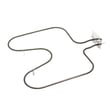
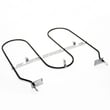
- Broiler element WP9760771 (open element can prevent broil and sometimes affects overall heating)
- Range high-limit thermostat WP9759243 (can open if overheating is detected)
- Terminal block WP8203546 (loose/burned connections can cut power to the oven)
Basic symptom-to-cause guide
| What you notice | Most likely cause | What to do next |
|---|---|---|
| No display, no heat | Breaker tripped, fuse blown, power connection issue | Reset breaker; inspect wiring/terminal block |
| Display works, no heat | Failed element, sensor, or thermostat | Test components; replace failed part |
| “Err” on display | Invalid key press or control input issue | Press OFF/CANCEL; retry settings |
| Starts then stops | Overheat protection opening | Check airflow, thermostat, sensor |
Why it matters
A wall oven can appear “dead” from a simple power interruption, but repeated shutdowns or no-heat with a working display usually points to a failed heating circuit component. Fixing the root cause prevents uneven baking, long preheat times, and nuisance shutdowns.
Last updated: February 2026
How to replace control panel on Whirlpool wall oven?
On the Whirlpool RBS305PDB14 electric built-in oven, control panel replacement starts by shutting off power, removing the door and trim, and sliding the oven forward to access the console. Then remove the panel fasteners and reconnect wiring exactly as found; use the installation guide for the built-in removal and reinstallation steps.
Safety and prep
We treat this as a two-person job because wall ovens are heavy and often hard-wired.
- Turn off power at the breaker; confirm the display is off.
- Let the oven cool completely.
- Remove racks to reduce weight.
- Pull the oven using the cabinet opening as a grip point (not the trim).
- Protect flooring and cabinet edges with cardboard.
Basic access steps (typical for this model)
These steps match the built-in handling described for RBS305PDB14.
- Remove the oven door: Open fully, rotate both hinge latches to the unlocked position, then lift the door off.
- Remove trim: Take out trim screws and pull trim pieces away.
- Remove mounting screws: Remove screws securing the oven to the cabinet through the mounting rails.
- Slide oven out: Pull forward just enough to reach the console area.
- Swap the control panel: Remove console screws, tilt the panel forward, transfer connectors one at a time, then reassemble.
What “control panel” can mean
Order the part that matches what failed.
| Term people use | What it usually is | Common symptom |
|---|---|---|
| Control panel/console | Front panel the controls mount to | Cracked, warped, damaged overlay |
| User interface/touchpad | Keypad or touch membrane | Buttons do not respond |
| Electronic oven control | Main control board | Dead display, erratic operation |
If the problem is temperature related
A “control” complaint is often a sensor issue.
- Temperature inaccurate or swings: check the wall oven temperature sensor WPW10131825
- Oven overheats or shuts down: check the range high-limit thermostat WP9759243
- Broil not heating: check the broiler element WP9760771
Why it matters
Correct door removal and trim handling prevents bent hinges, scratched cabinetry, and pinched wiring; moving one connector at a time prevents miswiring.
Last updated: February 2026







