Installation guide
 Owner’s manual
 Error Codes




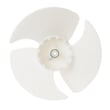
How to remove bottom grille on GE refrigerator?
On the GE ZICS360NRGRH bottom-mount refrigerator, the “bottom grille” people refer to is typically the toe-kick or grille panel area. For service access, you usually remove the toe-kick by taking out the mounting screws and pulling the panel straight off; for condenser access, you raise the upper grille panel as shown in the ZICS360NRGRH owner’s manual.
Quick steps to remove the toe-kick (bottom grille)
- Unplug the refrigerator or switch off power at the breaker.
- Locate the screws securing the toe-kick along the bottom front edge.
- Remove the screws with a #2 Phillips screwdriver.
- Pull the toe-kick straight toward you to release it.
- Set the panel aside where it will not get bent.
- Reinstall by aligning the tabs/edges, pushing it back into place, then reinstalling the screws.
If you meant the upper grille panel (for condenser cleaning)
The manual procedure for condenser cleaning uses the grille panel at the top of the refrigerator:
- Turn off power and wait about 30 minutes for the condenser area to cool.
- Raise the grille panel.
- Brush dust from condenser fins, then vacuum.
- Lower the grille panel and restore power.
Tools and what they’re for
| Tool | What you use it for |
|---|---|
| #2 Phillips screwdriver | Removing toe-kick or trim screws |
| Work gloves | Protecting hands from sharp metal edges |
| Soft bristle brush + vacuum hose | Cleaning condenser fins behind the grille |
Why it matters
Removing the correct panel prevents cosmetic damage and gives you safe access for cleaning the condenser, checking airflow, or completing installation steps shown in the ZICS360NRGRH installation guide.
Last updated: January 2026
What is the average lifespan of a GE profile refrigerator?
Most GE Profile refrigerators, including the GE ZICS360NRGRH bottom-mount style, typically last 12 to 15 years. With consistent care (cleaning, correct temperatures, good door sealing), it’s common to reach the upper end of that range before major sealed-system repairs become more likely.
What affects lifespan the most
- Condenser cleanliness: Dust buildup makes the compressor work harder.
- Door gasket condition: Leaks cause longer run times and temperature swings.
- Ice maker and water system use: Mineral buildup and small leaks can create early failures.
- Airflow and loading: Overpacking blocks vents and stresses the evaporator fan.
- Installation quality: A level, stable install reduces vibration and door alignment issues (see ZICS360NRGRH installation guide).
Maintenance that helps you reach 12 to 15 years
- Vacuum or brush condenser areas on a regular schedule.
- Keep refrigerator at about 37°F and freezer at about 0°F.
- Clean and dry door gaskets; keep them sealing evenly.
- Replace the water filter on schedule to protect the valve and ice maker (use GE refrigerator water filter MWFP).
- Keep the unit level so doors close fully and don’t drift open.
Quick lifespan expectations by component
| Component | Typical service life | What you’ll notice when it’s failing |
|---|---|---|
| Compressor (sealed system) | 12 to 20 years | Warm temps, long run times, clicking, no cooling |
| Ice maker | 5 to 10 years | No ice, small cubes, leaking, loud cycling |
| Evaporator fan motor | 8 to 12 years | Warm fridge section, weak airflow, noise |
| Control board/sensors | 8 to 15 years | Erratic temps, intermittent cooling |
Why it matters
Knowing the typical lifespan helps you decide when maintenance is worth doing versus when a major repair (like a compressor or inverter issue) may be better evaluated against the refrigerator’s age and overall condition.
Last updated: January 2026
What is the most common problem with GE profile refrigerators?
The most common issue we see with GE Profile style refrigerators, including the GE ZICS360NRGRH bottom-mount, is a cooling complaint (fresh food or freezer too warm). Many “not cooling” calls trace back to airflow, temperature settings, or a component that controls temperature and defrost. Use the ZICS360NRGRH owner's manual Problem Solver to narrow it down fast.
Quick checks first (no parts needed)
- Confirm the temperature controls are set cold enough; warm settings can mimic a failure.
- Make sure doors close fully; packages can hold a door open and cause warming and frost.
- Allow up to 24 hours to fully cool after first plugging in or after a long power outage.
- Listen for normal sounds: clicking relays, water running during icemaker fill, and cubes dropping can be normal.
- Check the home breaker or fuse if the unit will not run and the interior light is off.
Most common symptom-to-cause map
| Symptom | Common cause | What to do next |
|---|---|---|
| Fresh food or freezer too warm | Controls not set cold enough, frequent door openings, door left ajar | Reset temps, improve door sealing, reduce openings |
| Runs a long time | Normal on startup; variable-speed compressor runs longer by design | Wait 24 hours; verify temps stabilize |
| Clicking/buzzing noises | Control board relays, icemaker fill valve buzzing | Confirm temps and ice production are normal |
| No ice or small/hollow cubes | Water supply restriction or fill issue | Check water line and filter condition |
When a part is likely involved
If basic checks do not help and temperatures drift, these model-relevant parts are common suspects:
- Refrigerator temperature sensor WR55X10025: incorrect temperature feedback can cause poor cooling control.
- Refrigerator electronic control board WR55X10560: can click as relays operate; failures can affect cooling/defrost.
- Refrigerator defrost heater WR51X10015 or refrigerator evaporator thermostat WR50X10030: defrost problems can lead to frost buildup and weak airflow.
- GE refrigerator water filter MWFP: a clogged filter can reduce water flow to the dispenser and icemaker.
Why it matters
Cooling problems can spoil food quickly and can also create secondary issues like frost buildup, long run times, and weak ice production. Starting with the manual’s troubleshooting steps helps you avoid replacing the wrong part.
Last updated: January 2026