 Installation guide
 Owner’s manual
 Error Codes
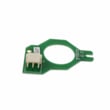


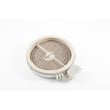
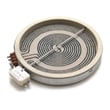
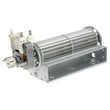
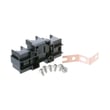
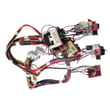
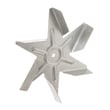

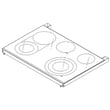
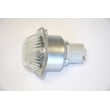

How to order GE appliance parts?
You can order replacement parts for your GE CES750P2M1S1 slide-in electric range directly from the parts list for this model on Sears PartsDirect. Match the part to your exact model number and the correct diagram location, then place your order and keep your serial number handy for reference.
What we recommend before you order
- Confirm the model number is CES750P2M1S1 (use the rating label on the range).
- Use the diagrams to identify the exact part name and part ID.
- Compare your old part to the listing (connectors, mounting points, size).
- Review safety and access steps in the owner's manual.
- If the repair involves wiring, shut off power at the breaker before inspecting.
Common CES750P2M1S1 parts customers order
These are examples of parts available for this model; choose the one that matches your symptom.
| Symptom | Part to check | Part ID |
|---|---|---|
| Oven temperature seems off | Temperature sensor | WB23X5340 |
| Surface burner not heating | Radiant surface element (5-1/2-in) | WB30T10145 |
| Oven door not sensing closed | Oven door switch | WB24X27550 |
| Cooling fan issues or related errors | Cooling fan sensor board | WB27X28659 |
Tips to avoid ordering the wrong part
- Order by part ID, not just a description (many parts look similar).
- If your range has multiple surface elements, verify the diameter and whether it is single, dual, or triple.
- For control and touch components, confirm the exact assembly; these are often model-specific.
- If you are replacing an electrical part, take a photo of wire locations before disconnecting.
Why it matters
Using the exact CES750P2M1S1 model parts list helps ensure fit and compatibility, especially for electrical components like a control board, sensor, or surface element. That reduces repeat repairs and prevents installation issues.
Last updated: February 2026
Why does my GE stove work but not the oven?
If the cooktop works but the oven on your GE CES750P2M1S1 does not, the most common causes are a power supply issue (tripped breaker), controls that are not set correctly, or a special mode like Sabbath Mode being enabled. Start with the quick checks in the owner's manual.
Quick checks (most fixes take 5 minutes)
- Confirm the range is fully plugged into a live, properly grounded outlet.
- Check your home electrical panel; reset the circuit breaker or replace a blown fuse.
- Re-select a cooking mode (Bake or Convection Bake), set a temperature, then press Start.
- Make sure Sabbath Mode is turned off (it can make the oven appear not to work).
- If the clock and timer are also dead, treat it as a power issue first.
What to check next if the oven still will not heat
If the display works and you can start a cycle but there is no heat, focus on components that control or regulate oven temperature.
- If the oven temperature seems inaccurate (too hot or too cold), calibrate the oven temperature setting.
- If the oven will not maintain temperature, a failed temperature sensor is a common cause.
- If the oven shuts down or behaves erratically, an electronic control problem is possible.
Common parts related to “oven not heating” symptoms
| Symptom | What it often points to | Example part for this model |
|---|---|---|
| Oven heats poorly or temperature swings | Temperature sensing issue | GE wall oven temperature sensor WB23X5340 |
| Oven functions act inconsistent or unresponsive | Control/electronics issue | Range oven control board WB27X32101 |
Why it matters
On a slide-in electric range like the CES750P2M1S1, the cooktop and oven can be on different circuits or controlled differently. That is why a cooktop that works does not guarantee the oven is getting the power and control signals it needs to heat safely and correctly.
Last updated: February 2026
How to reset GE electric stove?
For your GE CES750P2M1S1 slide-in electric range, the most reliable reset is a power reset: turn the range off, disconnect power at the breaker for at least 30 seconds, then restore power and re-set the clock. This clears many control glitches and “function error” conditions.
Quick reset options (start here)
- Cancel/Off reset: Press Cancel/Off to stop a cooking mode, then set the clock again if it’s flashing.
- Breaker reset (recommended): Turn the range breaker OFF for 30 to 60 seconds, then turn it back ON.
- Outlet check: If your model is plugged in, make sure the plug is fully seated in a live, grounded outlet.
- Sabbath Mode check: If the oven seems unresponsive, confirm it is not in Sabbath Mode.
- After a power outage/surge: Reset the clock; if the oven was running, press Cancel/Off and re-enter your cooking settings.
Step-by-step: hard reset at the breaker
- Turn all surface elements and the oven OFF.
- Switch the range circuit breaker OFF.
- Wait at least 30 seconds (we use 60 seconds if the display was frozen).
- Switch the breaker ON.
- Set the clock and test Bake and a surface element.
For control and special feature details specific to this model, use the owner's manual.
If the problem comes back right away
A repeating “function error” after a reset usually points to a control, wiring, or sensor issue.
Common checks we use:
- If the display powers up but keys do not respond, inspect the touch/control area for stuck keys or moisture.
- If the oven heats erratically or throws temperature-related errors, the oven temperature sensor circuit is a common suspect.
- If the cooktop shuts down or changes power unexpectedly, let the internal fan cool the cooktop and confirm cookware is flat and centered.
Parts that commonly relate to reset-type symptoms (if diagnosis confirms)
| Symptom | What we check | Example part for CES750P2M1S1 |
|---|---|---|
| Repeating function errors | Main control and connections | Range oven control board WB27X32101 |
| Temperature issues | Sensor and harness | GE wall oven temperature sensor WB23X5340 |
| Cooling/fan-related shutdowns | Cooling fan sensing/control | Range cooling fan sensor board WB27X28659 |
Why it matters
A proper power reset clears the control’s temporary memory after a surge or glitch. If the error returns immediately, resetting helps confirm the issue is not just a one-time power event and guides you toward the right electrical or control-board diagnosis.
Last updated: February 2026
How do I find the right GE part number?
For your GE slide-in electric range model CES750P2M1S1, the right part number comes from matching the exact model number to the parts diagram and then confirming the part name and ID before ordering. Start with the model tag, then use the parts list for CES750P2M1S1 and your owner's manual.
Step-by-step: find the correct part
- Confirm the model number is CES750P2M1S1 (use the appliance model tag, not the box or receipt).
- Identify the system you are repairing: cooktop surface element, oven temperature sensing, door/latch, control panel, or wiring.
- Use the model-specific parts diagram to locate the part by location and description.
- Match the listing details: part name, part ID, and any size notes (for example, 5-1/2-in elements).
- Compare your symptoms to the part’s function before ordering.
- If multiple similar parts appear, match by where it mounts and what it connects to (wire terminals, harness plugs, brackets).
Common CES750P2M1S1 parts customers mix up
These examples show how specific the part ID needs to be on this model:
| What you are fixing | What to look for | Example part on this model page |
|---|---|---|
| Small surface burner not heating | Element size and style | Range radiant surface element, 5-1/2-in WB30T10145 |
| Dual burner not switching sizes | Dual element configuration | Range dual radiant surface element WB30T10135 |
| Oven temperature seems off | Sensor vs. control issue | GE wall oven temperature sensor WB23X5340 |
| Door won’t detect open/closed | Door switch alignment | Range oven door switch WB24X27550 |
Quick checks before you order
- Unplug the range or switch off the breaker before inspecting wiring or terminals.
- Look for obvious damage: burned terminals, loose spade connectors, or pinched harness sections.
- If you are troubleshooting electrical parts, use a meter correctly (continuity and resistance checks).
- For smart/connected features, follow the setup steps in the owner's manual so you do not mistake a connectivity issue for a failed control.
Why it matters
GE parts are model-specific; using the exact CES750P2M1S1 parts list prevents ordering a look-alike component that fits differently, has different terminals, or is rated for a different burner or control configuration.
Last updated: February 2026




