Owner’s manual
 Error Codes



What is the most common problem with Samsung refrigerators ice?
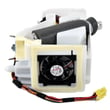
The most common ice problem we see on Samsung refrigerators like model RF28K9070SR is the ice maker and dispenser area freezing up or building up ice, which can jam the auger, slow ice production, or stop dispensing. This usually ties back to airflow, moisture intrusion, or restricted water flow; check the owner's manual for model-specific ice maker checks and reset steps.
What typically causes ice to stop or freeze up
- A clogged or overdue refrigerator water filter DA29-00019A that restricts flow
- Low household water pressure to the refrigerator
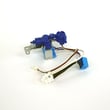
- A sticking or weak refrigerator water inlet valve DA62-04027A that does not fill correctly
- Warm, humid air leaking in from door alignment or gasket sealing issues
- Ice clumps in the bin that overload the auger and stall dispensing
- Freezer temperature set too warm (soft ice that clumps) or too cold (excess frost)
Quick checks we recommend first (no tools)
- Dump the ice bin, rinse and fully dry it, then reinstall.
- Confirm the freezer is set near 0°F and the fresh food section near 37°F.
- Make sure the ice bin seats fully and the door closes tightly every time.
- Replace the water filter if it is older than 6 months.
Symptoms and the most likely fix
| What you notice | Most likely cause | What to do next |
|---|---|---|
| No ice, water dispenser also weak | Restricted water supply | Replace filter; verify supply valve is fully open |
| Ice maker makes small/hollow cubes | Low fill volume | Check filter and inlet valve |
| Ice dispenses slowly or not at all | Ice clumps or auger jam | Clear bin; inspect auger drive components |
| Frost/ice around ice room area | Moisture intrusion | Check door closing, bin fit, and airflow paths |
Why it matters
When water flow is restricted or moisture gets into the ice area, the ice maker can underfill, freeze up, and strain dispenser components. Addressing filter, water supply, and sealing early helps prevent repeat jams and protects the auger and ice container.
For step-by-step troubleshooting, we also recommend why your Samsung fridge stopped making ice and how to fix it.
Last updated: February 2026
What's the lifespan of a bottom freezer fridge?
Most bottom-freezer refrigerators, including Samsung bottom-mount models like RF28K9070SR, typically last 15 to 20 years with normal household use and routine maintenance. Keeping airflow clear, temperatures stable, and the water system maintained helps you reach the upper end of that range.
Typical lifespan and what changes it
A refrigerator’s life is mostly driven by compressor run time, heat removal, and how hard the sealed system has to work.
- 15 to 20 years is the normal lifespan range for bottom-freezer and French door designs
- Frequent door opening, warm kitchens, and overpacking can shorten lifespan
- Dirty condenser areas and restricted airflow increase wear on the compressor and fans
- Water and ice issues (leaks, clogs, slow fill) can create secondary damage if ignored
Maintenance that extends life
Use these habits to reduce strain on the cooling system and prevent common failures.
- Set fresh food to about 37°F and freezer to about 0°F
- Keep vents inside the cabinet unblocked (avoid packing food tight against vents)
- Clean spills quickly and keep door gaskets clean so doors seal fully
- Replace the water filter on schedule; a clogged filter can reduce water flow to the dispenser and ice maker
- Address puddles or frost buildup early so the unit does not run excessively
Helpful reference
- Follow the care and maintenance guidance in the RF28K9070SR owner's manual
Common “end-of-life” repairs (what you’ll notice)
These symptoms often show up as a refrigerator approaches a major repair decision.
| Symptom | Common area involved | What it can lead to |
|---|---|---|
| Warm fridge or freezer | Sealed system, fans, sensors | Food spoilage, nonstop running |
| Loud buzzing or clicking | Compressor start/run, condenser fan area | Intermittent cooling |
| Water leaking or ice clumping | Drain system, water/ice system | Floor damage, ice maker issues |
| Temps swing up and down | Temperature sensing/airflow | Freezer burn, thawing |
Why it matters
A bottom-mount refrigerator is a high-use appliance; planning around a 15 to 20 year lifespan helps you decide when maintenance (like filter changes) is enough versus when a major repair (such as a compressor-related issue) is no longer cost-effective.
Last updated: February 2026
How do I find the model number on my RF28K9070SR?
Your Samsung refrigerator’s model number is printed on the rating label; on RF28K9070SR units, it’s typically inside the fresh food compartment on a side wall or near the ceiling. Use the full model and version (often shown after a slash) when ordering parts.
Where to look on the refrigerator
Check these common rating-label locations first:
- Inside the refrigerator section on the left or right side wall (often near the crisper drawers)
- On the ceiling of the fresh food compartment
- On the door frame area behind the left door (hinge side)
- Behind the toe grille area at the bottom front (less common)
- On the back exterior panel (least convenient, but possible)
If you see multiple numbers, use the one labeled Model (not the serial number).
What the model number should look like
Samsung model labels often show a base model plus a version code. For example:
| Label item | What it means | Example format |
|---|---|---|
| Model | Base model identifier | RF28K9070SR |
| Version | Engineering/version suffix | /AA-01 |
| Serial | Unique unit identifier | (varies) |
For parts compatibility, we use the full model with version, such as RF28K9070SR/AA-01.
Why it matters
Samsung refrigerators can have small design changes by version; using the complete model and version helps ensure the correct fit for items like a water filter, ice maker components, or control boards.
Helpful reference
The label location and identification details are also covered in the RF28K9070SR owner's manual.
Last updated: March 2026