 Owner’s manual
 Error Codes




How do you reset a Kenmore electric stove?
To reset a Kenmore electric range model 9119354590, we restore power and then re-set the clock and any cooking settings. After a power interruption, the display typically flashes “12:00”, and the oven control knob should be set to OFF before restarting operation (see the 9119354590 owner's manual).
- Turn the OVEN CONTROL KNOB to OFF.
- Shut off power to the range at the circuit breaker (or unplug if accessible).
- Wait 60 seconds.
- Restore power.
- Press CLOCK and set the time if the display is flashing “12:00”.
- Test Bake and Broil to confirm normal heating.
Your control uses function error codes. If the display beeps continuously and flashes F plus a number:
- Write down the full code (example: F1, F3, etc.).
- Press CLEAR/OFF.
- Let the oven cool for 1 hour.
- If the code returns, disconnect power again and schedule service.
| What you see on the display | What it usually means | What we do |
|---|---|---|
| “12:00” flashing | Power was interrupted | Set clock, reselect cooking mode |
| Beeping + “F” code | Control detected a fault | Clear, cool 1 hour, then service if repeated |
| No display at all | No power to range | Check breaker, cord, and outlet |
A proper reset clears a “stuck” control state after a power failure and prevents the oven from trying to resume operation with the knob in the wrong position. It also helps you identify when the issue is a true control fault (an F-code) versus a simple power interruption.
Last updated: February 2026
Where is the model number on a Kenmore electric range?
On a Kenmore electric range like model 9119354590, the model number and serial number are typically on a rating label around the oven door opening (door jamb) or on the frame behind the lower storage drawer. Use the 9119354590 owner's manual to confirm the exact label location for your range.
- Door jamb area: open the oven door and look along the frame
- Storage drawer area: pull the bottom drawer out and look on the frame rails
- Back panel: near the power cord entry or rear cover
- Side panel edge: near the lower side trim (less common)
- Turn the range light on and use a flashlight.
- Open the oven door; scan the left and right door jamb.
- Pull the bottom drawer fully out; look on the frame behind it.
- Write down both the model and serial numbers exactly as shown.
| What you’ll see | Why it matters |
|---|---|
| Model number (example: 9119354590) | Ensures parts match your exact Kenmore range |
| Serial number | Helps identify production run details for service |
| Electrical ratings | Confirms correct power requirements |
Kenmore ranges often have similar-looking cooktops and oven doors across multiple models. Using the exact model number helps us match the correct bake element, surface element control switch, oven door hinge, and other range parts the first time.
Last updated: February 2026
Why is my Kenmore electric oven not working?
If your Kenmore 9119354590 electric oven is not working, start by checking for a power interruption and any control error code. If the cooktop works but the oven will not heat, the most common causes are an incorrect control setting, a heating circuit problem, or a failed oven heating element.
- Confirm the range has power (check the household breaker or fuse).
- If the display shows an “F” code and beeps, press CLEAR/OFF, let the range cool for 1 hour, then try again.
- Make sure the oven control is set correctly and the oven control knob is not left in OFF.
- If the clock is flashing 12:00 after an outage, reset the clock and reselect your bake or broil setting.
- If the oven heats unevenly (not totally dead), verify rack position and preheat time.
| What you see | What it points to | What to do next |
|---|---|---|
| Cooktop works, oven does not heat | Oven control set incorrectly or an oven heating circuit issue | Recheck settings; then test bake/broil heat |
| Display flashes “F” + number, oven stops | Control detected a function error | Clear the code; cool 1 hour; retry |
| Range totally inoperative | No power to range | Check breaker, cord, and outlet |
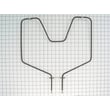
If the oven will not bake, a failed bake element is a top suspect. On this model, the bake element is a serviceable part.
- Inspect the bake element for blisters, cracks, or burn spots.
- If you have a multimeter, test the element for continuity with power disconnected.
- Replace the element if it fails continuity or shows visible damage.
Helpful part reference: g.e. range bake element WB44K5012
An oven that will not heat is often a simple power, control, or heating-element issue. Doing the quick checks first helps you avoid unnecessary parts replacement and gets your Kenmore range back to safe, consistent baking temperatures.
For model-specific control features, indicator lights, and troubleshooting steps, use the 9119354590 manual.
Last updated: February 2026




