Owner’s manual
 Error Codes
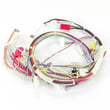



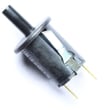


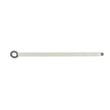
How to replace LG oven temperature sensor?
On the LG LRE3194ST electric range, replacing the oven temperature sensor is usually a straightforward swap: remove the sensor from inside the oven, disconnect the wire connector (often reached from the rear), then reconnect and reinstall the new sensor. Use the LRE3194ST manual for safety and access details.
Before you start
- Turn off power at the circuit breaker; this range uses 240V.
- Let the oven cool completely.
- Protect the floor and pull the range out carefully if rear access is needed.
- Have a Phillips screwdriver and a 1/4-in nut driver ready.
- Use the correct replacement part: range oven temperature sensor EBG61305805.
Step-by-step: replacing the oven temperature sensor
- Disconnect power at the breaker.
- Remove the sensor mounting screws inside the oven (sensor is typically on the rear wall).
- Gently pull the sensor forward a few inches to expose the wire leads.
- Disconnect the wire connector.
- On many installations, the connector can slip back through the opening.
- If you cannot reach it from the oven cavity, remove the rear access cover/panel to reach the connector.
- Connect the new sensor to the harness connector.
- Reposition the sensor and secure it with the mounting screws.
- Restore power and test Bake at a set temperature.
Quick troubleshooting after replacement
| Symptom | What it often means | What to check |
|---|---|---|
| Oven still too hot/too cold | Calibration issue or another fault | Try temperature adjustment in the control settings; see the manual |
| Error code or beeping | Control detected a fault | Recheck the connector seating and wiring |
| No heat | Not always the sensor | Check bake element and power supply |
Why it matters
A failed or out-of-range oven temperature sensor can cause inaccurate baking temperatures, longer preheat times, and error codes. Replacing the sensor restores proper temperature feedback to the oven control.
Last updated: January 2026
How do I reset my LG electric stove?
To reset your LG electric range LRE3194ST, press Clear/Off to cancel any active cooking cycle, then do a power reset by switching the range’s circuit breaker OFF for 1 minute and back ON. After power returns, set the clock and verify operation using the steps in the LRE3194ST manual.
Reset options for LRE3194ST
- Cancel cooking or clear an error tone: Press Clear/Off once.
- Turn Lockout on/off: Press and hold Clear/Off for 3 seconds.
- Hard reset (best for control glitches): Breaker OFF 1 minute, then ON.
- After a power interruption: Reset the clock; a flashing time is normal.
If the oven still will not heat after resetting
A reset clears the control logic, but it will not fix a failed heating component. If Bake still does not heat, these are common areas to check on LRE3194ST:
- Confirm the range has full power (a tripped breaker can leave the unit partially powered).
- Start Bake at 350°F and allow time to preheat.
- If there’s no heat, inspect the bake element for visible damage.
- If temperatures are inaccurate or inconsistent, the oven sensor may be out of range.
Parts that commonly relate to “no heat” symptoms
| Symptom | What to check | Model-compatible part |
|---|---|---|
| Oven will not heat in Bake | Bake heating circuit | Range bake element MEE62306405 |
| Oven temperature inaccurate or erratic | Temperature sensing | Range oven temperature sensor EBG61305805 |
Why it matters
Resetting is the fastest way to clear stuck keypad inputs and control glitches after a power event. If the oven still will not heat, checking the bake element and sensor helps pinpoint the failure so you replace the right part.
Last updated: January 2026
What other error codes are common on LG ovens?
For the LG LRE3194ST electric range, the error codes we can confirm from the model’s troubleshooting information are F-3 (key short error) and F-9 (oven not heating). Other LG ovens may show additional codes, but the exact list varies by control design.
Error codes confirmed for LG LRE3194ST
These are the codes specifically called out for this model:
- F-3: key short error (a stuck key or a short in the keypad/control circuit)
- F-9: oven not heating
- Any “F” code with beeping: the electronic control detected a fault; clear it and see if it returns
For the full troubleshooting section and operating details, use the LRE3194ST owner’s manual.
What to do when an “F” code appears
Try these steps before planning a repair:
- Press Clear/Off to stop beeping and clear the display
- Set Bake again and retest
- If the code returns, write down the exact code and when it happens (preheat, bake, broil, self-clean)
- Reset power at the breaker for about 1 minute, then retry
- If the oven is hot (especially after self-clean), let it cool and test again
Quick reference (this model)
| Code | Meaning on LRE3194ST | What we check first |
|---|---|---|
| F-3 | Key short error | Stuck key, moisture/grease on control panel, wiring to control |
| F-9 | Oven not heating | Bake heating circuit, wiring connections, control switching |
Parts that can relate to “oven not heating” (F-9)
If your LRE3194ST won’t heat or keeps showing F-9, these model-matched parts are commonly involved in diagnosis and repair:
- Range oven temperature sensor EBG61305805
- Range bake element MEE62306405
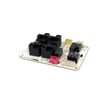
- Range oven relay control board EBR74164814
Why it matters
LG uses different electronic controls across range series, so an error-code list from another LG model may not match LRE3194ST. Sticking to the model-confirmed codes helps you troubleshoot faster and avoid replacing the wrong part.
Last updated: January 2026