Installation guide
 Owner’s manual
 Error Codes
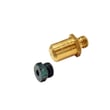



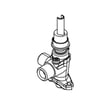
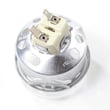


Does Maytag make gas ranges?
Yes. Maytag makes gas ranges, including the Maytag MGS8800FZ1 gas range; they are designed for everyday cooking with gas surface burners and a gas oven, and they use standard range safety features such as an anti-tip bracket.
What this means for your MGS8800FZ1
Maytag’s gas range lineup includes models like MGS8800FZ1, and the operating and safety information for this model is covered in the MGS8800FZ1 owner’s manual.
Common Maytag gas range features you can expect
- Gas surface burners with electronic ignition
- A gas bake/broil system (oven heat is produced by a gas burner)
- Burner caps and bases that must be seated correctly for reliable lighting
- Safety requirements such as using the anti-tip bracket
- Electronic oven controls for settings like clock and tones
Quick check: gas range vs. electric range
| Feature | Gas range (like MGS8800FZ1) | Electric range |
|---|---|---|
| Cooktop heat source | Gas flame | Electric element/induction |
| Oven heat source | Gas burner | Electric bake/broil elements |
| Common “won’t heat” suspect | Igniter, gas valve, burner | Element, relay, wiring |
Why it matters
Knowing you have a Maytag gas range helps you troubleshoot correctly. For example, if the oven will not heat, gas ranges often point to ignition and gas delivery components (not electric heating elements). If you are diagnosing an oven ignition issue, the range oven igniter WPW10324262 is one common service part used on this model.
Safety notes we follow during gas range setup and service
- Keep the anti-tip bracket installed and engaged any time the range is in place
- Use a proper shut-off valve and approved gas supply line
- Have gas conversions (Natural gas to Propane, or Propane to Natural gas) done by a qualified installer
Last updated: February 2026
What does f2eo mean on a Maytag stove?
On a Maytag MGS8800FZ1 gas range, the F2 E0 (often shown as F2EO) error points to a problem in the touch control system, most commonly the keypad/user interface, the electronic control, or the wiring between them. A quick power reset often clears a temporary glitch.
What to do first (safe reset and quick checks)
- Turn the range OFF.
- Flip the range circuit breaker OFF for 1 minute, then turn it ON.
- Watch the display for about 1 minute to see if the code returns.
- If the display is blank, press any keypad to wake it (Energy Save can blank the display).
- If the code returns immediately, avoid repeated resets; focus on keypad and control checks.
What usually causes F2 E0 on this model
F2 E0 is typically triggered when the control senses a stuck key, a keypad communication issue, or an internal control fault.
| Likely cause | What you may notice | Common next step |
|---|---|---|
| Keypad/user interface issue | Beeping, random inputs, keys not responding | Inspect keypad ribbon/connection; replace keypad if needed |
| Electronic control issue | Code returns after reset, oven functions act erratic | Replace control if keypad checks good |
| Wiring/connector problem | Intermittent code, changes when panel is touched | Reseat connectors; repair damaged wires |
Parts that are commonly involved
If troubleshooting points to a failed control-panel input or control board, these model-specific parts are commonly replaced:
- Keypad W11025616 (touch keypad input)
- Electronic control W11050556 (main oven control)
Why it matters
When the control cannot reliably read the keypad, the range may disable baking or behave unpredictably. Fixing the root cause restores normal oven operation and helps prevent repeat shutdowns.
For control locations, keypad functions, and any model-specific diagnostics, use the MGS8800FZ1 user manual.
Last updated: February 2026
What if I can't find my part on Sears PartsDirect?
If you cannot find a part for your Maytag MGS8800FZ1 gas range, start by confirming the exact model number and then use the parts diagrams and accessory lists to match the part by name and location; if it still does not show up, we can help you identify the correct replacement.
Quick checks that usually solve it
- Match the model number exactly: MGS8800FZ1 (letters and numbers matter).
- Use the exploded-view diagrams in the MGS8800FZ1 installation guide to identify where the part sits (anti-tip bracket area, gas supply area, rear panel, etc.).
- Check the accessory list in the MGS8800FZ1 owner’s manual for items that are ordered separately (trim kits, racks, backsplash kits).
- Search by the manufacturer part number if you have it (from the old part label, manual, or install sheet).
- Try alternate wording for the same item (example: “igniter” vs “oven burner igniter”).
Common “missing part” situations (and what to do)
| Situation | What it means | Best next step |
|---|---|---|
| Part is listed in the manual as an accessory | It may not appear in the main functional parts list | Search by the accessory part number from the manual |
| Part name is different than expected | Manufacturers use specific naming | Search by function (example: “spark module”, “cooling fan assembly”) |
| You need a conversion or install-only item | Some items are referenced in install instructions | Use the install guide list, then search by part number |
| You are unsure which component failed | Multiple parts can cause the same symptom | Confirm the failure with basic checks before ordering |
Parts we commonly help customers identify on this model
These are examples of parts that are often searched under different names:
- Range oven igniter WPW10324262 (often searched as “bake igniter”)
- Range oven burner igniter WPW10333842 (often searched as “gas igniter”)
- Spark module (red) WPW10475149 (often searched as “ignition module”)
- Cooling fan assembly W11107275 (often searched as “oven cooling fan”)
Why it matters
Using the exact Maytag MGS8800FZ1 model number and matching the part by diagram location prevents ordering a look-alike part that will not fit, especially for gas components like an igniter, gas valve, or spark module.
Last updated: February 2026