Owner’s manual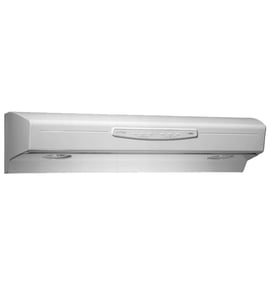



What are the parts of a range hood called?
On the Kenmore range hood model 23352053002, the main parts are the hood body (canopy), the blower system (motor and fan blade), the controls (fan and light switches/knobs), the lighting components, and the filters and baffles that capture grease and direct airflow. See the 23352053002 owner's manual for the exact parts breakdown.
Common range hood parts and what they do
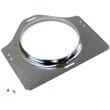
- Hood canopy (housing): the metal body that captures smoke and steam
- Vent system (ducting or recirculation path): routes air outside or back into the kitchen
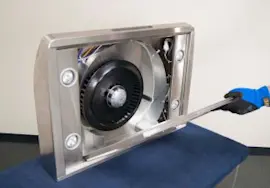
- Blower assembly: moves air; typically includes a motor and fan blade
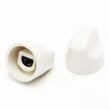
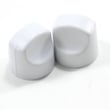
- Controls: fan speed switch, light switch, and control knobs
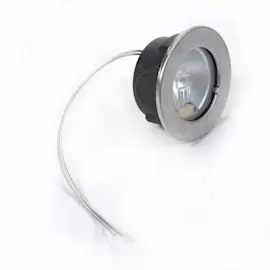
- Lighting: lamp area and related components that illuminate the cooktop
- Grease filtration: grease filter and baffle plates that trap grease before air reaches the blower
Parts you can replace on model 23352053002
These are common service parts for this Kenmore hood:
| Part name (as listed) | Part ID | What it affects |
|---|---|---|
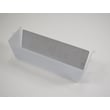
| Range Hood Grease Filter | S99010316 | Grease capture, airflow restriction when clogged |
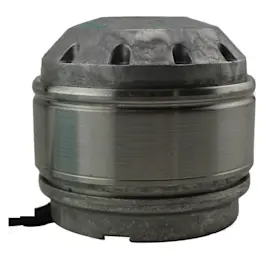
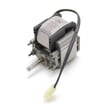
| Motor (gray) | 99080667 | Fan power, airflow, humming/no-start issues |
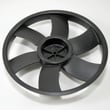
| Fan Blade | SR531076 | Air movement, vibration, noise |
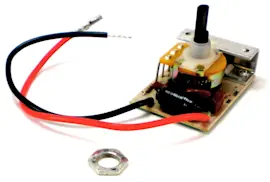
| Range Hood Fan Switch | SR99030319 | Fan speeds, fan not turning on |
| Range Hood Light Switch | SR561138 | Lights not turning on/off |
How to identify the right part name for what you see
We recommend matching by function and location first, then confirming in the diagram:
- If it traps grease, it is usually the grease filter or a baffle
- If it spins, it is the fan blade (impeller)
- If it hums or won’t start, the issue is often the motor or fan switch
- If the lights fail but the fan works, check the light switch and lamp area
Why it matters
Using the correct part name helps you order the right replacement and troubleshoot faster. For example, a dirty grease filter can reduce airflow, while a worn fan blade can cause loud vibration even when the motor is still good.
Last updated: February 2026
Why is my range hood fan not working but light is?
If your Kenmore range hood model 23352053002 light works but the fan will not run, the hood is getting power but the fan circuit has a separate failure. The most common causes are a bad fan switch, a failed motor, a loose wire connection, or a stuck fan blade.
Quick checks we recommend first
- Turn power off at the breaker before opening the hood (the 23352053002 owner's manual covers safe servicing basics).
- Confirm the fan knob actually clicks through speeds; a worn knob can slip on the switch shaft.
- Remove the grease filter and check for heavy grease buildup that can drag the blower.
- Spin the fan blade by hand; it should turn freely without scraping.
- Look for a loose wire connector at the fan switch or motor.
Most likely failed parts (and what they do)
| Symptom | Most likely cause | What to check next |
|---|---|---|
| Fan does nothing on any speed | Failed fan switch | Test/replace the range hood fan switch SR99030319 |
| Hums but will not start | Weak motor or stuck blade | Check blade for rubbing; consider the motor (gray) 99080667 |
| Runs but airflow is weak | Grease restriction or baffle issue | Clean filters; verify baffle plates are seated |
| Intermittent fan | Loose wiring or failing switch | Inspect connectors; replace switch if heat-damaged |
Step-by-step troubleshooting (basic DIY)
- Kill power at the service panel.
- Access the switch and motor area (typically behind the filter and lower cover).
- Inspect the fan blade for wobble, cracks, or rubbing; replace if damaged.
- Check wiring connections for discoloration, looseness, or corrosion.
- Test the fan switch for continuity in each speed position; replace if it fails.
- If the switch tests good, test the motor windings for continuity; replace the motor if open/shorted.
Why it matters
A fan that is not running cannot remove heat, smoke, and grease effectively. Grease buildup and restricted airflow also increase noise and can shorten motor life, so fixing the fan circuit and keeping filters clean helps the hood perform as designed.
Last updated: February 2026
How to find range hood model number?
On Kenmore range hood model 23352053002, the model number is printed on the appliance’s specification label. Most often, you will find that label on the top of the hood, on the underside, or behind the grease filter; confirm the exact location using the 23352053002 owner's manual.
Where to look first (fastest checks)
- Behind the grease filter: remove the filter and look on the inner frame or side wall.
- Underside of the hood: check near the light lens, fan intake, or control area.
- Top of the hood: if you can safely access above the hood, look for a label on the top panel.
- Inside the wiring cover area: some labels are near the wiring compartment cover.
- Side panels (inside): look along the left or right interior walls.
What the label usually includes
| Label item | What it helps with |
|---|---|
| Model number | Ensures you get the correct Kenmore parts list and diagrams |
| Serial number | Helps date the unit and confirm production details |
| Electrical rating (often 120 VAC) | Helps match switches, motors, and wiring connections |
Tips to read the label clearly
- Turn the hood light on, or use a flashlight.
- Wipe grease lightly with a damp cloth so the print is readable.
- Take a photo before reinstalling the filter.
- Write the model number exactly as shown (all digits).
Why it matters
The model number is the key to ordering the correct range hood parts (like a fan switch, motor, or grease filter) and following the right wiring and mounting instructions. Using the correct model number prevents mismatched parts and repeat repairs.
Last updated: February 2026