




How to clear F8 error on Whirlpool dishwasher?
On a Whirlpool dishwasher like model DU800CWDB1, an F8-type error is commonly tied to a water issue (overfill, leak into the base, or a float/level sensing problem). We clear it by removing standing water, correcting the cause (leak, suds, or float obstruction), then resetting power.
Step-by-step: clear the error
- Turn off power at the breaker for 1 minute (safety first).
- Check the tub for excess water and bail out if needed.
- Inspect the float (usually a small dome in the tub floor area): lift it up and let it drop; it must move freely.
- Look for excessive suds (often from hand soap or too much detergent); run a rinse and drain cycle after suds subside.
- Check for leaks under the unit and around the door; correct the leak source before restarting.
- Restore power and run a short cycle to confirm the code stays cleared.
Parts that commonly relate to an F8 water issue
If the dishwasher is overfilling, not heating properly, or leaving water behind, these parts are often involved:
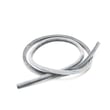
- Dishwasher drain hose WP3374077 (kinks, clogs, or poor routing can cause drain problems)
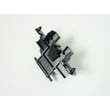
- Door latch WP3380854 (a door that is not fully latched can interrupt cycles and leave water behind)
- Heater WPW10082894 (heating helps reduce moisture and can affect how the unit manages water during the cycle)
Quick checks that prevent the code from coming back
- Confirm the drain hose routing has a high loop and is not pinched.
- Make sure the float area is clean (no labels, broken glass, or food debris).
- Use only automatic dishwasher detergent; avoid hand soap.
- Run hot water at the sink for 30 to 60 seconds before starting a cycle.
What to expect after you reset
| What you see | What it usually means | What to do next |
|---|---|---|
| Code clears and cycle runs | Temporary water/suds/float issue | Monitor for leaks and suds |
| Code returns quickly | Ongoing leak, drain restriction, or level sensing issue | Recheck float, drain path, and under-unit leaks |
| Water remains in tub | Drain problem | Inspect hose and sink/garbage disposal connection |
Why it matters
An F8 water-related error is the dishwasher protecting your kitchen from overflow or running with the wrong water level. Clearing the code without fixing the underlying leak, suds, or float issue usually makes the error return.
Last updated: February 2026
How to reset a Whirlpool DU800CWDB1 dishwasher?
To reset your Whirlpool DU800CWDB1 dishwasher, we recommend doing a simple power reset first (it clears many control glitches). If the control panel has multiple option buttons, you can also try a common Whirlpool keypad reset sequence to cancel the current cycle and reinitialize the control.
Quick reset methods (try in this order)
- Power reset: turn the dishwasher off at the breaker for 1 minute, then restore power.
- Cancel/Drain reset: press Cancel/Drain once; wait for the drain to finish.
- Keypad reset sequence (common on many Whirlpool models): press any 3 keys (not Start) in this pattern: 1-2-3, 1-2-3, 1-2-3 with no more than about 1 second between presses.
- If the dishwasher has a Heated Dry and Normal key, some versions use: Heated Dry, Normal, Heated Dry, Normal.
What you should see when the reset works
| Reset type | Typical result | What it fixes most often |
|---|---|---|
| Power reset | Lights reboot, cycle clears | Frozen control, random beeping, unresponsive keys |
| Cancel/Drain | Unit drains, returns to idle | Stuck cycle, water left in tub |
| Keypad sequence | Diagnostic or reset mode starts | Control logic glitches, cycle won’t start |
If it still won’t reset
- Make sure the door is fully latched; a weak latch can prevent the control from responding normally.
- Check for standing water; a drain problem can make it seem like the dishwasher is “stuck.”
- If buttons respond inconsistently, inspect the latch and door closure first, then consider control-related troubleshooting.
If you suspect the door is not closing or latching reliably, replacing the door latch WP3380854 often restores normal starting and reset behavior.
Why it matters
A proper reset clears a paused or confused control so the DU800CWDB1 can restart a wash cycle normally; it also helps you separate a simple control glitch from issues like a door-latch problem or a drain restriction.
For more Whirlpool-specific fault patterns after a reset, use our Whirlpool dishwasher error codes reference.
Last updated: February 2026
Where is the filter on Whirlpool DU800CWDB1?
On the Whirlpool DU800CWDB1 dishwasher, the filter area is in the bottom of the tub under the lower rack, around the sump (the low spot where water collects). Pull the lower rack out and look around the base of the lower spray arm for a screen or grate that covers the intake.
How to find it quickly
- Turn the dishwasher off and let the water cool if it just ran.
- Pull the lower dishrack all the way out.
- Look at the center-bottom of the tub, right under the lower spray arm.
- Check for a flat screen or grate over the sump area.
- If you see standing water and debris, the filter area is likely underneath that screen.
What you will see on this model (typical layout)
Many Whirlpool dishwashers in this series use a fixed screen or grate rather than a twist-out, removable filter. On DU800CWDB1, you will typically find one of these at the bottom:
| What you see | What it means | What to do |
|---|---|---|
| Flat screen or grate over the sump | Primary filtering screen | Rinse and wipe debris off the screen |
| Debris collecting near the sump | Food soil not clearing | Clean the screen area and check drain performance |
| No obvious twist-lock filter cup | Filter may be non-removable | Clean what you can access; avoid forcing parts |
Why it matters
A clogged filter or sump screen reduces water flow to the wash pump, which can cause poor cleaning, gritty residue, and sometimes draining problems.
Parts that commonly relate to filter-area issues
If cleaning the screen area does not help, these parts are often involved in bottom-of-tub performance problems:
- Dishwasher tub grate WP3369322 (protects the sump area from larger debris)
- Drain hose WP3374077 (can restrict draining if kinked or partially blocked)
- Impeller 4386996A (helps move water; wear can reduce circulation)
For step-by-step cleaning and maintenance habits that prevent buildup, use our guide: how to clean and maintain your dishwasher.
Last updated: February 2026







