 Installation guide
 Owner’s manual
 Error Codes




How long do JennAir wall ovens last?
A Jenn-Air wall oven like model JJW8530DDS typically lasts 15 years with normal household use and basic maintenance (keeping the door seal tight, not overheating the cabinet cutout, and replacing wear items like the oven light when needed). For care and operating tips, use the JJW8530DDS owner’s manual.
Typical lifespan and what affects it
Most wall ovens reach their full life when heat stays where it belongs (inside the oven cavity) and airflow stays open.
- Typical lifespan: 15 years
- Heavy use (daily high-heat cooking): closer to 12 to 15 years
- Light use (occasional baking): often 15 to 20 years
- Installation quality matters: correct cutout size and ventilation help prevent overheating
- Maintenance matters: a worn door gasket or failing cooling fan can shorten life
Parts that commonly determine “end of life”
These are the components that most often drive repair decisions on an older electric wall oven.
| Component | What you may notice | Common next step |
|---|---|---|
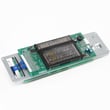
| Electronic control board | Dead display, erratic temps, buttons not responding | Diagnose wiring and replace control if needed |
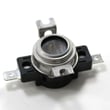
| Temperature sensor | Overbakes or underbakes, long preheat | Test sensor resistance, replace if out of range |
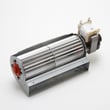
| Cooling fan | Oven shuts down, cabinet gets hot | Replace fan assembly |
| Door gasket | Heat leaks, poor baking results | Replace gasket |
How to help your JJW8530DDS last longer
Use these practical habits to reduce heat stress on the control area and wiring.
- Keep air exhaust slots along the bottom of the oven clear (do not block them).
- Avoid slamming the door; it stresses hinges and can damage glass.
- Replace a dim or failed light with the correct halogen bulb, such as range oven light bulb WP74009925.
- If baking seems inconsistent, check the sensor and airflow before assuming the control is bad.
- Follow the cabinet cutout and electrical requirements in the JJW8530DDS installation guide.
Why it matters
A wall oven’s biggest lifespan killer is excess heat in the wrong place. Correct installation clearances and a working cooling system protect the control board, wiring connections, and safety thermostats, which are typically the most expensive repairs.
Last updated: January 2026
Where is the model number on a JennAir wall oven?
On the Jenn-Air JJW8530DDS wall oven, the model number is typically printed on a rating label around the oven door opening. Check the frame area you can see when the door is open, then confirm the exact label location and wording in the JJW8530DDS owner's manual.
Most common label locations to check
Look in these spots first (with the oven door open):
- Along the left or right side of the oven frame (the vertical trim/frame the door closes against)
- Along the top front frame lip (just above the door opening)
- Along the bottom front frame lip (just below the door opening)
- On the oven door edge itself (less common, but possible)
- On the installation paperwork packet if it was saved (model and serial are often recorded there)
What the label looks like
The rating label is usually a small sticker or metal plate that includes:
- Model number (for example, JJW8530DDS)
- Serial number
- Electrical ratings (volts/amps)
- Manufacturer information
| What you need | Why it matters | Where it’s used |
|---|---|---|
| Model number | Identifies the exact oven version | Parts lookup, manuals |
| Serial number | Identifies production run details | Service, compatibility checks |
| Electrical rating | Confirms power requirements | Installation and troubleshooting |
Why it matters
Jenn-Air wall ovens can have multiple versions that look similar, and the model number is what ensures you get the correct parts (like a control board, door hinge, or temperature sensor) and the right installation specs.
Last updated: January 2026
Is there a reset button on a JennAir oven?
Jenn-Air wall ovens such as model JJW8530DDS typically do not have a dedicated “reset” button. Most “reset” situations are handled by canceling the current cycle, turning off Control Lock or Sabbath Mode, or power-cycling the oven at the breaker; details are in the JJW8530DDS owner's manual.
What to try first (safe, quick resets)
- Press CANCEL to stop an active Bake, Broil, or Clean cycle.
- Check Control Lock; if it is on, unlock it (many models use a press-and-hold action).
- Check Sabbath Mode; when it is active, prompts and beeps are deactivated and some features behave differently.
- If the display is frozen or the oven is unresponsive, turn the oven circuit OFF at the breaker for about 1 minute, then turn it back on and reset the clock.
- If a fault message returns after you clear it, stop using that feature and schedule service.
Common “it won’t start” causes that look like a reset issue
| Symptom | Most common cause | What to do |
|---|---|---|
| Buttons do not respond | Control Lock enabled | Unlock Control Lock (see manual steps) |
| No beeps, limited prompts | Sabbath Mode enabled | Turn off Sabbath Mode |
| Clean won’t run as expected | Sabbath Mode active or a fault during cleaning | Cancel, cool completely, wipe excess soil, then restart |
| Oven seems dead | Power interruption or tripped breaker | Power-cycle at breaker, then reset clock |
Why it matters
Many “reset” complaints are actually a mode setting (Control Lock or Sabbath Mode) or a safety condition after self-clean. Using the correct reset method prevents repeated fault codes and helps protect the control board and door latch system.
For operating modes, fault messages, and the exact button sequence for your control panel, use the JJW8530DDS owner's manual.
Last updated: January 2026
What is the F2 code on a JennAir wall oven?
On the Jenn-Air JJW8530DDS electric wall oven, an F2 code indicates the oven temperature is too hot (an over-temperature condition). The most common causes are a failing oven temperature sensor, a stuck heating relay on the control, or airflow and cooling issues that let heat build up.
What to do first (safe, quick checks)
- Press CANCEL/OFF to stop heating and let the oven cool.
- If the message clears, try a short Bake test at a moderate temperature.
- Confirm the oven door closes fully and the door gasket is sealing.
- Make sure you are not blocking the air exhaust slots along the bottom of the oven (important for proper cooling).
- If the code returns quickly, plan on troubleshooting the sensor and control circuit.
Most common causes of an F2 code
- Temperature sensor out of range (sensor resistance drifts and the control “thinks” the oven is hotter than it should be).
- Control board relay stuck closed (element keeps heating when it should cycle off).
- Cooling/venting problem (restricted airflow, failed cooling fan, or installation/cabinet cutout issues).
- Heavy soil during self-clean causing excessive heat and flare-ups; cancel, cool completely, wipe out excess soil, then retry.
Parts that commonly relate to F2 on JJW8530DDS
| Symptom | Likely area | Example part for this model |
|---|---|---|
| F2 during normal baking | Temperature sensing | Wall oven temperature sensor WP74008369 |
| Oven seems to run hot and fan is not moving air | Cooling/airflow | Wall oven cooling fan assembly WP74008383 |
| F2 repeats and heating seems uncontrolled | Electronic control | Control board (diagnosis required) |
Why it matters
An F2 code is the oven telling you it cannot regulate temperature correctly. Fixing the root cause protects the control, wiring, and insulation from repeated overheating and helps restore accurate baking and broiling performance.
For model-specific error message behavior and operating steps, use the JJW8530DDS owner’s manual. For venting and cabinet cutout requirements that affect cooling, use the JJW8530DDS installation guide.
Last updated: January 2026





