Installation guide
 Owner’s manual
 Error Codes



How do I reset the error code on my GE oven?
On the GE JB250DF3WW electric range, you can usually clear a flashing “F” error code by pressing Cancel/Off, letting the oven cool, and then doing a brief power reset at the breaker. If the code returns after reset, the range needs troubleshooting for the specific fault.
Quick reset steps (most common)
- Press Cancel/Off once to stop the current function.
- If the oven is hot, let it cool for about 1 hour (many function codes clear after a cool-down).
- Turn OFF the range circuit breaker (or unplug the range if accessible).
- Wait at least 30 seconds, then restore power.
- Set the clock if needed, then try Bake again.
- If the same code repeats, move to the checks below.
What to check if the code comes back
1) Confirm it is not in Sabbath mode
Sabbath mode can change how the display behaves and can make the clock appear blank. Use the steps in the JB250DF3WW owner’s manual to verify special feature settings.
2) Look for a control or keypad issue
If keys seem unresponsive, act “stuck,” or the code returns immediately, the problem is often in the control panel circuit.
| Symptom | What it often points to | What we recommend |
|---|---|---|
| Code returns right after power is restored | Control sensing a fault | Check wiring connections; consider control diagnosis |
| Buttons do not respond normally | Keypad/control input issue | Inspect for spills, moisture; dry and retry |
| Random beeping or erratic display | Control board problem | Plan for control board testing/replacement |
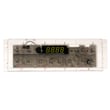
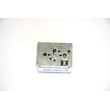
If you determine the control is failing, the model-specific replacement is the range oven control board WB27X45466.
Why it matters
Resetting clears temporary glitches, but repeated “F” codes usually indicate a real problem (control, wiring, or temperature sensing). Addressing it early helps prevent no-heat conditions, runaway heating, or interrupted cooking cycles.
For code definitions and model-family troubleshooting, we also use the GE freestanding range error codes guide to match the exact code to the most likely cause.
Last updated: February 2026
What are the most common issues with JB250DF3WW?
The most common problems we see on the GE JB250DF3WW electric range are surface elements not heating, the oven not baking or broiling evenly, the oven light not working, and power or display issues. Many of these trace to a failed heating element, light components, wiring connections, or the control board.
Common symptoms and what they usually point to
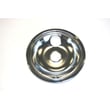
- One surface burner will not heat: failed coil element, poor connection at the receptacle, or a damaged drip pan area causing a loose fit
- Oven won’t bake or takes too long to preheat: weak bake circuit (often a heating issue) or temperature sensing/control problem
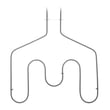
- Broil not working: failed broil unit or wiring issue
- No display or erratic controls: control board problem or loose/damaged harness connection
- Oven light out: burned-out bulb, failed socket, or damaged lens
- Burning smell or intermittent power: loose terminal block connections at the power cord
Quick checks we recommend first (safe, no tools)
- Confirm the range is getting full power (a range typically needs 240V for heating and 120V for lights/control).
- Reseat the coil surface element by lifting it slightly and pushing it firmly into the receptacle.
- Try a different burner position (swap elements) to see if the problem follows the element.
- Check that the oven door closes fully; a poor seal can cause long preheat and uneven baking.
- Review operating settings and indicator lights in the owner's manual.
Parts that commonly fix these issues
| Symptom | Common fix | Example part on this model page |
|---|---|---|
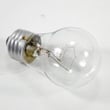
| Oven light not working | Replace bulb or socket | Range oven light bulb 40A15, range light socket WB08T10026 |
| Burner not heating | Replace coil element | Range coil surface element, 8-in WB30X24400, range coil surface element, 6-in WB30X24401 |
| Dead/erratic controls | Replace control board | Range oven control board WB27X45466 |
| Intermittent power | Repair terminal connections | Terminal block assembly 330031, range terminal block WB17T10011 |
Why it matters
Heating and power issues on an electric range can affect cooking performance and can also damage wiring over time. Catching a weak element, loose terminal block, or failing control board early helps prevent bigger repairs.
Last updated: March 2026
What is the code F3 on a General Electric oven?
On the GE JB250DF3WW electric range, an F3 code points to an oven temperature sensing problem (most often the oven temperature sensor circuit reading out of range). Start by canceling the error, letting the oven cool, and then resetting power; if the code returns, the sensor circuit or control can be the cause.
Quick reset steps (safe first checks)
- Press Cancel/Off to stop the function and clear the display.
- Let the oven cool for about 1 hour.
- Restore operation and see if the code returns.
- If it repeats, disconnect power for at least 30 seconds, then restore power.
- If the code comes back again, move to diagnosis and repair planning.
For the exact key sequence and model-specific guidance, follow the troubleshooting section in the JB250DF3WW owner’s manual.
What typically causes an F3 code
In most GE electric ranges, F3 is triggered when the control thinks oven temperature feedback is invalid.
Common causes include:
- Oven temperature sensor out of spec (drifted resistance)
- Loose or corroded sensor connector at the sensor or control
- Pinched or damaged wiring harness between sensor and control
- Control board input issue (less common, but possible)
What to check next (before ordering parts)
- Verify the oven is not still hot from a recent bake or self-clean.
- Inspect the sensor connector and harness for heat damage.
- If you have a multimeter, test the sensor resistance at room temperature (compare to the range in your manual).
- If wiring and sensor test good, the electronic control is the next suspect.
Parts that may be involved
| Symptom pattern | Most likely area | Example part for this model |
|---|---|---|
| F3 returns immediately after reset | Sensor circuit or control input | Range oven control board WB27X45466 |
| F3 appears intermittently while heating | Loose connection or harness issue | Wiring/connectors (inspect first) |
Why it matters
When the control cannot trust the temperature sensor signal, it cannot regulate bake or broil safely or accurately. Clearing the code without fixing the cause can lead to poor baking results and repeated shutdowns.
If you’re also seeing other “F-” codes, use the model-matched reference in GE freestanding range error codes to narrow the failure faster.
Last updated: February 2026