 Installation guide
 Owner’s manual
 Error Codes



How do I get my Kenmore oven out of lock mode?
To take your Kenmore range model 66595829003 out of lock mode, press and hold the OVEN keypad for 5 seconds. You will see “Loc OFF” on the display and the lock icon will disappear, which restores normal control panel operation (bake, broil, etc.). See the steps in the owner's manual.
Quick unlock steps (control lock)
- Make sure the oven is not running (no bake, broil, or clean cycle active).
- Press and hold OVEN for 5 seconds.
- Watch for “Loc OFF” on the display.
- Confirm the lock icon disappears.
- Test a cooking function (for example, BAKE then START/ENTER).
If the door is locked after self-clean
During a self-clean cycle, the door stays locked until the oven cools.
- Wait for the oven to cool completely.
- Look for “LOCKED” to disappear from the display.
- Press OFF/CANCEL to clear “End” if it appears.
- Then try the OVEN (hold 5 seconds) unlock method.
What you should see on the display
| Situation | What you see | What to do |
|---|---|---|
| Control lock is on | “Loc”, lock icon | Hold OVEN 5 seconds |
| Unlocking | “Loc OFF” | Release when it appears |
| Self-clean active/cooling | “LOCKED”, “CLEAN”, “HEAT” | Wait until cooled; door unlocks automatically |
Why it matters
Lock mode prevents unintended keypad presses. If you try to cook while the control is locked, the range will ignore most commands and may beep, which can look like a control failure when it is simply locked.
Last updated: February 2026
What was the size of the Kenmore 66595829003 oven?
For the Kenmore 66595829003 electric range, the installation dimensions are 29-7/8 inches wide, 46-7/8 inches overall height, and 27-1/8 inches deep with the handle (the cabinet-side depth shown is 24-13/16 inches). For the full set of clearances and cutout requirements, use the installation guide.
Quick dimensions (from the installation guide)
- Width: 29-7/8 in.
- Overall height: 46-7/8 in.
- Cooktop height: 36 in.
- Depth with handle: 27-1/8 in.
- Depth (cabinet side): 24-13/16 in.
Dimension table
| Measurement | Size |
|---|---|
| Width | 29-7/8 in. |
| Overall height | 46-7/8 in. |
| Cooktop height | 36 in. |
| Depth with handle | 27-1/8 in. |
| Depth (cabinet side) | 24-13/16 in. |
What to measure at home (so it fits the first time)
- Measure the cabinet opening width at the front and back.
- Measure depth to the wall and confirm you have room for the handle.
- Confirm countertop height and whether the range needs leveling.
- Check for required clearances to cabinets above and beside the cooktop.
- Make sure the range can be secured with the anti-tip bracket during installation.
Why it matters
Correct range dimensions and clearances prevent cabinet heat damage, reduce burn hazards, and help the oven door and handle clear nearby drawers, walls, and countertops.
Last updated: February 2026
Why is my Kenmore electric range not heating?
If your Kenmore electric range model 66595829003 is not heating, the most common causes are a tripped breaker or loose power connection, a failed bake or broil element, or a bad temperature-sensing component. Start with the power supply checks, then verify whether the bake and broil elements heat during a test cycle in the installation guide.
Quick checks first (no disassembly)
- Confirm the range is fully plugged in and the cord is seated firmly.
- Reset the house circuit breaker (electric ranges typically need a dedicated 240V circuit).
- If the display works but the oven will not heat, run a bake and broil test to see which element fails.
- Cancel any active special modes (timed settings or self-clean related lockouts can prevent normal operation).
- Make sure the oven door is fully closed.
What “normal heating” looks like on this model
During the installation test procedure, the oven should behave like this:
| Mode | What you should see | What it suggests if it does not happen |
|---|---|---|
| Bake | Bottom element glows red; upper element gets hot but usually does not glow | Likely bake circuit issue (element, wiring, control) |
| Broil | Upper element glows red | Likely broil circuit issue (element, wiring, control) |
Parts that commonly cause “no heat”
If power is good and one or both heating functions fail, these model-compatible parts are common fixes:
- Bake element WPW10308477 (if bake will not heat)
- Oven sensor WPW10181986 (if temperatures are erratic or the oven will not regulate heat)
Why it matters
An electric range can appear “on” (clock and lights working) while still missing the 240V heating supply or having a failed heating component. Identifying whether bake, broil, or both are affected helps you choose the right repair path and parts.
Last updated: February 2026
How do you reset a Kenmore electric stove?
To reset your Kenmore electric range model 66595829003, turn the range off, cut power at the breaker (or unplug it), wait 1 minute, then restore power. If the display shows PF after power returns, clear it and reset the clock as needed using the steps in the owner's manual.
Quick reset steps (power reset)
- Turn all surface element knobs to OFF.
- Press OFF/CANCEL to stop any oven function.
- Unplug the range or switch the range circuit breaker OFF.
- Wait 60 seconds (this clears many control glitches).
- Restore power.
- If PF appears, clear the display and set the clock.
What a reset fixes (and what it does not)
A power reset is most useful for control-panel glitches after a power interruption. If a heating problem remains after the reset, focus on the heating circuit and common failure parts.
| Symptom after reset | Most likely area to check | Common next step |
|---|---|---|
| Display shows PF | Power interruption memory | Clear message; set clock |
| Oven heats unevenly or wrong temp | Temperature sensing/calibration | Check calibration; test sensor |
| Bake does not heat | Bake heating circuit | Inspect element; check wiring |
| Cooktop element not heating | Surface element or control | Check element and switch |
If the oven still will not heat after resetting
We use these checks because the installation instructions describe normal operation: during BAKE, the bottom element should glow red and the upper element should get hot (but usually not glow). Use the installation guide to compare what you see.
- Start BAKE and confirm the HEAT/ON indicators come on.
- Look for the bake element to glow red after a few minutes.
- If bake stays cold, inspect the bake element WPW10308477 for visible damage.
- If temperatures are erratic, test the oven sensor WPW10181986.
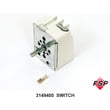
- If a surface element will not regulate heat, a failed range surface element control switch WP3148952 is a common cause.
Why it matters
A proper reset clears “stuck” electronic states after a power failure and helps you separate a simple control issue from a true part failure (like a bake element, oven sensor, or surface element switch).
Last updated: February 2026
What is the F1 code on a Kenmore range?
On a Kenmore range like model 66595829003, an F1 error code points to a problem the electronic oven control is detecting, most often a control-board fault; it can also be triggered by the oven temperature sensor circuit (sensor or wiring) sending an out-of-range signal. See the troubleshooting and error-code notes in the owner's manual.
What F1 usually means on this range
F1 is an electronic control error. In practical terms, it typically comes down to one of these areas:
- Electronic oven control (clock/control board) is failing or “seeing” a false input
- Oven temperature sensor circuit is out of range
- Loose, damaged, or overheated wiring/connectors between the sensor and control
- A stuck or shorted keypad/touch panel input (on models with a membrane-style keypad)
Quick checks we recommend (safe, no tools first)
- Press OFF/CANCEL to clear the display.
- If the code returns, turn off power at the breaker for 1 minute, then restore power.
- If PF appears after restoring power, press OFF/CANCEL to reset (the manual notes PF indicates a power failure and can be cleared with OFF/CANCEL).
If F1 comes back after a reset, move to the component checks below.
Parts that commonly fix an F1 condition
For model 66595829003, these parts are commonly involved:
- Oven sensor WPW10181986 (sensor circuit out of range)
- Wiring/connectors between the sensor and control (burnt, loose, or pinched)
- Electronic oven control (not listed in the parts shown here; check the full parts list for your model)
Symptom-to-likely-cause guide
| What you notice | Most likely cause | What to do next |
|---|---|---|
| F1 appears during preheat or baking | Sensor circuit drifting out of range | Inspect sensor wiring; consider replacing the oven sensor WPW10181986 |
| F1 appears immediately at power-up | Control or keypad input fault | Power reset; inspect console area for moisture/heat damage |
| F1 appears intermittently | Loose connection or failing control | Reseat connectors (power off); check harness routing |
Why it matters
When the control detects an invalid temperature signal or internal control error, it can stop heating to prevent overheating or unsafe operation. Fixing the root cause restores accurate temperature control for baking and broiling.
For model-specific keypad functions, tones, and how the control behaves after power interruptions, use the owner's manual.
Last updated: February 2026







