Error Codes







How to reset GE dryer heating element?
For the GE GTD65GBSJ4WS gas dryer, there is no “reset” button on the heating element; the practical reset is a power reset, then confirming airflow and heat controls are working. Turn the dryer off, shut off power for 1 minute, restore power, and run a timed dry cycle to check for heat.
- Unplug the dryer (or switch the dryer breaker off).
- Wait 60 seconds.
- Restore power.
- Start Timed Dry on High heat for 3 to 5 minutes.
- Check for warm air at the exhaust and normal drum tumbling.
On a gas dryer, “no heat” is usually airflow restriction or a failed heat-safety/control part, not something that can be reset.
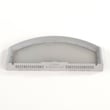
- Clean the lint screen and confirm it is seated correctly; replace a damaged screen such as the GE dryer lint screen WE03X23881.
- Inspect and clear the vent duct to the outside (crushed hose, lint clog, blocked hood).
- Listen for ignition: you may hear a click and a brief whoosh when the burner lights.
- If the dryer tumbles but never heats, common suspects include the igniter and thermostats.
- If heat starts then stops quickly, overheating from poor airflow can trip the high-limit thermostat.
| Symptom | Most likely area | Example part for GTD65GBSJ4WS |
|---|---|---|
| No ignition at all | Ignition system | Igniter WE04X25996 |
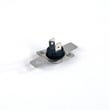
| Heats briefly then stops | Overheat protection / airflow | Dryer high-limit thermostat WE04X26138 |
| Poor temperature control | Temperature sensing | Dryer thermistor WE4M448 |
A restricted vent can make drying slow and can overheat the burner area, which can shut heat down and damage components. Restoring proper airflow often fixes “no heat” complaints and helps protect parts like the thermistor and high-limit thermostat.
Last updated: February 2026
Where is the thermal fuse on a GE GTD65GBSJ4WS?
On the GE GTD65GBSJ4WS gas dryer, the thermal fuse is typically mounted on the blower housing inside the cabinet, close to where the exhaust air leaves the drum area. You usually reach it by removing the front panel (and sometimes the drum) to access the blower housing.
In this GE-style cabinet layout, the thermal fuse is most often:
- Attached to the blower housing (near the lint chute and exhaust outlet)
- A small, flat plastic or metal-bodied fuse with 2 wire terminals
- Located near other safety or temperature-sensing parts (thermostat or thermistor)
- Positioned where it can sense overheating exhaust airflow
Before opening the dryer, we recommend these basics:
- Unplug the dryer from the outlet
- Shut off the gas supply valve to the dryer
- Let the dryer cool completely if it recently ran
- Take a photo of wire connections before removing any terminals
- Vacuum lint buildup around the lint chute and blower area while you are in there
A thermal fuse opens when airflow or temperature conditions become unsafe. Because it is protecting against overheating exhaust conditions, manufacturers commonly place it on or near the blower housing where airflow problems show up first.
If you are diagnosing a no-heat or no-run condition, these model-matched parts are commonly inspected along with the thermal fuse:
| Part | What it affects | When it is suspect |
|---|---|---|
| Dryer high-limit thermostat WE04X26138 | Overheat protection | Dryer overheats, heat cuts out |
| Dryer thermistor WE4M448 | Temperature sensing | Erratic temps, long dry times |
| Dryer heating element control thermistor WE4M398 | Temperature control feedback | Poor heat regulation |
| GE dryer lint screen WE03X23881 | Airflow | Lint bypass, weak airflow |
Replacing a blown fuse without correcting airflow usually leads to repeat failure. Focus on:
- Crushed or excessively long vent hose
- Clogged vent duct to the outside
- Lint buildup in the lint chute or blower wheel area
- Blocked exterior vent hood flap
Last updated: February 2026
Where to find part number on GE dryer?
On the GE GTD65GBSJ4WS gas dryer, we typically find the model and serial tag (where GE lists identifying numbers used to match parts) on the door opening area, either on the inside of the dryer door or on the door frame. Use that tag information to select the correct replacement part.
Check these common label locations first:
- Inside the dryer door (open the door and look along the inner panel)
- Door frame around the opening (especially the upper or side edge)
- Front panel just inside the opening (near the lint screen housing on some builds)
- Rear panel label (less common, but worth a quick check)
For GE dryers, the tag usually includes multiple identifiers. Here is how we use them:
| What you see on the tag | What we use it for | Example for your dryer |
|---|---|---|
| Model number | Confirms the exact dryer version | GTD65GBSJ4WS |
| Serial number | Helps identify production run (can affect part revisions) | Varies |
| Part number | Usually not printed as a single “part number” for every component | Not applicable |
Before you buy a replacement, we recommend:
- Write down the full model number exactly as shown (letters and numbers)
- Take a clear photo of the tag for reference
- Match the symptom to the correct component (belt, switch, igniter, thermistor)
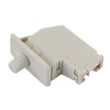
- If the dryer will not start, check the door switch first (example: dryer door switch WE04X28977)
- If the drum will not tumble, check the belt and idler system (example: dryer drum belt WE03X29897)
GE can use different part revisions across production runs, even within the GTD65GBSJ4WS model family. Using the model and serial information from the tag helps us match the correct GE dryer parts the first time.
Last updated: February 2026