



How do I clear the error code on my GE dishwasher?
On the GE PDT715SBN5TS dishwasher, most error codes clear after you reset the control and correct the condition that triggered the code. Start by canceling the cycle (Start/Reset) and letting the dishwasher drain; then restore power and run a new cycle to confirm the code is gone.
Quick ways to clear an error code
- Press and hold Start/Reset for about 3 seconds to cancel the cycle and initiate a drain.
- Wait for the drain to finish, then close the door and start a fresh cycle.
- If the code returns immediately, turn power off at the breaker for 5 to 10 minutes, then turn it back on.
- Check for a simple cause: door not fully latched, water supply turned off, or a blocked drain path.
- If the dishwasher is stuck mid-cycle, try canceling again after the door is fully closed and latched.
If the code keeps coming back (what to check next)
Many GE dishwasher codes are “symptom” codes; they return until the underlying issue is fixed. These checks solve the most common repeat-code situations:
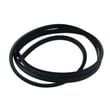
- Drain-related issues: Look for a kinked hose, clogged sink/disposer connection, or standing water. Consider inspecting the dishwasher drain hose WD24X10062.
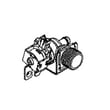
- Fill-related issues: Confirm the shutoff valve is open and the inlet screen is not restricted. The dishwasher water inlet valve WD15X26078 is a common fix when the unit will not fill.
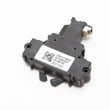
- Door/lock issues: If the unit beeps and will not run, the latch may not be sensing closed. Check the GE dishwasher door latch lock WD21X10490.
- Wash performance codes: Poor circulation can be caused by a jammed spray arm or debris in the sump area.
Common reset methods (what they do)
| Method | What it clears | When to use |
|---|---|---|
| Start/Reset cancel | Current cycle state | First step for most codes |
| Breaker reset (5 to 10 minutes) | Control board “reboot” | Code returns right away or keypad is unresponsive |
| Fix the root cause | The actual fault condition | Code repeats after resets |
Why it matters
Clearing the code without fixing the cause usually leads to repeat errors, incomplete draining, or poor cleaning. A quick reset is useful for a one-time glitch; repeat codes point to a door latch, fill, drain, or circulation problem.
For code definitions and model-family troubleshooting steps, use our GE electronic dishwasher error codes reference.
Last updated: January 2026
How to fix failure to drain on GE dishwasher?
A GE PDT715SBN5TS dishwasher that won’t drain is usually blocked by food debris in the sump area, a clogged drain path (hose, air gap, or disposal inlet), or a failing drain pump. We recommend clearing the drain path first; then test the pump if the unit hums but won’t evacuate water.
Quick checks (most common fixes)
- Cancel the cycle and let the drain run; listen for a steady pump sound.
- Remove standing water (cup or wet/dry vac) so you can see the sump area.
- Clear debris from the sump and any screens you can access.
- Check the sink drain/disposal inlet for a clog (and confirm the disposal knockout plug was removed if newly installed).
- Inspect the drain hose for kinks, crushing, or a low loop that can cause backflow.
Parts that commonly cause “won’t drain”
If the drain path is clear but draining is still weak or intermittent, these parts are common suspects:
- Dishwasher drain pump WD19X25461: pump motor or internal impeller damage.
- Dishwasher drain hose WD24X10062: internal blockage, collapse, or leak that reduces flow.
| Symptom | What it usually means | What to do next |
|---|---|---|
| Hums but no water moves | Pump jammed or failed | Check for debris; replace drain pump if clear |
| Drains slowly | Partial clog in hose/air gap/disposal | Clear restriction; verify hose routing |
| Drains then water returns | Backflow from sink plumbing | Fix high loop/air gap; clear disposal inlet |
| No drain sound at all | Control, wiring, or door latch issue | Check for error codes; verify door closes and latches |
Error codes and control-related causes
If the dishwasher stops mid-cycle, beeps, or shows a drain-related fault, use GE’s code guidance to narrow it down before replacing parts: GE electronic dishwasher error codes.
Why it matters
A dishwasher that can’t drain often leaves dirty water in the sump, which can cause odors, poor cleaning, and repeated cycle failures. Clearing the drain path first prevents unnecessary replacement of the drain pump, control board, or harness.
Last updated: January 2026
How do I find the model number on my PDT715SBN5TS?
The model number for your GE dishwasher is printed on the appliance’s rating label; on most GE built-in dishwashers like model PDT715SBN5TS, that label is found along the tub frame near the door opening. Match the full model number exactly to ensure correct parts.
Where to look on a GE dishwasher
Check these common label locations first (in order):
- Top edge of the tub opening (visible when you open the door)
- Left or right side of the tub frame near the latch area
- Along the inner door edge (not the outer decorative panel)
- On the side wall of the tub opening near the front
What to write down (so parts fit)
Record the information exactly as shown on the label.
- Full model number (example: PDT715SBN5TS)
- Serial number (helps identify production run)
- Any suffix letters or revision codes
- Brand (GE)
| Label item | Why it matters |
|---|---|
| Model number | Ensures diagrams and parts match your exact dishwasher |
| Serial number | Helps confirm version changes within the same model |
| Suffix/revision | Prevents ordering a similar-looking but incompatible part |
Why it matters
GE dishwashers can have multiple versions under one model family; using the exact model number helps us match the correct control boards, pumps, and door parts for PDT715SBN5TS.
If you are troubleshooting and need a common “model-match” part to compare against your symptoms, examples include the configured machine control board WD21X30998 or the dishwasher door latch lock WD21X10490.
Last updated: March 2026





